Google Chrome

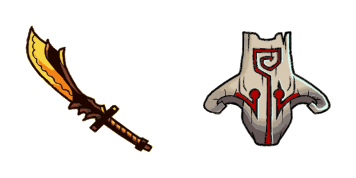
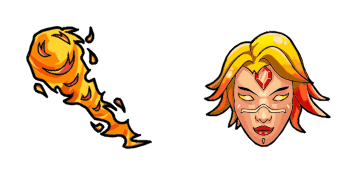
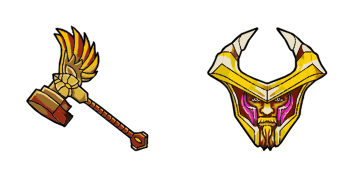
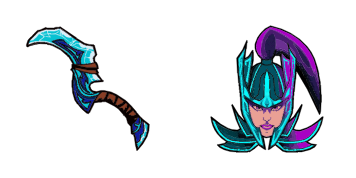
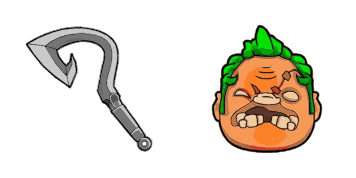
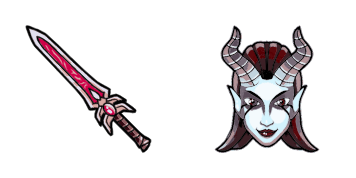
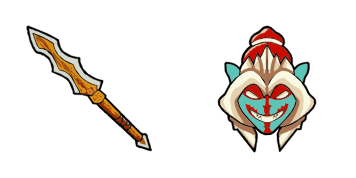
DOTA 2 custom cursor

Discover our latest DOTA 2 cursor pack - sleek, animated browser cursors perfect for gaming fans! Download now from Cursors Collection.

✨ Move your mouse to test both cursors
Arrow Cursor

Default navigation pointer

Pointer Cursor

Used for clickable elements

Hover over each side to preview both cursor styles in real-time.

1,000+
Young adult males have recently reported problems with the new website's functionality when using Windows 10. Can you solve this problem? Here are some of the issues they might be experien cuing: Web browser incompatibility, - Lack of support for certain features (such as customizable cursors), - Insufficient documentation or user guides on how to install and use it, - Missing translation/localization options for non-English language versions, - Difficulties with the software's integration into existing systems, - Limited customer support and communication channels.

How to Install DOTA 2 cursors

How to Install cursor DOTA 2 for Chrome

DOTA 2 preview

DOTA 2

Discover our latest DOTA 2 cursor pack - sleek, animated browser cursors perfect for gaming fans! Download now from Cursors Collection.

  1. 1
    Go to Chrome Web Store

    Hit the 'Add to Browser' button to get the 'DOTA 2' pack.

  2. 2
    Add the Extension

    On the Chrome Web Store, smash that ‘Add to Chrome’ button and confirm.

  3. 3
    Pin for Easy Access

    Pro-tip: Pin the 'Cute Cursors' extension to your toolbar for quick access.

  4. 4
    Activate Your Cursor

    Open the extension, find the 'DOTA 2' pack, and click to activate. Easy peasy!

Piece of cake, right? Go on and have fun!

You may also like

Explore other cursor packs from our collection

Pakiet kursorów Jetpack Joyride 2 & Zapper

Darmowy pakiet kursorów Jetpack Joyride 2 & Zapper

Experience gaming fun in your browser with our custom Jetpack Joyride and Zapper animated cursors - vibrant, dynamic, and perfect for Windows 10/11!

Pakiet kursorów Henry Stickmin Dmitri Johannes Petrov

Darmowy pakiet kursorów Henry Stickmin Dmitri Johannes Petrov

Dive into the captivating world of "Henry Stickmin Dmitri Johannes Petrov" - our free custom cursor for browsers and Windows 10/11 adds a unique touch to your mouse pointer experience. Experience Dmitri's charm as you navigate with style!

Pakiet kursorów Deltarune Hacker

Darmowy pakiet kursorów Deltarune Hacker

Discover the Deltarune Hacker custom cursors for browser and Windows 10/11 - stylishly navigate your web with cute, aesthetic mouse pointers from Games Cursor Collection!

Pakiet kursorów The Legend of Zelda

Darmowy pakiet kursorów The Legend of Zelda

Experience the iconic Triforce symbol with our stylish Legend of Zelda cursor pack - perfect for browsers and Windows 10/11! Upgrade your aesthetic mouse pointer today.

Pakiet kursorów Life is Strange Blue Butterfly

Darmowy pakiet kursorów Life is Strange Blue Butterfly

Experience the enchantment of "Life is Strange" with our custom blue butterfly cursor pack – stylish and mystical cursors for browsers and Windows 10/11.

Pakiet kursorów Plants vs. Zombies

Darmowy pakiet kursorów Plants vs. Zombies

Add a whimsical twist to browsing with our "Plants vs. Zombies" custom cursors - perfect for both browsers and Windows 10/11, these cute and stylish cursor packs are designed to add fun and playfulness to your daily tasks!

Pakiet kursorów Overwatch D.Va & Blaster

Darmowy pakiet kursorów Overwatch D.Va & Blaster

Experience Overwatch in style with our custom D.Va & Blaster cursors for browsers and Windows - sleek, animated, and perfect for gamers!

Pakiet kursorów War Thunder

Darmowy pakiet kursorów War Thunder

Discover War Thunder's stylish cursor pack - perfect for browsers and Windows 10/11 users seeking a unique mouse pointer experience with aviation-themed designs.

Didn't Find Your Vibe?

Our universe of cursors is huge. Dive into hundreds of unique collections and find the one that truly represents you.

Explore All Collections