Google Chrome

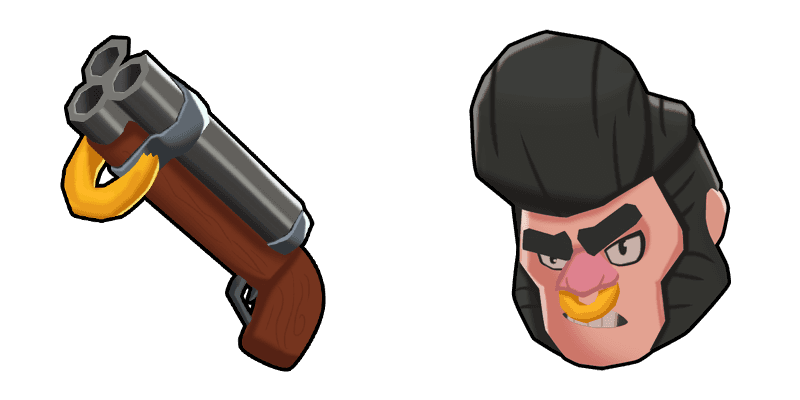
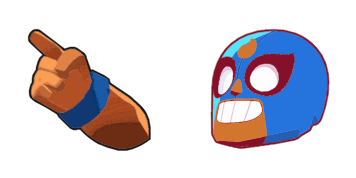
Brawl Stars logo custom cursor

Dive into your digital world with our stylish custom Brawl Stars logo cursor - perfect for gamers & fans of the game! Upgrade your Windows 10/11 and browser experience now. #cute cursors #aesthetic mouse pointer #stylish cursor pack

✨ Move your mouse to test both cursors
Arrow Cursor

Default navigation pointer

Pointer Cursor

Used for clickable elements

Hover over each side to preview both cursor styles in real-time.

1,000+
You police officers have been assigned a challenging task: You are given information about an online retailer which is currently selling custom-made cursors (or pointers). The online store offers these products to their customers. There seems to be some issues with the cursor in terms of its design and usability, so you've decided to create your own web page for the company as a competitor of the retailer. Here is your task: Create an HTML webpage that serves as a product landing page on their site. The webpage should display information about Brawl Stars cursors and include the following features: 1. A title "Customize Your Cursors Collection" (or other catchy name) at the top of the page with some creative text; 2. At least four images that are related to cursor design, each image should have an alt attribute set as a thumbnail, and they should be lined up in a responsive grid. Every single one is different from each other and has its own unique color and style (do not use the exact same color for all of them). For this task I need to create four divs with headings. One div is used for header, another for main section, third for sub-heading about cursor types on a page and fourth for footer area. These divs have the following CSS classes: "header", "main" and "footer". The "main" div has some text content in it, as well as two links to external pages (one linking back to their blog homepage, one to an article/blog post about cursors). Avoid using images. The page should also include a contact form with fields for first name and email and button to submit the data, and a "buy now" button next to it that sends all of this information in JSON format: You have just been hired by an eCommerce company as their web developer. You need to design a responsive navigation menu for them on their website's homepage. Can you help me?

How to Install Brawl Stars logo cursors

How to Install cursor Brawl Stars logo for Chrome

Brawl Stars logo preview

Brawl Stars logo

Dive into your digital world with our stylish custom Brawl Stars logo cursor - perfect for gamers & fans of the game! Upgrade your Windows 10/11 and browser experience now. #cute cursors #aesthetic mouse pointer #stylish cursor pack

  1. 1
    Go to Chrome Web Store

    Hit the 'Add to Browser' button to get the 'Brawl Stars logo' pack.

  2. 2
    Add the Extension

    On the Chrome Web Store, smash that ‘Add to Chrome’ button and confirm.

  3. 3
    Pin for Easy Access

    Pro-tip: Pin the 'Cute Cursors' extension to your toolbar for quick access.

  4. 4
    Activate Your Cursor

    Open the extension, find the 'Brawl Stars logo' pack, and click to activate. Easy peasy!

Piece of cake, right? Go on and have fun!

You may also like

Explore other cursor packs from our collection

Pakiet kursorów Digger

Darmowy pakiet kursorów Digger

Discover our stylish "Digger" cursor pack for browsers & Windows 10/11 - a cute and aesthetic mouse pointer perfect for construction-themed interfaces!

Pakiet kursorów Street Fighter Ryu Hadouken

Darmowy pakiet kursorów Street Fighter Ryu Hadouken

Elevate your digital battles with our Street Fighter Ryu Hadouken cursor pack – a stylish fusion of browser and Windows cursors that brings gaming icon Ryu's dedication to mastery right to your screen!

Pakiet kursorów Rosa

Darmowy pakiet kursorów Rosa

Discover the Rosa cursor from our Cursors Collection - adding elegance with delicate pink hues & intricate design for both browsers and Windows 10/11. Perfect for a stylish and sopheitic browsing experience!

Pakiet kursorów SIMS

Darmowy pakiet kursorów SIMS

Experience nostalgia with the SIMS cursor from our Cursors Collection! A pixelated, classic gaming cursor inspired by The Sims for browsers and Windows 10/11. Add a playful touch to your browsing experience today!

Pakiet kursorów Star Wars: Weapon

Darmowy pakiet kursorów Star Wars: Weapon

Discover a galaxy far, far away with our Star Wars: Weapon cursor pack - stylish and animated cursors for browsers and Windows 10/11 to enhance your browsing experience!

Pakiet kursorów Banjo & Kazooie Pixel

Darmowy pakiet kursorów Banjo & Kazooie Pixel

Add some playfulness to your browsing experience with our charming "Banjo & Kazooie Pixel" custom cursor pack designed for browsers and Windows 10/11. Dive into nostalgia with these adorable, quirky cursors that bring whimsy to every click!

Pakiet kursorów Night in the Woods Mae Borowski & Guitar

Darmowy pakiet kursorów Night in the Woods Mae Borowski & Guitar

Experience a unique browsing journey with our Night in the Woods Mae Borowski & Guitar cursor pack - customizable for both browsers and Windows 10/11 devices!

Pakiet kursorów Club Penguin Rory & Jackhammer

Darmowy pakiet kursorów Club Penguin Rory & Jackhammer

"Dive into the world of Club Penguin with Rory and Jackhammer - a custom cursor pack featuring hilarious animations for browsers and Windows 10/11 devices!"

Didn't Find Your Vibe?

Our universe of cursors is huge. Dive into hundreds of unique collections and find the one that truly represents you.

Explore All Collections