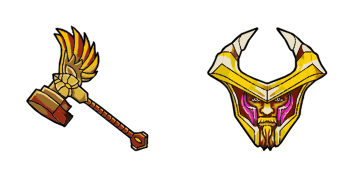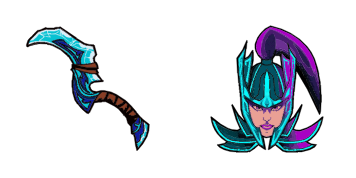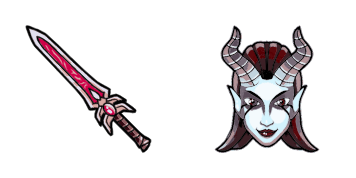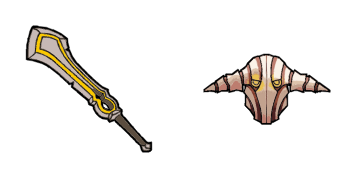
Google Chrome

Axe custom cursor

"Discover the stylish "Axe" custom cursor pack for your browser and Windows 10/11 devices - perfect for outdoors-themed websites with a touch of humor!"

✨ Move your mouse to test both cursors
Arrow Cursor

Default navigation pointer

Pointer Cursor

Used for clickable elements

Hover over each side to preview both cursor styles in real-time.

1,000+
- [03] You're attempting to create a promotional page for this "Axe Cursor" product on our site, so that we can explain what these cursors mean. To do so, I will provide an example of the HTML code you would use, and then describe how it should look like with each step listed below. Here is a list: * Professionalism in Web Development * You can create a JavaScript application that performs sentiment analysis on the descriptions provided by different manufactur vice presidents to rate their level of happiness with this product, and suggest products they could buy based on that rating. The application should also include feature recommendations.

How to Install Axe cursors

How to Install cursor Axe for Chrome

Axe preview

Axe

"Discover the stylish "Axe" custom cursor pack for your browser and Windows 10/11 devices - perfect for outdoors-themed websites with a touch of humor!"

  1. 1
    Go to Chrome Web Store

    Hit the 'Add to Browser' button to get the 'Axe' pack.

  2. 2
    Add the Extension

    On the Chrome Web Store, smash that ‘Add to Chrome’ button and confirm.

  3. 3
    Pin for Easy Access

    Pro-tip: Pin the 'Cute Cursors' extension to your toolbar for quick access.

  4. 4
    Activate Your Cursor

    Open the extension, find the 'Axe' pack, and click to activate. Easy peasy!

Piece of cake, right? Go on and have fun!

You may also like

Explore other cursor packs from our collection

Pakiet kursorów Stardew Valley Junimos Pixel

Darmowy pakiet kursorów Stardew Valley Junimos Pixel

Immerse yourself in Stardew Valley's charm with our custom cursor pack featuring adorable Juniper cursors perfect for browsers and Windows 10/11 - let pixel magic enchant your online journey!

Pakiet kursorów Red Ball 4

Darmowy pakiet kursorów Red Ball 4

Dive into gaming-inspired fun with Red Ball 4 Animated Cursor from Games Cursor Collection - a stylish and cute cursor pack designed for browsers and Windows 10/11!

Pakiet kursorów Phantom Assassin

Darmowy pakiet kursorów Phantom Assassin

Experience a touch of personality and style with our custom "Phantom Assassin" cursor pack - sleek, modern, and perfect for Dota 2 fans!

Pakiet kursorów Omniknight

Darmowy pakiet kursorów Omniknight

Elevate your browsing game with Omniknight cursor pack - a stylish and unique set of browser cursors inspired by the iconic Dota 2 hero! Perfect for Windows 10/11 users seeking an impressive aesthetic mouse pointer experience.

Pakiet kursorów Undertale Sans

Darmowy pakiet kursorów Undertale Sans

Discover cute, stylish cursors for browsers & Windows with our "Undertale Sans" pack from Games Cursor Collection - a must-have for gamers and fans!

Pakiet kursorów Bandana Waddle Dee

Darmowy pakiet kursorów Bandana Waddle Dee

Discover stylish and cute cursors for your browser with our adorable "Bandana Waddle Dee" cursor pack - perfect for Kirby fans and adding fun to Windows 10/11!

Pakiet kursorów Star Wars: Weapon

Darmowy pakiet kursorów Star Wars: Weapon

Discover a galaxy far, far away with our Star Wars: Weapon cursor pack - stylish and animated cursors for browsers and Windows 10/11 to enhance your browsing experience!

Pakiet kursorów Red Ball Games

Darmowy pakiet kursorów Red Ball Games

Experience playful browsing with our "Red Ball Games" custom mouse cursor from the Games Cursor Collection - a stylish pack for Windows 10/11 users who love vibrant and artistic designs!

Didn't Find Your Vibe?

Our universe of cursors is huge. Dive into hundreds of unique collections and find the one that truly represents you.

Explore All Collections