Google Chrome

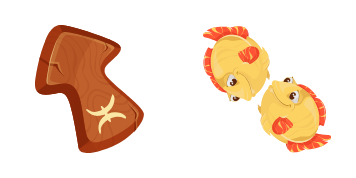
Leo Zodiac Sign custom cursor

Add personality to your browsing with our stylish Leo Zodiac Sign cursor pack - perfect for browsers and Windows 10/11! Enjoy smooth animations and easy installation that add excitement to your web experience. Stand out from the crowd without settling for

✨ Move your mouse to test both cursors
Arrow Cursor

Default navigation pointer

Pointer Cursor

Used for clickable elements

Hover over each side to preview both cursor styles in real-time.

1,000+
You have recently received an anonymous gift of $200,00 cups of coffee. Each bag contains a total of 10 packets of seeds. The ratio between the packs is as follows: 9 bags are filled with red seeds and the other x bags are filled with green seeds. If I wanted to buy only green seeds in bulk, how many bags do I have to purchase? Thought: To solve this problem, we need to determine the greatest common factor of 287 and 15096.

How to Install Leo Zodiac Sign cursors

How to Install cursor Leo Zodiac Sign for Chrome

Leo Zodiac Sign preview

Leo Zodiac Sign

Add personality to your browsing with our stylish Leo Zodiac Sign cursor pack - perfect for browsers and Windows 10/11! Enjoy smooth animations and easy installation that add excitement to your web experience. Stand out from the crowd without settling for

  1. 1
    Go to Chrome Web Store

    Hit the 'Add to Browser' button to get the 'Leo Zodiac Sign' pack.

  2. 2
    Add the Extension

    On the Chrome Web Store, smash that ‘Add to Chrome’ button and confirm.

  3. 3
    Pin for Easy Access

    Pro-tip: Pin the 'Cute Cursors' extension to your toolbar for quick access.

  4. 4
    Activate Your Cursor

    Open the extension, find the 'Leo Zodiac Sign' pack, and click to activate. Easy peasy!

Piece of cake, right? Go on and have fun!

You may also like

Explore other cursor packs from our collection

Pakiet kursorów Easter Surprise Egg

Darmowy pakiet kursorów Easter Surprise Egg

Add festive fun with "Easter Surprise Egg" custom cursor - stylishly designed for browsers and Windows 10/11, bringing joyful surprises to your screen.

Pakiet kursorów Nagato

Darmowy pakiet kursorów Nagato

"Enhance your digital experience with our Nagato cursor pack - stylish, aesthetic mouse pointers designed for browsers and Windows 10/11, inspired by the iconic Naruto series."

Pakiet kursorów Monokuma

Darmowy pakiet kursorów Monokuma

Dive into web browsing with a smile using the adorable "Monokuma" custom mouse cursor from our Cursors Collection - perfect for Windows 10/11 and browsers!

Pakiet kursorów Shoto Todoroki

Darmowy pakiet kursorów Shoto Todoroki

"Transform your web experience with our custom Shoto Todoroki cursors! Perfect for browsers & Windows 10/11, these aesthetic mouse pointers feature the half-hot, half-cold hero in all his glory!"

Pakiet kursorów Kaguya Otsutsuki

Darmowy pakiet kursorów Kaguya Otsutsuki

Enhance your browsing experience with the Kaguya Otsutsuki cursor pack from Cursors Collection - stylish and cute cursors for Windows 10/11 browsers!

Pakiet kursorów Jax

Darmowy pakiet kursorów Jax

Experience stylish browsing with our custom Jax mouse cursor pack - perfect for both browsers and Windows 10/11! Cute and aesthetic, enjoy your sleek modern cursor design in black, white, or more colorful options today!

Pakiet kursorów Caspian

Darmowy pakiet kursorów Caspian

Discover the sleek and modern design of Caspian cursor - part of our unique Cursors Collection! Ideal for browsers & Windows 10/11, this stylish mouse pointer with smooth animation adds a touch of sophistication to your digital space. Try it today.

Pakiet kursorów Smart Heart Bear

Darmowy pakiet kursorów Smart Heart Bear

Enhance your browsing experience with our stylish "Smart Heart Bear" custom mouse cursor pack - perfect for Windows 10/11 users looking for cute and aesthetic browser cursors!

Didn't Find Your Vibe?

Our universe of cursors is huge. Dive into hundreds of unique collections and find the one that truly represents you.

Explore All Collections