


Darmowy pakiet kursorów Deadpool
Meet the Deadpool Classic cute cursor - free custom cursor ready for every click.
Wolverine Alt clean cute cursor - free custom cursor for X-Men fans.
Try this cursor
Move across the preview to feel both cursor styles.

Drop Wolverine Alt on your pointer, a lively cute cursor ready for tabs and scrolls. This free custom cursor pack runs in Chrome and Edge, plus Windows 10/11 through Custom Cursor when you want it beyond the browser.
Clean shapes keep Wolverine Alt readable at cursor size, so the click point never gets lost. This is fan-made custom cursor art and is not an official Marvel release.
Nearby picks include the Superhero Wolverine Cursor Pack, the Deadpool Pack Cursor Pack, and the Deadpool Classic Cursor Pack.
Download the Wolverine Alt pack and let mutant energy follow every click.
Explore other cursor packs from our collection
Meet the Deadpool Classic cute cursor - free custom cursor ready for every click.

Cyclops Classic cute cursor - free custom cursor with X-Men vibes.
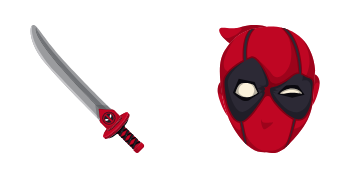
Deadpool cute cursor pack: free custom cursors with mutant style.

Grab the Cyclops Variant cute cursor - a free custom cursor pack for fans.

Drop the Deadpool Pack cute cursor - a free custom cursor for your desktop.

Deadpool Superhero cute cursor for fans - free custom cursor with hero charm.

bright Superhero Wolverine cute cursor - free custom cursor with mutant style.

Try Quicksilver and Headphones cute cursor - free custom cursor with clean mutant energy.

Wolverine Alt clean cute cursor - free custom cursor for X-Men fans.
Hit the 'Add to Browser' button to get the 'Wolverine' pack.
On the Chrome Web Store, smash that ‘Add to Chrome’ button and confirm.
Pro-tip: Pin the 'Cute Cursors' extension to your toolbar for quick access.
Open the extension, find the 'Wolverine' pack, and click to activate. Easy peasy!
Our universe of cursors is huge. Dive into hundreds of unique collections and find the one that truly represents you.
Explore All Collections
Zainstaluj go teraz za darmo ze sklepu Chrome Web Store
Idle
{
  "status": "idle"
}