


Darmowy pakiet kursorów Ember and Wade
Ember and Wade cute cursor for fans - free custom cursor with studio charm.
Free custom cursor: Up cute cursor with a chibi Pixar look.
Try this cursor
Move across the preview to feel both cursor styles.

Step into the scene with Up, a friendly cute cursor for fans of classic characters. Grab this free custom cursor for Chrome and Edge, and on Windows 10/11 with Custom Cursor when you want the same look across apps.
High-contrast colors keep Up sharp so the tip never disappears. It is fan-made cursor art only and is not tied to any official Pixar product line.
Round out your set with the WALL-E Cursor Pack, the Sally Carrera and Cone Cursor Pack, and the Nemo and Marlin Cursor Pack.
Try the Up pack and tuck cheerful charm into everyday clicks.
Explore other cursor packs from our collection
Ember and Wade cute cursor for fans - free custom cursor with studio charm.

Grab the Cars Alt cute cursor - a free custom cursor pack for fans.
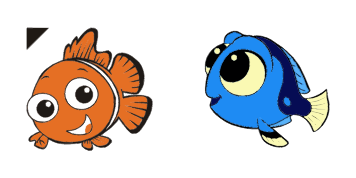
Finding Nemo Alt: cute cursor pack and free custom cursor for Pixar fans.

Try Joe Gardner cute cursor - free custom cursor with clean movie energy.

Joe Gardners Soul cute cursor download - free custom cursor for everyday clicks.

Pick Meilin Lee cute cursor - a free custom cursor with animation charm.

soft Monsters Inc Alt cute cursor - free custom cursor with movie style.

Mr Mittens cute cursor - free custom cursor with Pixar vibes.

Free custom cursor: Up cute cursor with a chibi Pixar look.
Hit the 'Add to Browser' button to get the 'Up ' pack.
On the Chrome Web Store, smash that ‘Add to Chrome’ button and confirm.
Pro-tip: Pin the 'Cute Cursors' extension to your toolbar for quick access.
Open the extension, find the 'Up ' pack, and click to activate. Easy peasy!
Our universe of cursors is huge. Dive into hundreds of unique collections and find the one that truly represents you.
Explore All Collections
Zainstaluj go teraz za darmo ze sklepu Chrome Web Store
Idle
{
  "status": "idle"
}