

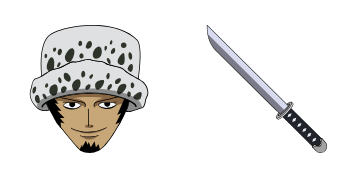
Pack de curseurs personnalisés gratuit Trafalgar D. Water Law
Surgeon of Death cool in the Trafalgar Law cute cursor, a free custom cursor pack for fans.
Luffy and the Straw Hat flag cute cursor, a free custom cursor pack for future Pirate King fans.
Try this cursor
Move across the preview to feel both cursor styles.

Captain and colors together: this Luffy and Straw Hat flag cute cursor pairs the grin with the crew banner on your pointer. Grab the One Piece Luffy and Straw Hat Flag cute cursor free for Chrome and Edge, or run it on Windows 10/11 with the Custom Cursor app.
The red and yellow palette keeps both captain and flag distinct at pointer scale. The pack is fan-made cursor art and has no official tie to Eiichiro Oda, Shueisha, or Toei Animation.
Rally the crew alongside the Monkey D. Luffy Cursor Pack, the One Piece Jolly Roger Cursor Pack, and the Roronoa Zoro Cursor Pack.
Grab the Luffy and Straw Hat flag cursor pack and let the captain claim your screen.
Customize your embed code and preview it in real time below.
Live preview
<style type="text/css">
body {
  cursor: url(https://cdn.cutecursors.com/cdn-sweezy/packs/one-piece-monkey-d-luffy-straw-hat-pirates-flag-cursor/arrow.png) 4 4, auto;
}
a, button, .clickable {
  cursor: url(https://cdn.cutecursors.com/cdn-sweezy/packs/one-piece-monkey-d-luffy-straw-hat-pirates-flag-cursor/hand.png) 4 4, pointer;
}
</style>
<a href="https://cutecursors.com//category/one-piece/one-piece-monkey-d-luffy-straw-hat-pirates-flag-cursor" title="Get free One Piece Monkey D. Luffy & Straw Hat Pirates Flag cursors for your website.">
  One Piece Monkey D. Luffy & Straw Hat Pirates Flag Cursors
</a>/* components/CuteCursor.jsx */
"use client";
import { useEffect } from "react";
const CURSOR = "https://cdn.cutecursors.com/cdn-sweezy/packs/one-piece-monkey-d-luffy-straw-hat-pirates-flag-cursor/arrow.png";
const POINTER = "https://cdn.cutecursors.com/cdn-sweezy/packs/one-piece-monkey-d-luffy-straw-hat-pirates-flag-cursor/hand.png";
export default function CuteCursor() {
useEffect(() => {
const style = document.createElement("style");
style.innerHTML = `
body { cursor: url(${CURSOR}) 4 4, auto; }
a, button, .clickable { cursor: url(${POINTER}) 4 4, pointer; }
`;
document.head.appendChild(style);
return () => style.remove();
}, []);
return null;
}
/* Usage: render <CuteCursor /> once, e.g. in your root layout or App:
<CuteCursor />
One Piece Monkey D. Luffy & Straw Hat Pirates Flag cursors by https://cutecursors.com//category/one-piece/one-piece-monkey-d-luffy-straw-hat-pirates-flag-cursor */-- One Piece Monkey D. Luffy & Straw Hat Pirates Flag custom cursor for Roblox
-- LocalScript (place it in StarterPlayer > StarterPlayerScripts)
--
-- 1) Download the cursor images (buttons above) or grab them here:
-- Cursor: https://cdn.cutecursors.com/cdn-sweezy/packs/one-piece-monkey-d-luffy-straw-hat-pirates-flag-cursor/arrow.png
-- Pointer: https://cdn.cutecursors.com/cdn-sweezy/packs/one-piece-monkey-d-luffy-straw-hat-pirates-flag-cursor/hand.png
-- 2) Upload them in Roblox Creator Hub as Decals (Create > Decals).
-- 3) Replace the IDs below with your uploaded Image asset IDs.
local UserInputService = game:GetService("UserInputService")
local Players = game:GetService("Players")
local CURSOR_ICON = "rbxassetid://CURSOR_ASSET_ID"
local POINTER_ICON = "rbxassetid://POINTER_ASSET_ID"
-- Set the default cursor
UserInputService.MouseIcon = CURSOR_ICON
-- Optional: switch to the pointer icon while hovering GUI buttons
local function hookButton(button)
button.MouseEnter:Connect(function()
UserInputService.MouseIcon = POINTER_ICON
end)
button.MouseLeave:Connect(function()
UserInputService.MouseIcon = CURSOR_ICON
end)
end
local playerGui = Players.LocalPlayer:WaitForChild("PlayerGui")
for _, gui in ipairs(playerGui:GetDescendants()) do
if gui:IsA("GuiButton") then
hookButton(gui)
end
end
playerGui.DescendantAdded:Connect(function(gui)
if gui:IsA("GuiButton") then
hookButton(gui)
end
end)
-- One Piece Monkey D. Luffy & Straw Hat Pirates Flag cursors: https://cutecursors.com//category/one-piece/one-piece-monkey-d-luffy-straw-hat-pirates-flag-cursor
Luffy and the Straw Hat flag cute cursor, a free custom cursor pack for future Pirate King fans.
Hit the 'Add to Browser' button to get the 'One Piece Monkey D. Luffy & Straw Hat Pirates Flag' pack.
On the Chrome Web Store, smash that ‘Add to Chrome’ button and confirm.
Pro-tip: Pin the 'Cute Cursors' extension to your toolbar for quick access.
Open the extension, find the 'One Piece Monkey D. Luffy & Straw Hat Pirates Flag' pack, and click to activate. Easy peasy!
Explore other cursor packs from our collection
Surgeon of Death cool in the Trafalgar Law cute cursor, a free custom cursor pack for fans.
Red Hair authority in the Shanks cute cursor, a free custom cursor pack for Yonko fans.
Mochi power in the Charlotte Katakuri cute cursor, a free custom cursor pack for Whole Cake fans.
Clown chaos with the Buggy cute cursor, a free custom cursor pack full of Chop-Chop energy.
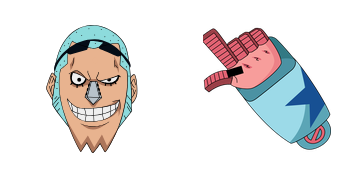
Super shipwright vibes in the Franky cute cursor, a free custom cursor pack for Straw Hat fans.
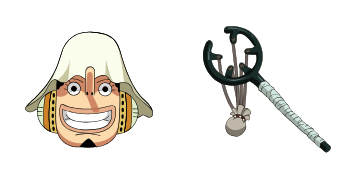
Sniper tall tales in the Usopp cute cursor, a free custom cursor pack for Straw Hat crew fans.
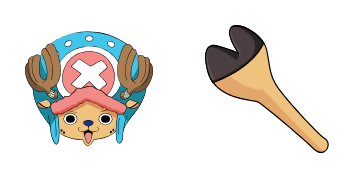
Reindeer doctor cheer in the Tony Tony Chopper cute cursor, a free custom cursor pack for fans.
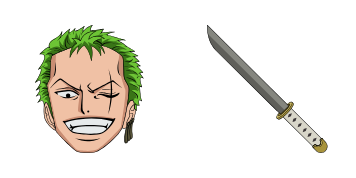
Three-sword resolve in the Roronoa Zoro cute cursor, a free custom cursor pack for swordsman fans.
Our universe of cursors is huge. Dive into hundreds of unique collections and find the one that truly represents you.
Explore All Collections
Installez-le gratuitement dès maintenant depuis le Chrome Web Store officiel
Idle
{
  "status": "idle"
}