

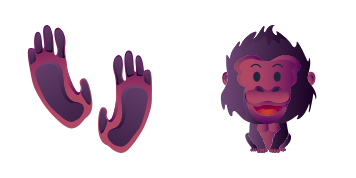
Pack de curseurs personnalisés gratuit Happy Gorilla
Give your desktop a friendly jungle vibe with the Happy Gorilla cursor - a cute cursor duo you will love to click.
A fierce golden-spotted custom cursor set starring a leopard print, made to give your pointer a playful animal makeover.
Try this cursor
Move across the preview to feel both cursor styles.

The Leopard Animal Skin Texture cursor pack turns your mouse into a small piece of animal art. Built around a fierce golden-spotted leopard print, it swaps the default pointer and clicker for a matching set that stays charming without getting in the way of your work.
The artwork here is fan-made, created by illustrators who simply love drawing animals. The fierce golden-spotted palette was chosen to stand out against light and dark backgrounds alike, so you never lose track of your pointer mid-scroll.
To use it, grab the extension for Chrome or Edge, open the gallery and click this pack - that is the whole setup. It plays nicely with Windows 10 and Windows 11 alike, and it never slows down your browsing.
More animal friends are waiting in the collection: try the Tiger Animal Skin Texture cursor, the Dalmatian Animal Skin Texture cursor or the Flamingo Animal Skin Texture cursor next. Collect a few favorites and give every day of the week its own cursor.
Customize your embed code and preview it in real time below.
Live preview
<style type="text/css">
body {
  cursor: url(https://cdn.cutecursors.com/cdn-changecursor/packs/leopard-animal-skin-texture-cursor/arrow.png) 4 4, auto;
}
a, button, .clickable {
  cursor: url(https://cdn.cutecursors.com/cdn-changecursor/packs/leopard-animal-skin-texture-cursor/hand.png) 4 4, pointer;
}
</style>
<a href="https://cutecursors.com//category/animal-cursors/leopard-animal-skin-texture-cursor" title="Get free Leopard Animal Skin Texture cursors for your website.">
  Leopard Animal Skin Texture Cursors
</a>/* components/CuteCursor.jsx */
"use client";
import { useEffect } from "react";
const CURSOR = "https://cdn.cutecursors.com/cdn-changecursor/packs/leopard-animal-skin-texture-cursor/arrow.png";
const POINTER = "https://cdn.cutecursors.com/cdn-changecursor/packs/leopard-animal-skin-texture-cursor/hand.png";
export default function CuteCursor() {
useEffect(() => {
const style = document.createElement("style");
style.innerHTML = `
body { cursor: url(${CURSOR}) 4 4, auto; }
a, button, .clickable { cursor: url(${POINTER}) 4 4, pointer; }
`;
document.head.appendChild(style);
return () => style.remove();
}, []);
return null;
}
/* Usage: render <CuteCursor /> once, e.g. in your root layout or App:
<CuteCursor />
Leopard Animal Skin Texture cursors by https://cutecursors.com//category/animal-cursors/leopard-animal-skin-texture-cursor */-- Leopard Animal Skin Texture custom cursor for Roblox
-- LocalScript (place it in StarterPlayer > StarterPlayerScripts)
--
-- 1) Download the cursor images (buttons above) or grab them here:
-- Cursor: https://cdn.cutecursors.com/cdn-changecursor/packs/leopard-animal-skin-texture-cursor/arrow.png
-- Pointer: https://cdn.cutecursors.com/cdn-changecursor/packs/leopard-animal-skin-texture-cursor/hand.png
-- 2) Upload them in Roblox Creator Hub as Decals (Create > Decals).
-- 3) Replace the IDs below with your uploaded Image asset IDs.
local UserInputService = game:GetService("UserInputService")
local Players = game:GetService("Players")
local CURSOR_ICON = "rbxassetid://CURSOR_ASSET_ID"
local POINTER_ICON = "rbxassetid://POINTER_ASSET_ID"
-- Set the default cursor
UserInputService.MouseIcon = CURSOR_ICON
-- Optional: switch to the pointer icon while hovering GUI buttons
local function hookButton(button)
button.MouseEnter:Connect(function()
UserInputService.MouseIcon = POINTER_ICON
end)
button.MouseLeave:Connect(function()
UserInputService.MouseIcon = CURSOR_ICON
end)
end
local playerGui = Players.LocalPlayer:WaitForChild("PlayerGui")
for _, gui in ipairs(playerGui:GetDescendants()) do
if gui:IsA("GuiButton") then
hookButton(gui)
end
end
playerGui.DescendantAdded:Connect(function(gui)
if gui:IsA("GuiButton") then
hookButton(gui)
end
end)
-- Leopard Animal Skin Texture cursors: https://cutecursors.com//category/animal-cursors/leopard-animal-skin-texture-cursor
A fierce golden-spotted custom cursor set starring a leopard print, made to give your pointer a playful animal makeover.
Hit the 'Add to Browser' button to get the 'Leopard Animal Skin Texture' pack.
On the Chrome Web Store, smash that ‘Add to Chrome’ button and confirm.
Pro-tip: Pin the 'Cute Cursors' extension to your toolbar for quick access.
Open the extension, find the 'Leopard Animal Skin Texture' pack, and click to activate. Easy peasy!
Explore other cursor packs from our collection
Give your desktop a friendly jungle vibe with the Happy Gorilla cursor - a cute cursor duo you will love to click.
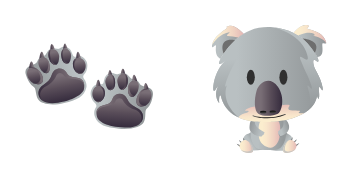
A cute cursor pack inspired by a sleepy eucalyptus-loving amusing koala, ready to replace your everyday pointer.
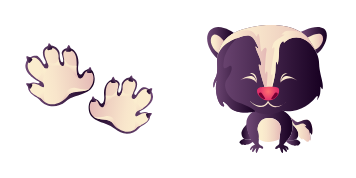
Bring a mischievous striped sly skunk along for every click with this friendly custom cursor set.
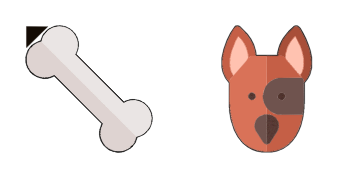
The Dog cursor pack wraps your pointer in loyal floppy-eared style - a cute cursor treat for your screen.
Point, click and smile - this shimmering little goldfish custom cursor makes your mouse the cutest thing on screen.
Meet the Hamster cursor pack - a cute cursor set that brings chubby-cheeked charm to every click of your mouse.
A prickly garden custom cursor set starring a hedgehog, made to give your pointer a playful animal makeover.
Swap your plain pointer for this kitten cursor - a playful whiskered cute cursor pick for animal lovers.
Our universe of cursors is huge. Dive into hundreds of unique collections and find the one that truly represents you.
Explore All Collections
Installez-le gratuitement dès maintenant depuis le Chrome Web Store officiel
Idle
{
  "status": "idle"
}