

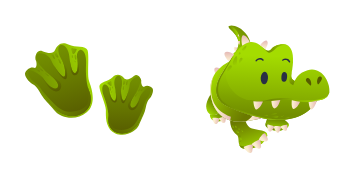
Pack de curseurs personnalisés gratuit Alligator
Turn your mouse into a grinning green alligator with this cute cursor pack built for fans of animal art.
A cute cursor set inspired by a rugged swamp-green crocodile scale.
Try this cursor
Move across the preview to feel both cursor styles.

If your everyday pointer feels a little boring, the Crocodile Animal Skin Texture cursor pack is here to fix that. It replaces the standard arrow and hand pointer with a rugged swamp-green crocodile scale design, so every click, scroll and hover feels a bit more fun.
Like every set in our collection, this pack is fan-made: an artist's tribute to the crocodile scale rather than official artwork. Each state of the cursor was drawn to stay crisp at typical cursor sizes, so the details hold up even on high-resolution displays.
The pack runs through a lightweight browser extension for Chrome and Edge, so there is nothing to configure at the system level. It behaves perfectly on both Windows 10 and Windows 11, and you can swap between packs as often as your mood changes.
Want to build a little zoo on your desktop? Pair this pack with the Cow Animal Skin Texture cursor or the Fish Animal Skin Texture cursor and rotate them whenever you feel like a change.
Customize your embed code and preview it in real time below.
Live preview
<style type="text/css">
body {
  cursor: url(https://cdn.cutecursors.com/cdn-changecursor/packs/crocodile-animal-skin-texture-cursor/arrow.png) 4 4, auto;
}
a, button, .clickable {
  cursor: url(https://cdn.cutecursors.com/cdn-changecursor/packs/crocodile-animal-skin-texture-cursor/hand.png) 4 4, pointer;
}
</style>
<a href="https://cutecursors.com//category/animal-cursors/crocodile-animal-skin-texture-cursor" title="Get free Crocodile Animal Skin Texture cursors for your website.">
  Crocodile Animal Skin Texture Cursors
</a>/* components/CuteCursor.jsx */
"use client";
import { useEffect } from "react";
const CURSOR = "https://cdn.cutecursors.com/cdn-changecursor/packs/crocodile-animal-skin-texture-cursor/arrow.png";
const POINTER = "https://cdn.cutecursors.com/cdn-changecursor/packs/crocodile-animal-skin-texture-cursor/hand.png";
export default function CuteCursor() {
useEffect(() => {
const style = document.createElement("style");
style.innerHTML = `
body { cursor: url(${CURSOR}) 4 4, auto; }
a, button, .clickable { cursor: url(${POINTER}) 4 4, pointer; }
`;
document.head.appendChild(style);
return () => style.remove();
}, []);
return null;
}
/* Usage: render <CuteCursor /> once, e.g. in your root layout or App:
<CuteCursor />
Crocodile Animal Skin Texture cursors by https://cutecursors.com//category/animal-cursors/crocodile-animal-skin-texture-cursor */-- Crocodile Animal Skin Texture custom cursor for Roblox
-- LocalScript (place it in StarterPlayer > StarterPlayerScripts)
--
-- 1) Download the cursor images (buttons above) or grab them here:
-- Cursor: https://cdn.cutecursors.com/cdn-changecursor/packs/crocodile-animal-skin-texture-cursor/arrow.png
-- Pointer: https://cdn.cutecursors.com/cdn-changecursor/packs/crocodile-animal-skin-texture-cursor/hand.png
-- 2) Upload them in Roblox Creator Hub as Decals (Create > Decals).
-- 3) Replace the IDs below with your uploaded Image asset IDs.
local UserInputService = game:GetService("UserInputService")
local Players = game:GetService("Players")
local CURSOR_ICON = "rbxassetid://CURSOR_ASSET_ID"
local POINTER_ICON = "rbxassetid://POINTER_ASSET_ID"
-- Set the default cursor
UserInputService.MouseIcon = CURSOR_ICON
-- Optional: switch to the pointer icon while hovering GUI buttons
local function hookButton(button)
button.MouseEnter:Connect(function()
UserInputService.MouseIcon = POINTER_ICON
end)
button.MouseLeave:Connect(function()
UserInputService.MouseIcon = CURSOR_ICON
end)
end
local playerGui = Players.LocalPlayer:WaitForChild("PlayerGui")
for _, gui in ipairs(playerGui:GetDescendants()) do
if gui:IsA("GuiButton") then
hookButton(gui)
end
end
playerGui.DescendantAdded:Connect(function(gui)
if gui:IsA("GuiButton") then
hookButton(gui)
end
end)
-- Crocodile Animal Skin Texture cursors: https://cutecursors.com//category/animal-cursors/crocodile-animal-skin-texture-cursor
A cute cursor set inspired by a rugged swamp-green crocodile scale.
Hit the 'Add to Browser' button to get the 'Crocodile Animal Skin Texture' pack.
On the Chrome Web Store, smash that ‘Add to Chrome’ button and confirm.
Pro-tip: Pin the 'Cute Cursors' extension to your toolbar for quick access.
Open the extension, find the 'Crocodile Animal Skin Texture' pack, and click to activate. Easy peasy!
Explore other cursor packs from our collection
Turn your mouse into a grinning green alligator with this cute cursor pack built for fans of animal art.
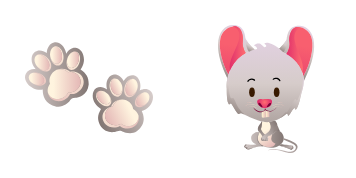
This mouse custom cursor adds a tiny cheese-loving touch to browsing, one adorable click at a time.
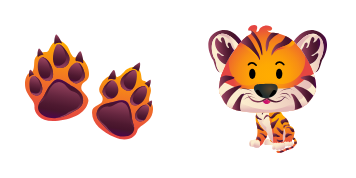
Give your desktop a bold striped vibe with the Tiger cursor - a cute cursor duo you will love to click.
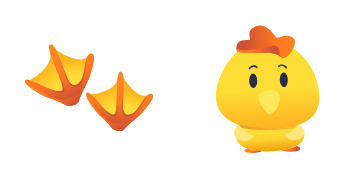
A cute cursor pack inspired by a fluffy yellow chick, ready to replace your everyday pointer.

Bring a gentle deep-sea whale along for every click with this friendly custom cursor set.
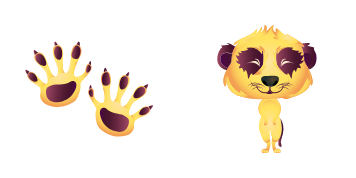
The Meerkat cursor pack wraps your pointer in curious desert style - a cute cursor treat for your screen.
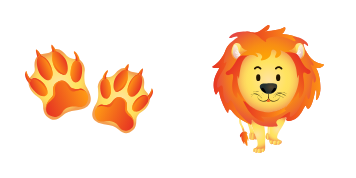
Point, click and smile - this proud golden-maned lion custom cursor makes your mouse the cutest thing on screen.
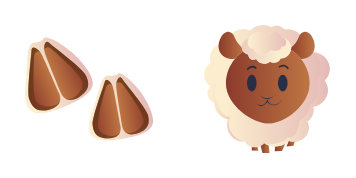
Meet the Sheep cursor pack - a cute cursor set that brings soft woolly charm to every click of your mouse.
Our universe of cursors is huge. Dive into hundreds of unique collections and find the one that truly represents you.
Explore All Collections
Installez-le gratuitement dès maintenant depuis le Chrome Web Store officiel
Idle
{
  "status": "idle"
}