

Pack de curseurs personnalisés gratuit GTA
GTA cute cursor pack - free custom cursor with soft open-world charm.
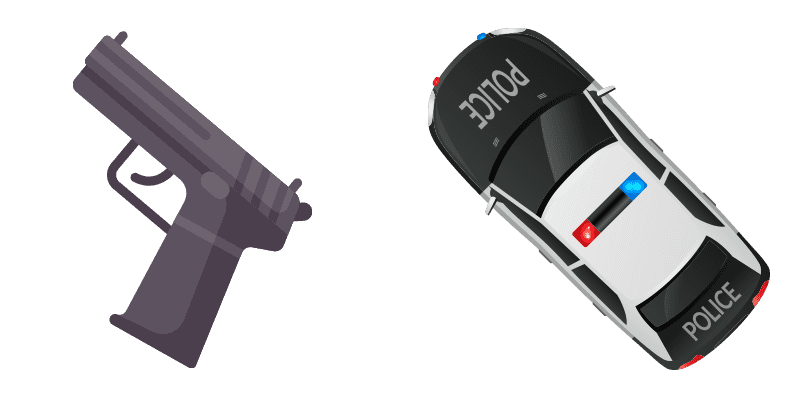
Carl Johnson Gun GTA cute cursor - free custom cursor for armed CJ vibes.
Try this cursor
Move across the preview to feel both cursor styles.

CJ ready for trouble: Carl Johnson Gun GTA brings an armed cute cursor to everyday browsing. This free custom cursor pack fits Chrome and Edge, and works on Windows 10/11 with Custom Cursor when you want the same tip outside the browser too.
Compact weapon details stay clear without crowding the pointer. Fan-made artwork celebrating San Andreas vibes - not a Rockstar official product.
Nearby picks include the Carl Johnson GTA Cursor Pack, the GTA San Andreas Carl and Baseball Bat Cursor Pack, and the Uzi Master GTA Cursor Pack.
Download Carl Johnson Gun and tuck a little Los Santos heat into your day.
Customize your embed code and preview it in real time below.
Live preview
<style type="text/css">
body {
  cursor: url(https://cdn.cutecursors.com/cdn-changecursor/packs/carl-johnson-gun-gta-cursor/arrow.png) 4 4, auto;
}
a, button, .clickable {
  cursor: url(https://cdn.cutecursors.com/cdn-changecursor/packs/carl-johnson-gun-gta-cursor/hand.png) 4 4, pointer;
}
</style>
<a href="https://cutecursors.com//category/gta-cursors/carl-johnson-gun-gta-cursor" title="Get free Carl Johnson Gun GTA cursors for your website.">
  Carl Johnson Gun GTA Cursors
</a>/* components/CuteCursor.jsx */
"use client";
import { useEffect } from "react";
const CURSOR = "https://cdn.cutecursors.com/cdn-changecursor/packs/carl-johnson-gun-gta-cursor/arrow.png";
const POINTER = "https://cdn.cutecursors.com/cdn-changecursor/packs/carl-johnson-gun-gta-cursor/hand.png";
export default function CuteCursor() {
useEffect(() => {
const style = document.createElement("style");
style.innerHTML = `
body { cursor: url(${CURSOR}) 4 4, auto; }
a, button, .clickable { cursor: url(${POINTER}) 4 4, pointer; }
`;
document.head.appendChild(style);
return () => style.remove();
}, []);
return null;
}
/* Usage: render <CuteCursor /> once, e.g. in your root layout or App:
<CuteCursor />
Carl Johnson Gun GTA cursors by https://cutecursors.com//category/gta-cursors/carl-johnson-gun-gta-cursor */-- Carl Johnson Gun GTA custom cursor for Roblox
-- LocalScript (place it in StarterPlayer > StarterPlayerScripts)
--
-- 1) Download the cursor images (buttons above) or grab them here:
-- Cursor: https://cdn.cutecursors.com/cdn-changecursor/packs/carl-johnson-gun-gta-cursor/arrow.png
-- Pointer: https://cdn.cutecursors.com/cdn-changecursor/packs/carl-johnson-gun-gta-cursor/hand.png
-- 2) Upload them in Roblox Creator Hub as Decals (Create > Decals).
-- 3) Replace the IDs below with your uploaded Image asset IDs.
local UserInputService = game:GetService("UserInputService")
local Players = game:GetService("Players")
local CURSOR_ICON = "rbxassetid://CURSOR_ASSET_ID"
local POINTER_ICON = "rbxassetid://POINTER_ASSET_ID"
-- Set the default cursor
UserInputService.MouseIcon = CURSOR_ICON
-- Optional: switch to the pointer icon while hovering GUI buttons
local function hookButton(button)
button.MouseEnter:Connect(function()
UserInputService.MouseIcon = POINTER_ICON
end)
button.MouseLeave:Connect(function()
UserInputService.MouseIcon = CURSOR_ICON
end)
end
local playerGui = Players.LocalPlayer:WaitForChild("PlayerGui")
for _, gui in ipairs(playerGui:GetDescendants()) do
if gui:IsA("GuiButton") then
hookButton(gui)
end
end
playerGui.DescendantAdded:Connect(function(gui)
if gui:IsA("GuiButton") then
hookButton(gui)
end
end)
-- Carl Johnson Gun GTA cursors: https://cutecursors.com//category/gta-cursors/carl-johnson-gun-gta-cursor
Carl Johnson Gun GTA cute cursor - free custom cursor for armed CJ vibes.
Hit the 'Add to Browser' button to get the 'Carl Johnson Gun GTA' pack.
On the Chrome Web Store, smash that ‘Add to Chrome’ button and confirm.
Pro-tip: Pin the 'Cute Cursors' extension to your toolbar for quick access.
Open the extension, find the 'Carl Johnson Gun GTA' pack, and click to activate. Easy peasy!
Explore other cursor packs from our collection
GTA cute cursor pack - free custom cursor with soft open-world charm.
Another GTA cute cursor set - free custom cursor for soft street vibes.

Blonde Crazy GTA cute cursor - free custom cursor with wild street energy.

Blue Bandage Mafia GTA cute cursor - free custom cursor for tough crew clicks.

Cherif Dracon GTA cute cursor - free custom cursor with sharp outlaw style.

Cool Boy Mafia GTA cute cursor - free custom cursor with chill crew swagger.

Crazy Skeleton GTA cute cursor - free custom cursor with wild bone chaos.

Dog Rockstar GTA cute cursor - free custom cursor with cheeky pup swagger.
Our universe of cursors is huge. Dive into hundreds of unique collections and find the one that truly represents you.
Explore All Collections
Idle
{
  "status": "idle"
}