Google Chrome

Black custom cursor

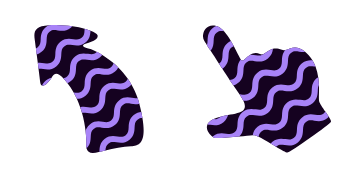
Enhance your browsing experience with our sleek, modern "Black" cursor pack - the perfect stylish addition for Windows 10/11 and browsers that elevates engagement through unique, classy designs.

✨ Move your mouse to test both cursors
Arrow Cursor

Default navigation pointer

Pointer Cursor

Used for clickable elements

Hover over each side to preview both cursor styles in real-time.

1,000+

Introducing "Black": The Sleek New Cursor for Web Browsers

The Colored Cursor Collection has unveiled the latest addition to its line of innovative custom cursors: meet "Black." This stylish, classy cursor is designed to provide an elegant and sophisticated touch to your web browsing experience. Perfect for both Chrome and Edge extensions, this modern black cursor offers a unique alternative to the standard white option.

"Inspired by minimalist design trends," says Colored Cursor Collection's creator, "Black is all about elegance and simplicity. It brings a sleek touch of sophistication that website owners will love." The black cursor boasts seamless compatibility with Windows 10 and 11 operating systems, offering an effortlessly stylish mouse pointer option for users on any device.

For those looking to expand their custom cursor collection beyond "Black," consider exploring the delightful world of Colored Cursor Collection's other fanart cursors. For a touch of playful charm, check out the "Cursor Centaurworld Rider & Spear" here. Or add some pizzazz with the whimsical "Cursor Popcorn ^3D Emoji," available here.

This fanart.

How to Install Black cursors

How to Install cursor Black for Chrome

Black preview

Black

Enhance your browsing experience with our sleek, modern "Black" cursor pack - the perfect stylish addition for Windows 10/11 and browsers that elevates engagement through unique, classy designs.

  1. 1
    Go to Chrome Web Store

    Hit the 'Add to Browser' button to get the 'Black' pack.

  2. 2
    Add the Extension

    On the Chrome Web Store, smash that ‘Add to Chrome’ button and confirm.

  3. 3
    Pin for Easy Access

    Pro-tip: Pin the 'Cute Cursors' extension to your toolbar for quick access.

  4. 4
    Activate Your Cursor

    Open the extension, find the 'Black' pack, and click to activate. Easy peasy!

Piece of cake, right? Go on and have fun!

You may also like

Explore other cursor packs from our collection

Pack de curseurs personnalisés Burgundy

Pack de curseurs personnalisés gratuit Burgundy

Add style and fun to your browsing with our Burgundy custom browser cursor from The Colored Cursor Collection - easy install for both Windows 10/11 users!

Pack de curseurs personnalisés Halloween hat and black cat

Pack de curseurs personnalisés gratuit Halloween hat and black cat

Step up your browsing game with our Halloween hat and black cat custom cursors for Windows 10/11 - perfect for a spooktacular experience! Add some purr-sonality to your desktop this season from the Cursors Collection's stylish cursor pack.

Pack de curseurs personnalisés Red

Pack de curseurs personnalisés gratuit Red

Unleash a burst of style with our Red Cursor Collection - perfect for both browsers & Windows 10/11, featuring cute, stylish mouse pointers that enhance your web browsing experience!

Pack de curseurs personnalisés Balloon Boy

Pack de curseurs personnalisés gratuit Balloon Boy

Experience whimsy with Balloon Boy cursor pack - bright, playful and perfect for browsers & Windows 10/11! Elevate your online navigation experience with our stylish cursors.

Pack de curseurs personnalisés Ruby

Pack de curseurs personnalisés gratuit Ruby

Elevate your web browsing experience with Ruby from our Cursors Collection - a stylish cursor pack featuring deep red cursors for browsers and Windows 10/11, adding sophistication to work and play.

Pack de curseurs personnalisés Yellow Color

Pack de curseurs personnalisés gratuit Yellow Color

Discover our Colored Cursor Collection with our eye-catching Yellow Color custom cursors - perfect for browsers and Windows 10/11!

Pack de curseurs personnalisés St. Louis Blues

Pack de curseurs personnalisés gratuit St. Louis Blues

Add some flair to your browsing with our St. Louis Blues custom cursor pack - stylish cursors for Windows 10/11 and browsers that showcase team spirit!

Pack de curseurs personnalisés Astronaut

Pack de curseurs personnalisés gratuit Astronaut

"Experience space exploration with our new Astronaut cursor pack - perfect for browsers & Windows 10/11 users who love stylish and aesthetic mouse pointers!"

Didn't Find Your Vibe?

Our universe of cursors is huge. Dive into hundreds of unique collections and find the one that truly represents you.

Explore All Collections