


Pack de curseurs personnalisés gratuit Buffalo Sabres
Buffalo Sabres Soft Style custom cursor - a cute cursor pack with playful game-night style and team spirit.
Columbus Blue Jackets Soft Style custom cursor - a cute cursor pack with playful game-night style and team spirit.
Try this cursor
Move across the preview to feel both cursor styles.

Give browsing a fast, team-inspired refresh with the Columbus Blue Jackets Soft Style cute cursor. The artwork balances Columbus Blue Jackets Soft Style spirit with a compact form that remains readable during quick browsing.
Use this free custom cursor in Chrome and Edge, or on Windows 10/11 through Custom Cursor. This is fan-made hockey cursor art and is not an official NHL product.
Build a broader game-night lineup with the St. Louis Blues Classic Cursor Pack and the Arizona Coyotes Soft Style Cursor Pack.
Add the Columbus Blue Jackets Soft Style pack to your collection for a clean team-inspired pointer.
Explore other cursor packs from our collection
Buffalo Sabres Soft Style custom cursor - a cute cursor pack with playful game-night style and team spirit.
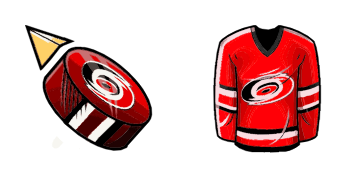
Carolina Hurricanes Soft Style cute cursor - a free custom cursor with bold team colors and rink-ready energy.

Try the Dallas Stars Soft Style cute cursor - free custom cursor style with a crisp ice-hockey look for every click.

New Jersey Devils Soft Style custom cursor - a cute cursor pack with playful game-night style and team spirit.
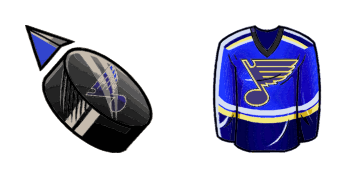
St. Louis Blues Soft Style cute cursor - a free custom cursor with bold team colors and rink-ready energy.

Tampa Bay Lightning Soft Style custom cursor - a cute cursor pack with playful game-night style and team spirit.

Sam Montembeault cursor - hockey goalie custom cursor with glove hand.

Free NHL cursor - bright cute NHL hockey character pack with a Hockey Puck Buddy pointer.

Columbus Blue Jackets Soft Style custom cursor - a cute cursor pack with playful game-night style and team spirit.
Hit the 'Add to Browser' button to get the 'Columbus Blue Jackets' pack.
On the Chrome Web Store, smash that ‘Add to Chrome’ button and confirm.
Pro-tip: Pin the 'Cute Cursors' extension to your toolbar for quick access.
Open the extension, find the 'Columbus Blue Jackets' pack, and click to activate. Easy peasy!
Our universe of cursors is huge. Dive into hundreds of unique collections and find the one that truly represents you.
Explore All Collections
Installez-le gratuitement dès maintenant depuis le Chrome Web Store officiel
Idle
{
  "status": "idle"
}