Google Chrome

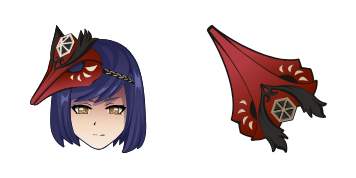
Shenhe custom cursor

Elevate your web experience with Shenhe custom cursor pack - stylish browser cursors designed for Windows 10/11 that blend functionality and aesthetics seamlessly!

✨ Move your mouse to test both cursors
Arrow Cursor

Default navigation pointer

Pointer Cursor

Used for clickable elements

Hover over each side to preview both cursor styles in real-time.

1,000+
You You have recently moved to Paris and are looking to create a personalized mouse pointer that changes depending on what I'm doing in my computer. How can we customize the cursors, but only use pre-existing packages? The cursor must be designed with the following attributes: professional, stylish, modern, sleek, eye-catching and intuitive. The design should evoke a sense of sophistication, catering to a mature demographic interested in tech and web design. You will need at least 3 colors for this design

How to Install Shenhe cursors

How to Install cursor Shenhe for Chrome

Shenhe preview

Shenhe

Elevate your web experience with Shenhe custom cursor pack - stylish browser cursors designed for Windows 10/11 that blend functionality and aesthetics seamlessly!

  1. 1
    Go to Chrome Web Store

    Hit the 'Add to Browser' button to get the 'Shenhe' pack.

  2. 2
    Add the Extension

    On the Chrome Web Store, smash that ‘Add to Chrome’ button and confirm.

  3. 3
    Pin for Easy Access

    Pro-tip: Pin the 'Cute Cursors' extension to your toolbar for quick access.

  4. 4
    Activate Your Cursor

    Open the extension, find the 'Shenhe' pack, and click to activate. Easy peasy!

Piece of cake, right? Go on and have fun!

You may also like

Explore other cursor packs from our collection

Pack de curseurs personnalisés Kokomi

Pack de curseurs personnalisés gratuit Kokomi

Dive into a world of cuteness with Kokomi's elegant browser cursor - the latest addition for Windows 10/11 users seeking stylish and unique mouse pointers!

Pack de curseurs personnalisés Diona

Pack de curseurs personnalisés gratuit Diona

Discover Diona custom cursors: sleek browser & Windows 10/11 designs for a stylish, comfortable digital experience! Don't miss out on our unique and stylish cursor pack, designed to elevate your web browsing with modern and sophebte black and white aesthe

Pack de curseurs personnalisés Albedo

Pack de curseurs personnalisés gratuit Albedo

Elevate your browsing experience with our stylish "Albedo" custom cursor pack for browsers & Windows 10/11 - featuring a sleek black and white gradient design that enhances precision and style!

Pack de curseurs personnalisés Mona

Pack de curseurs personnalisés gratuit Mona

Elevate your internet experience with our new "Mona" browser extension - offering stylish Windows 10/11 cursors for a sophisticated browsing journey through social media and articles.

Pack de curseurs personnalisés Kaeya

Pack de curseurs personnalisés gratuit Kaeya

Discover stylish mouse pointers - Kaeya cursor pack for browser and Windows 10/11, blending cool aesthetics with functionality!

Pack de curseurs personnalisés Ningguang

Pack de curseurs personnalisés gratuit Ningguang

Discover the Ningguang Cursor Pack from Cursors Collection - a stylish addition to browsers & Windows 10/11 that showcases beloved Genshin Impact character with ease of install.

Pack de curseurs personnalisés Eula

Pack de curseurs personnalisés gratuit Eula

Discover stylish mouse pointers like "Eula" from our custom cursor pack - ideal for browsers & Windows 10/11 with a sleek black design and impressive professionalism! Catchy Meta Description: Elevate your browsing experience with cute cursors like 'Eula'

Pack de curseurs personnalisés Kamisato Ayato

Pack de curseurs personnalisés gratuit Kamisato Ayato

Discover stylish, cute cursors for browsers & Windows with our "Kamisato Ayato" custom cursor pack! Browse the collection now.

Didn't Find Your Vibe?

Our universe of cursors is huge. Dive into hundreds of unique collections and find the one that truly represents you.

Explore All Collections