Google Chrome

Kazuha custom cursor

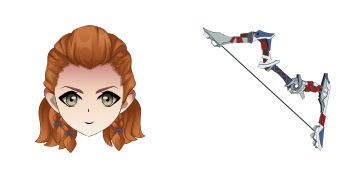
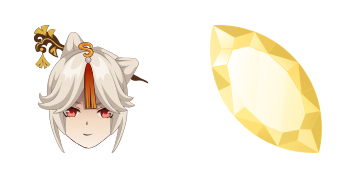
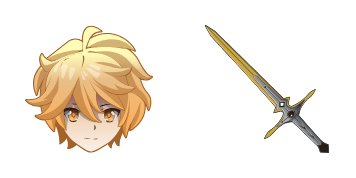
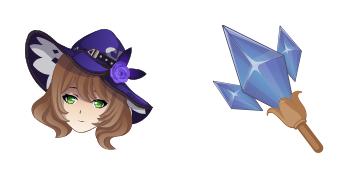
Discover "Kazuha", an exquisitely animated custom cursor pack designed for browsers and Windows 10/11, perfect for adding Genshin Impact flair to your daily browsing experience!

✨ Move your mouse to test both cursors
Arrow Cursor

Default navigation pointer

Pointer Cursor

Used for clickable elements

Hover over each side to preview both cursor styles in real-time.

1,000+
You're creating an advertising copy that will go on your website or blog post to promote this new product. I need you to create compelling and persuas cuesive marketing language, use keywords such as "intuitive design", "cutting-edge technology", and the words "easy", "innovative", in every section of the description that describes its innovative features, targeted at tech enthusiasts. Also include a call to action for readers to subscribe via email newsletter or social media channels for early access to special offers. Make sure there are no less than six different types of cursors, with each type having distinct color themes (red, green, blue).

How to Install Kazuha cursors

How to Install cursor Kazuha for Chrome

Kazuha preview

Kazuha

Discover "Kazuha", an exquisitely animated custom cursor pack designed for browsers and Windows 10/11, perfect for adding Genshin Impact flair to your daily browsing experience!

  1. 1
    Go to Chrome Web Store

    Hit the 'Add to Browser' button to get the 'Kazuha' pack.

  2. 2
    Add the Extension

    On the Chrome Web Store, smash that ‘Add to Chrome’ button and confirm.

  3. 3
    Pin for Easy Access

    Pro-tip: Pin the 'Cute Cursors' extension to your toolbar for quick access.

  4. 4
    Activate Your Cursor

    Open the extension, find the 'Kazuha' pack, and click to activate. Easy peasy!

Piece of cake, right? Go on and have fun!

You may also like

Explore other cursor packs from our collection

Pack de curseurs personnalisés Lisa Minci

Pack de curseurs personnalisés gratuit Lisa Minci

Discover stylish mouse pointers with "Lisa Minci" - the perfect blend of cute and professional for browser cursors on Windows 10/11!

Pack de curseurs personnalisés Diluc

Pack de curseurs personnalisés gratuit Diluc

Dive into style with the Diluc custom mouse cursor pack - featuring cute, aesthetic cursors for browsers and Windows 10/11!

Pack de curseurs personnalisés Barbara

Pack de curseurs personnalisés gratuit Barbara

"Experience adorable joy with our 'Barbara' custom cursor pack - featuring playful browser cursors, stylish Windows 10/11 cursors, and cute aesthetic mouse pointers."

Pack de curseurs personnalisés Gorou

Pack de curseurs personnalisés gratuit Gorou

Experience fun and quirkiness in browsing with Gorou's cute cartoon gorilla custom cursor - perfect for Windows 10/11 users! Add personality to your web experience without a "purchase" in sight.

Pack de curseurs personnalisés Klee

Pack de curseurs personnalisés gratuit Klee

Discover the stylish Klee cursor pack for browser and Windows 10/11 - a cute and unique touch inspired by Paul Klee's artwork!

Pack de curseurs personnalisés Aloy

Pack de curseurs personnalisés gratuit Aloy

Discover the stylish "Aloy" cursor from Cursors Collection - a vibrant orange-colored mouse pointer inspired by Horizon Zero Dawn's protagonist that is perfect for both browsers and Windows 10/11!

Pack de curseurs personnalisés Beidou

Pack de curseurs personnalisés gratuit Beidou

Discover the stylish and vibrant Beidou cursor pack from Cursors Collection - perfect for browsers & Windows 10/11 with a sleek design that adds sophistication to your web browsing experience.

Pack de curseurs personnalisés Keqing

Pack de curseurs personnalisés gratuit Keqing

Add a touch of charm with Keqing's animated cursor from the Cursors Collection! Perfect for Windows 10/11 and browsers, this cute, stylish cursor pack is easy to install.

Didn't Find Your Vibe?

Our universe of cursors is huge. Dive into hundreds of unique collections and find the one that truly represents you.

Explore All Collections