Google Chrome

Bachii custom cursor

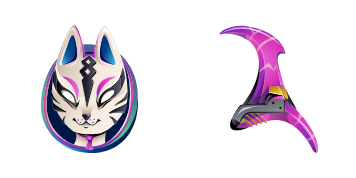
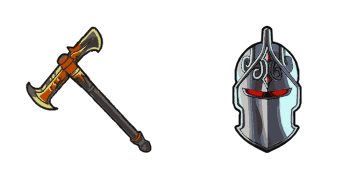
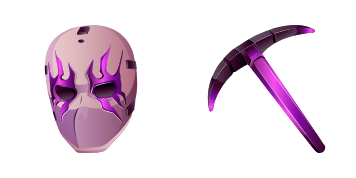
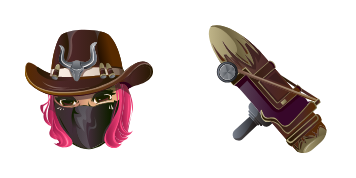
Dive into Fortnite flair with the vibrant Bachii custom browser and Windows cursor pack - adding aesthetic mouse pointers for an engaging online journey.

✨ Move your mouse to test both cursors
Arrow Cursor

Default navigation pointer

Pointer Cursor

Used for clickable elements

Hover over each side to preview both cursor styles in real-time.

1,000+

Experience Style with Bachii: The Ultimate Fortnite Cursor

Discover the world of custom cursors and enhance your web browsing experience with the stunning "Bachii" cursor, part of the popular Fortnite Cursor Collection.

The Bachii cursor features a vibrant blue and pink color scheme that perfectly captures the essence of Fortnite's iconic character. This high-quality design is not just visually appealing but also easy to install, making it an ideal addition for any Fortnite fan's browser.

A Blast from the Past: Inspired by Fortnite Memories

"Bachii" is more than just a cursor; it's a tribute to the beloved character in the Fortnite universe. This fanart was inspired by fond memories and nostalgic moments, making "Bachii" the perfect choice for both gaming enthusiasts and casual browser users looking for a stylish touch.

Explore our range of fun, cute cursors like the Watermelon Ice Cream cursor, and experience a wide selection of customized mouse pointers.

This fanart is brought to you by creative enthusiasts who love to infuse personality into their online browsing experiences.

How to Install Bachii cursors

How to Install cursor Bachii for Chrome

Bachii preview

Bachii

Dive into Fortnite flair with the vibrant Bachii custom browser and Windows cursor pack - adding aesthetic mouse pointers for an engaging online journey.

  1. 1
    Go to Chrome Web Store

    Hit the 'Add to Browser' button to get the 'Bachii' pack.

  2. 2
    Add the Extension

    On the Chrome Web Store, smash that ‘Add to Chrome’ button and confirm.

  3. 3
    Pin for Easy Access

    Pro-tip: Pin the 'Cute Cursors' extension to your toolbar for quick access.

  4. 4
    Activate Your Cursor

    Open the extension, find the 'Bachii' pack, and click to activate. Easy peasy!

Piece of cake, right? Go on and have fun!

You may also like

Explore other cursor packs from our collection

Pack de curseurs personnalisés Boxy X-ray Skin Fortnite

Pack de curseurs personnalisés gratuit Boxy X-ray Skin Fortnite

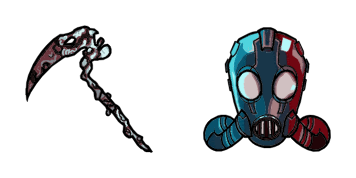
Boost your browsing style with our Fortnite Boxy X-ray Skin Cursor - perfect for browsers and Windows 10/11!

Pack de curseurs personnalisés Arachne

Pack de curseurs personnalisés gratuit Arachne

Experience bold and eye-catching designs with our "Arachne" custom mouse cursor pack - perfect for gamers and Windows 10/11 users seeking stylish browser cursors!

Pack de curseurs personnalisés Iris Skin Pop

Pack de curseurs personnalisés gratuit Iris Skin Pop

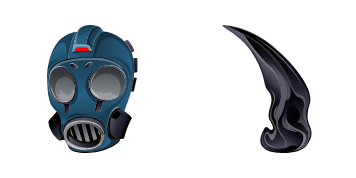
Dive into Fortnite's world with the sleek "Iris Skin Pop" custom cursor from our collection - designed for both browsers and Windows 10/11 users!

Pack de curseurs personnalisés Brite Bomber

Pack de curseurs personnalisés gratuit Brite Bomber

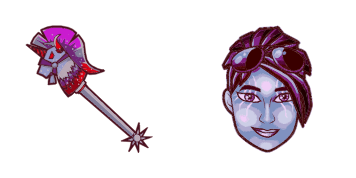
Elevate your browsing with the vibrant "Brite Bomber" custom cursor from Fortnite Cursor Collection - a stylish mix of cute and energetic for Windows 10/11 users!

Pack de curseurs personnalisés Marshmello

Pack de curseurs personnalisés gratuit Marshmello

Unleash your love for Fortnite and Marshmello with our custom cursor pack featuring stylish browser cursors and aesthetic mouse pointers perfect for Windows 10/11 users seeking a unique web experience.

Pack de curseurs personnalisés Death Lobo Skin Wolf Fortnite

Pack de curseurs personnalisés gratuit Death Lobo Skin Wolf Fortnite

Discover stylish Death Lobo Skin Wolf Fortnite cursors for both browsers & Windows 10/11 - add a touch of fun to your browsing experience!

Pack de curseurs personnalisés Rex Dino Fortnite

Pack de curseurs personnalisés gratuit Rex Dino Fortnite

Experience gaming flair on-screen with the fun and stylish "Rex Dino Fortnite" custom cursor from our collection - perfect for browser, Windows 10 & 11!

Pack de curseurs personnalisés Danger Zone Galaxy Blue Fortnite

Pack de curseurs personnalisés gratuit Danger Zone Galaxy Blue Fortnite

Elevate your digital experience with Danger Zone Galaxy Blue Fortnite cursors - stylish, fun, and perfect for Windows 10/11 browsers! Show off your love for Fortnite with our custom cursor pack from the collection.

Didn't Find Your Vibe?

Our universe of cursors is huge. Dive into hundreds of unique collections and find the one that truly represents you.

Explore All Collections