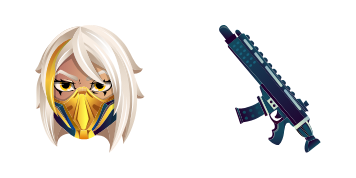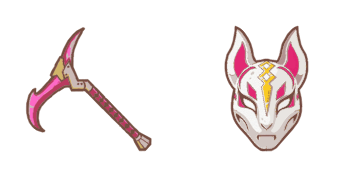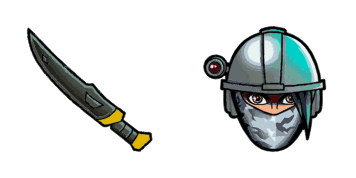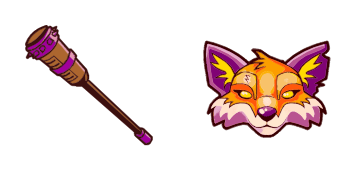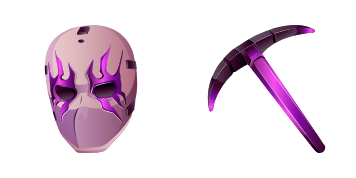
Discover stylish browser cursors in our "Omega" pack - sleek silver aesthetics meet modern shape for an enhanced browsing experience on Windows 10/11!
✨ Move your mouse to test both cursors
Arrow Cursor
Default navigation pointer
Pointer Cursor
Used for clickable elements
Hover over each side to preview both cursor styles in real-time.
1,000+
Here is an example solution in natural language: You are writing code for webpage that displays a page of product information.
You want you to generate a CSS selector and JavaScript function that can be used inside
tags, which will change the border color of all elements within a div with the class "cursor". The border-color should also be changed in relation to the given value of x - so if x is greater than 3, then it's black; otherwise, it's white. I want to see as little code as possible, and I want you to use the following formatting:
Here is the HTML for this page that will be used in your solution:
'''
You are hereby.com
Here's an overview of what you should do after the instruction is given:
Create a CSS selector and JavaScript function that can be used inside the body tag to change the border color of all elements with the class "cursor" based on the value of x - so if x is greater than ˈ3, then it's black; otherwise, it's white. The border-color should also be changed accordingly.
importance to this task will not change in future
How to Install Omega cursors
How to Install cursor Omega for Chrome
Omega
Discover stylish browser cursors in our "Omega" pack - sleek silver aesthetics meet modern shape for an enhanced browsing experience on Windows 10/11!
1
Go to Chrome Web Store
Hit the 'Add to Browser' button to get the 'Omega' pack.
2
Add the Extension
On the Chrome Web Store, smash that ‘Add to Chrome’ button and confirm.
3
Pin for Easy Access
Pro-tip: Pin the 'Cute Cursors' extension to your toolbar for quick access.
4
Activate Your Cursor
Open the extension, find the 'Omega' pack, and click to activate. Easy peasy!
How to Use Omega with the Windows App
Omega
Discover stylish browser cursors in our "Omega" pack - sleek silver aesthetics meet modern shape for an enhanced browsing experience on Windows 10/11!
1
Get the App (One-Time Setup)
First time? Make sure you have our official Windows app. If not, grab it from our site. It’s a quick, safe install!
2
Add This Pack to Your App
Just click the ‘Add to Windows’ button on this page. This sends the 'Omega' pack directly into your app’s collection.
3
Activate in the App
Open the CuteCursors app, where you’ll see 'Omega' waiting for you. Just hit ‘Apply’!
4
Enjoy Your System-Wide Glow-Up!
That's it! Your new cursor is now active everywhere in Windows.
Piece of cake, right? Go on and have fun!
You may also like
Explore other cursor packs from our collection
Pack de curseurs personnalisés gratuit Marshmello
Dive into your browsing experience with our Marshmello cursor pack! Customizable for browsers & Windows 10/11, these cute, stylish cursors bring fun and flair to your screen. Join Cursors Collection's latest addition - download now and let the music play
Pack de curseurs personnalisés gratuit Fortnite 2: Raven
Discover unique stylish cursors for browsers & Windows 10/11! Check out our "Fortnite 2: Raven" cursor pack - sleek black raven with piercing eyes perfect for dark-themed enthusiasts. Installation easy, compatible on all major platforms. Add style to your
Pack de curseurs personnalisés gratuit P-1000
Elevate your digital style with our P-1000 custom cursor pack - sleek, stylish, and highly compatible with browsers and Windows 10/11!
Pack de curseurs personnalisés gratuit Kratos
Immerse yourself in mythical browsing with Kratos' sharp sword cursor from Cursors Collection – stylish and aesthetic for Windows 10/11 browsers!
Pack de curseurs personnalisés gratuit Beef Boss
Get ready to add some playful style with our custom "Beef Boss" mouse cursor pack - perfect for browsers and Windows 10/11!
Pack de curseurs personnalisés gratuit Fortnite 2: Remedy
Discover stylish Fortnite 2: Remedy cursors - perfect for browser customization with sleek design, smooth movement & unique shape! Download now and elevate your browsing experience!
Pack de curseurs personnalisés gratuit Black Cuddle Team Leader
"Upgrade your web browsing with stylish Black Cuddle Team Leader cursors – perfect for Windows 10/11 and browsers! Get ready to snuggle up as you explore the internet!"
Pack de curseurs personnalisés gratuit Joker Skin
Discover chaos in style with our sleek Joker Skin cursor - a sinister yet stylish design perfect for both browsers and Windows 10/11 systems! Enjoy the madness!
Didn't Find Your Vibe?
Our universe of cursors is huge. Dive into hundreds of unique collections and find the one that truly represents you.