


Pack de curseurs personnalisés gratuit Cuddle Team Leader
Install the Cuddle Team Leader cute cursor - free custom cursor packed with vibe.
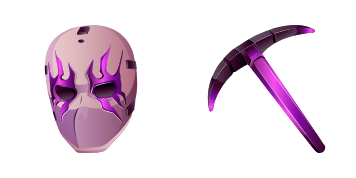
Free custom cursor: Catalyst cute cursor with a classic Fortnite look.
Try this cursor
Move across the preview to feel both cursor styles.

Queue up vibes with Catalyst: a lively cute cursor ready for tabs and clicks. Grab this free custom cursor for Chrome and Edge, and on Windows 10/11 with Custom Cursor when you want the same look across apps.
High-contrast accents keep Catalyst sharp so the tip never disappears. It is fan-made cursor art only and is not tied to any Epic Games official merchandise.
Round out your set with the Chaos Agent Cursor Pack, the Cuddle Team Leader Cursor Pack, and the Double Agent Hush Cursor Pack.
Try the Catalyst pack and tuck island swagger into everyday clicks.
Explore other cursor packs from our collection
Install the Cuddle Team Leader cute cursor - free custom cursor packed with vibe.

Pick Dark Bomber cute cursor - a free custom cursor with lobby-ready charm.

matte Dark Knight cute cursor - free custom cursor with island style.
Free custom cursor: Dark Wild Card cute cursor with a bold Fortnite look.

Domino cute cursor pack: free custom cursors with bold battle style.

Meet the Double Agent Hush cute cursor - free custom cursor ready for every click.

Drop the Drift Mask cute cursor - a free custom cursor for your desktop.

Install the Elite Agent cute cursor - free custom cursor packed with vibe.

Free custom cursor: Catalyst cute cursor with a classic Fortnite look.
Hit the 'Add to Browser' button to get the 'Catalyst' pack.
On the Chrome Web Store, smash that ‘Add to Chrome’ button and confirm.
Pro-tip: Pin the 'Cute Cursors' extension to your toolbar for quick access.
Open the extension, find the 'Catalyst' pack, and click to activate. Easy peasy!
Our universe of cursors is huge. Dive into hundreds of unique collections and find the one that truly represents you.
Explore All Collections
Installez-le gratuitement dès maintenant depuis le Chrome Web Store officiel
Idle
{
  "status": "idle"
}