Google Chrome

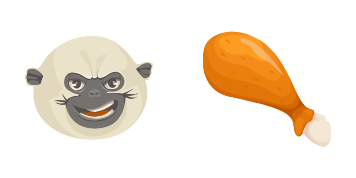
Aladdin Abu custom cursor

Explore our Aladdin Abu Cursor Pack - custom cursors designed for browsers and Windows 10/11 that add a fun, whimsical touch to your online experience!

✨ Move your mouse to test both cursors
Arrow Cursor

Default navigation pointer

Pointer Cursor

Used for clickable elements

Hover over each side to preview both cursor styles in real-time.

1,000+
Here is an example solution: You could try creating a function in python that would randomly change your language setting every hour and then use this function as a base. After each hour, the script should generate a random English word from mymath.com/words list using the first letter of words starting with 't' (e.g., teachable, thoughtful). It then needs to find synonyms for that word through some kind of process and also need to create a unique identifier in its name which is generated randomly, but it should contain at least one special character(s), be 10 characters long, include the numbers '7' as the first two digits, followed by any seven-letter word from this list: [insert random selection method here] and end with "cursors". Additionally, incorporate a condition to check if it is currently between midnight (23:00) and midnight. If so, the function should execute only on Mondays, Wednesdays, or Fridays at 18:45 UTC+0h, excluding public holidays like New Year's Day. It must also check if it is a day of the weekend, avoiding execution during those days. If the time checks out and you're currently in London GMT (GMT) timezone, convert the installation date to UTC using an external API that gives accurate local solar times based on the user's IP address which can be assumed to be "https://api.timezonedb.com/data". The function must also check for prime numbers as part of its process and if it is a palindrome, skip this word from the list before choosing one at random, but ensure that when picking 20 words, they do not repeat any words used in previous choices within each individual selection. It should then create an output string combining these constraints:

How to Install Aladdin Abu cursors

How to Install cursor Aladdin Abu for Chrome

Aladdin Abu preview

Aladdin Abu

Explore our Aladdin Abu Cursor Pack - custom cursors designed for browsers and Windows 10/11 that add a fun, whimsical touch to your online experience!

  1. 1
    Go to Chrome Web Store

    Hit the 'Add to Browser' button to get the 'Aladdin Abu' pack.

  2. 2
    Add the Extension

    On the Chrome Web Store, smash that ‘Add to Chrome’ button and confirm.

  3. 3
    Pin for Easy Access

    Pro-tip: Pin the 'Cute Cursors' extension to your toolbar for quick access.

  4. 4
    Activate Your Cursor

    Open the extension, find the 'Aladdin Abu' pack, and click to activate. Easy peasy!

Piece of cake, right? Go on and have fun!

You may also like

Explore other cursor packs from our collection

Pack de curseurs personnalisés Chikn Nuggit

Pack de curseurs personnalisés gratuit Chikn Nuggit

Discover delightful custom cursors at your fingertips with Chikn Nuggit - a stylish cursor pack for browsers and Windows 10/11 that adds cute and animated fun to your digital experience!

Pack de curseurs personnalisés Dan Vs. Mr. Mumbles

Pack de curseurs personnalisés gratuit Dan Vs. Mr. Mumbles

Experience "Dan Vs. Mr. Mumbles" from Cartoons Cursor Collection - a stylish cursor pack that'll add unique charm to your Windows 10/11 browsing!

Pack de curseurs personnalisés Lilo & Stitch

Pack de curseurs personnalisés gratuit Lilo & Stitch

Discover Lilo & Stitch's playful and cute mouse cursors - perfect for browsers and Windows 10/11! Add a touch of fun to your web browsing experience with our stylish cursor pack from the Cursors Collection.

Pack de curseurs personnalisés Polly Plantar

Pack de curseurs personnalisés gratuit Polly Plantar

"Transform your browser with Polly Plantar custom cursors - stylish, cute, and perfect for Windows 10/11 users who love Amphibia!"

Pack de curseurs personnalisés Luz Noceda

Pack de curseurs personnalisés gratuit Luz Noceda

Discover stylish mouse pointers and cute browser cursors with our custom "Luz Noceda" pack for Windows 10/11 - adding a whimsical touch to your browsing!

Pack de curseurs personnalisés Ben 10 & Omnitrix

Pack de curseurs personnalisés gratuit Ben 10 & Omnitrix

"Transform your screen into a cartoon adventure with our Ben 10 & Omnitrix custom cursors - perfect for browsers and Windows 10/11!"

Pack de curseurs personnalisés Fixies Zero

Pack de curseurs personnalisés gratuit Fixies Zero

Discover the cute and stylish Fixies Zero cursor pack! Enhance your browser and Windows experience with animated cartoon characters that bring joy and playfulness to your screen. Perfect for all ages and platforms from Windows 10 to 11, these aesthetic mo

Pack de curseurs personnalisés The Grinch

Pack de curseurs personnalisés gratuit The Grinch

Discover "The Grinch" in our Cartoons Cursor Collection: stylish browser and Windows 10/11 cursors featuring the cute green furry character who once despised Christmas joy!

Didn't Find Your Vibe?

Our universe of cursors is huge. Dive into hundreds of unique collections and find the one that truly represents you.

Explore All Collections