Google Chrome

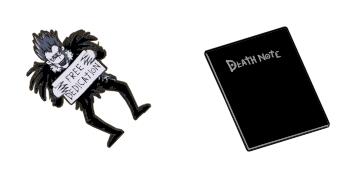
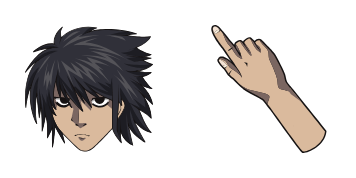
Death Note Ryuk & Apple custom cursor

Discover stylish and aesthetic mouse pointers in our "Death Note Ryuk & Apple" cursor pack, perfect for browsers and Windows 10/11 users seeking cute and creative cursors inspired by the mischievous character Ryuk from Death Note.

✨ Move your mouse to test both cursors
Arrow Cursor

Default navigation pointer

Pointer Cursor

Used for clickable elements

Hover over each side to preview both cursor styles in real-time.

1,000+

Death Note & Apple: The Ultimate Cursor Experience

Introducing "Death Note Ryuk", our latest addition to the Death Note cursor collection. This customized mouse pointer is sure to add a touch of personality and fun to your digital experience!

As an avid collector, we understand that you want more than just another boring old cursor on your screen. With "Death Note Ryuk", not only do you get the stylishness of a Death Note series character with his own mischievous grin but also a custom cursor that adds personality to every click and scroll!

Inspired by the popularity of our previous fanart, "Death Note Ryuk" has been meticulously designed for both functionality and style. This curated set includes six distinct cursors - each with their unique aesthetic that reflects the quirky yet captivating essence of the anime character. Perfectly compatible across multiple platforms such as Chrome, Microsoft Edge or even on Windows 10/11 machines, "Death Note Ryuk" promises to be your new favorite cursor. Each download comes with a detailed guide ensuring you can easily set it up in no time at all! Join the trend that’s taking over our screens - from professional presentations to casual browsing or gaming sessions, "Death Note Ryuk" will surely make your cursor experience exciting and fun. The catchy design, vibrant color scheme and playful animation of this custom cursors are sure to bring some life into your everyday digital routine. Don't miss out on the chance to own a piece from the best anime-themed mouse pointers available in the market today! Follow these easy steps to start using "Death Note Ryuk" today: 1. Visit our website and click on the download link for your desired cursor pack (you can find it under each listed product). 2. Clicking through, you will be redirected to a page where you'll see options for Windows or macOS operating systems. Choose your preferred one. 3. On selecting "Download," you'll get the package that contains all six cursors in .exe file format (.cur), suitable for direct installation on your system. So, are you ready to add a little bit of anime flair and fun into your digital life? Dive into our collection with "Death Note Ryuk" - after all, who said that working or browsing can't be entertaining too! Given the following HTML code snippet. Can I run it in Python? If so, write a python script which parses out the product name and price of each cursor from this data: Product A Price: $19.23

How to Install Death Note Ryuk & Apple cursors

How to Install cursor Death Note Ryuk & Apple for Chrome

Death Note Ryuk & Apple preview

Death Note Ryuk & Apple

Discover stylish and aesthetic mouse pointers in our "Death Note Ryuk & Apple" cursor pack, perfect for browsers and Windows 10/11 users seeking cute and creative cursors inspired by the mischievous character Ryuk from Death Note.

  1. 1
    Go to Chrome Web Store

    Hit the 'Add to Browser' button to get the 'Death Note Ryuk & Apple' pack.

  2. 2
    Add the Extension

    On the Chrome Web Store, smash that ‘Add to Chrome’ button and confirm.

  3. 3
    Pin for Easy Access

    Pro-tip: Pin the 'Cute Cursors' extension to your toolbar for quick access.

  4. 4
    Activate Your Cursor

    Open the extension, find the 'Death Note Ryuk & Apple' pack, and click to activate. Easy peasy!

Piece of cake, right? Go on and have fun!

You may also like

Explore other cursor packs from our collection

Pack de curseurs personnalisés 2BDamned

Pack de curseurs personnalisés gratuit 2BDamned

Discover the sleek and stylish "2BDamned" custom cursor pack - perfect for browsers & Windows 10/11 with a unique edgy design that adds personality to your browsing experience.

Pack de curseurs personnalisés KEL

Pack de curseurs personnalisés gratuit KEL

Discover the vibrant "KEL" from Cursors Collection - an animated pink and blue cursor designed for browsers and Windows 10/11 that adds a touch of fun to your browsing experience!

Pack de curseurs personnalisés Megumin

Pack de curseurs personnalisés gratuit Megumin

Discover the "Megumin" custom mouse cursor pack - a stylish and explosive addition for anime fans browsing Windows 10/11 with unique browser cursors.

Pack de curseurs personnalisés Chuck

Pack de curseurs personnalisés gratuit Chuck

Add a dash of adventure with the custom "Chuck" cursor pack for browsers & Windows 10/11 - stylish and easy to spot!

Pack de curseurs personnalisés Hunter Hunter

Pack de curseurs personnalisés gratuit Hunter Hunter

"Discover the Hunter Hunter cursor pack from Anime Cursor Collection - featuring cute and stylish browser cursors for Windows 10/11 that add a touch of anime flair to your daily browsing experience!"

Pack de curseurs personnalisés My Neighbor Totoro in the Rain

Pack de curseurs personnalisés gratuit My Neighbor Totoro in the Rain

Dive into Studio Ghibli's whimsy with our "My Neighbor Totoro in the Rain" custom cursors for browsers and Windows 10/11 - a stylish addition to your Anime Cursor Collection!

Pack de curseurs personnalisés Jake Sully

Pack de curseurs personnalisés gratuit Jake Sully

Discover the Jake Sully cursor pack – stylish browser and Windows 10/11 cursors featuring your favorite Avatar character for an enhanced browsing experience!

Pack de curseurs personnalisés SUNNY

Pack de curseurs personnalisés gratuit SUNNY

"Experience the charm of our custom SUNNY mouse cursor pack - vibrant, stylish and perfect for both browsers and Windows 10/11."

Didn't Find Your Vibe?

Our universe of cursors is huge. Dive into hundreds of unique collections and find the one that truly represents you.

Explore All Collections