


Pack de curseurs personnalisés gratuit Chrollo Lucilfer
Troupe leader Chrollo cute cursor - a free custom cursor pack with Skill Hunter style.
Youngest Zoldyck Kalluto cute cursor - a free custom cursor pack with quiet menace.
Try this cursor
Move across the preview to feel both cursor styles.

A paper fan and a soft gaze: the Kalluto Zoldyck cute cursor brings the youngest Zoldyck to your pointer. The Kalluto Zoldyck cute cursor is a free custom cursor for Chrome and Edge, and it also runs on Windows 10/11 with the Custom Cursor app.
Cool tones keep the mysterious sibling clean and clear. It is fan-made cursor art and is not an official Hunter x Hunter or Madhouse product.
Follow the Zoldyck family with the Killua Zoldyck Cursor Pack, the Hunter x Hunter Illumi Zoldyck & Needle Cursor Pack, and the Chrollo Lucilfer Cursor Pack.
Install the Kalluto Zoldyck cursor pack and let a quiet assassin follow your clicks.
Explore other cursor packs from our collection
Troupe leader Chrollo cute cursor - a free custom cursor pack with Skill Hunter style.

Rookie hunter spirit with the Gon Freecss cute cursor - a free custom cursor pack for fans.

Trickster menace with the Hisoka Morow cute cursor - a free custom cursor pack for fans.

Hunter x Hunter cute cursors edition - a free custom cursor pack with a playful series twist.

Chairman power with the Isaac Netero cute cursor - a free custom cursor pack for fans.

Lightning-fast Killua cute cursor - a free custom cursor pack with assassin prodigy style.
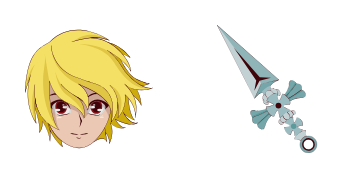
Scarlet-eyed Kurapika cute cursor - a free custom cursor pack with Kurta clan resolve.

Aspiring doctor Leorio cute cursor - a free custom cursor pack with big-hearted hunter charm.

Youngest Zoldyck Kalluto cute cursor - a free custom cursor pack with quiet menace.
Hit the 'Add to Browser' button to get the 'Kalluto Zoldyck' pack.
On the Chrome Web Store, smash that ‘Add to Chrome’ button and confirm.
Pro-tip: Pin the 'Cute Cursors' extension to your toolbar for quick access.
Open the extension, find the 'Kalluto Zoldyck' pack, and click to activate. Easy peasy!
Our universe of cursors is huge. Dive into hundreds of unique collections and find the one that truly represents you.
Explore All Collections
Installez-le gratuitement dès maintenant depuis le Chrome Web Store officiel
Idle
{
  "status": "idle"
}