

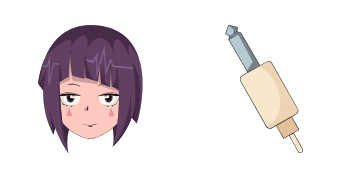
Pack de curseurs personnalisés gratuit Kyoka Jiro
Earphone Jack beats with the Kyoka Jiro cute cursor - a free custom cursor pack for fans.
Dark Shadow drama with the Fumikage Tokoyami cute cursor - a free custom cursor pack.
Try this cursor
Move across the preview to feel both cursor styles.

A raven head and a shadowy quirk: the Fumikage Tokoyami cute cursor brings the brooding hero to your pointer. The Fumikage Tokoyami cute cursor is a free custom cursor for Chrome and Edge, and it also runs on Windows 10/11 with the Custom Cursor app.
Deep blacks and purples keep the design moody yet clear. It is fan-made cursor art and is not an official My Hero Academia or Studio Bones product.
Meet more Class 1-A heroes through the Kyoka Jiro Cursor Pack, the Koji Koda Cursor Pack, and the Mezou Shouji Cursor Pack.
Install the Fumikage Tokoyami cursor pack and let Dark Shadow follow your clicks.
Explore other cursor packs from our collection
Earphone Jack beats with the Kyoka Jiro cute cursor - a free custom cursor pack for fans.
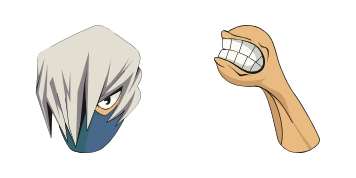
Dupli-Arms strength with the Mezou Shouji cute cursor - a free custom cursor pack for fans.

Acid-pop Mina Ashido cute cursor - a free custom cursor pack full of Pinky energy.

Pop Off sticky spheres with the Minoru Mineta cute cursor - a free custom cursor pack.

Creation quirk class with the Momo Yaoyorozu cute cursor - a free custom cursor pack.

Mirai Sasaki cute cursors edition - a free custom cursor pack with a softer hero look.

Nezu cute cursors edition - a free custom cursor pack with a playful principal twist.

Shino Sosaki cute cursors edition - a free custom cursor pack with a softer hero look.

Dark Shadow drama with the Fumikage Tokoyami cute cursor - a free custom cursor pack.
Hit the 'Add to Browser' button to get the 'Fumikage Tokoyami' pack.
On the Chrome Web Store, smash that ‘Add to Chrome’ button and confirm.
Pro-tip: Pin the 'Cute Cursors' extension to your toolbar for quick access.
Open the extension, find the 'Fumikage Tokoyami' pack, and click to activate. Easy peasy!
Our universe of cursors is huge. Dive into hundreds of unique collections and find the one that truly represents you.
Explore All Collections
Installez-le gratuitement dès maintenant depuis le Chrome Web Store officiel
Idle
{
  "status": "idle"
}