Google Chrome

Xull custom cursor

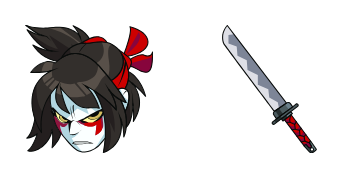
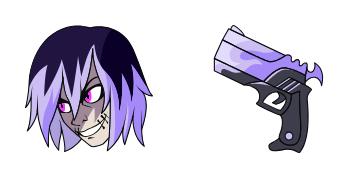
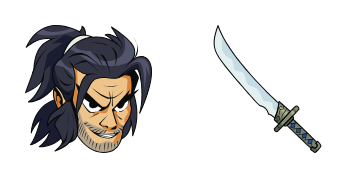
Experience an aesthetic mouse pointer with our "Xull" custom cursor pack! Designed for browser and Windows 10/11 use, these cute cursors add personality to your online experience. Perfectly easy to install - start enjoying them right away!

✨ Move your mouse to test both cursors
Arrow Cursor

Default navigation pointer

Pointer Cursor

Used for clickable elements

Hover over each side to preview both cursor styles in real-time.

1,000+
Here is a text: "The Cursors Collection of cursors is here with you! This exclusive series offers an array of unique and customizable cursors that are designed to make your browsing experience more engaging. With options ranging from simple, understated styles to intricate designs or even full-screen 3D graphics like the one depicts a majestic eagle soaring through the cyber sky! Based on this text between tags "You're trying to write a python code that can extract some information out of these cursors and return them. Your task is to create a program in Python that takes as input a list of all curse words with their pronouns, and returns the total number of times each word appears. Here is an example: List: The first cursor has been updated and now comes with an adorable graphic and it's easy to install, so you can start using them on your web browsing experience or even in games. You have a new cereal package from the local bakery that comes in eight pieces, You want to find out how many times each word appears in the given text: "You are now reading a paragraph about a cursor called Xylon which will help you create an e-book on any topic of your choice. Q&< |>

How to Install Xull cursors

How to Install cursor Xull for Chrome

Xull preview

Xull

Experience an aesthetic mouse pointer with our "Xull" custom cursor pack! Designed for browser and Windows 10/11 use, these cute cursors add personality to your online experience. Perfectly easy to install - start enjoying them right away!

  1. 1
    Go to Chrome Web Store

    Hit the 'Add to Browser' button to get the 'Xull' pack.

  2. 2
    Add the Extension

    On the Chrome Web Store, smash that ‘Add to Chrome’ button and confirm.

  3. 3
    Pin for Easy Access

    Pro-tip: Pin the 'Cute Cursors' extension to your toolbar for quick access.

  4. 4
    Activate Your Cursor

    Open the extension, find the 'Xull' pack, and click to activate. Easy peasy!

Piece of cake, right? Go on and have fun!

You may also like

Explore other cursor packs from our collection

Pack de curseurs personnalisés Mimi Tachikawa

Pack de curseurs personnalisés gratuit Mimi Tachikawa

Dive into fun web surfing with cute cursors from our stylish "Mimi Tachikawa" collection; a perfect blend of Digimon Adventure flair for both browsers and Windows 10/11 devices!

Pack de curseurs personnalisés Amethyst

Pack de curseurs personnalisés gratuit Amethyst

Experience elegance with our custom mouse cursor pack "Amethyst", featuring stylish browser cursors for Windows 10/11 that blend aesthetics and functionality in this visually captivating collection.

Pack de curseurs personnalisés Hiruzen Sarutobi

Pack de curseurs personnalisés gratuit Hiruzen Sarutobi

Step up your browser game with the cute and stylish "Hiruzen Sarutobi" cursor from our custom cursor pack, perfect for both Windows 10/11 users and Naruto fans alike!

Pack de curseurs personnalisés Bleach

Pack de curseurs personnalisés gratuit Bleach

"Transform your web browsing experience with our Bleach Cursor Collection - stylish and aesthetic mouse pointers for browser and Windows 10/11 users!"

Pack de curseurs personnalisés Usopp

Pack de curseurs personnalisés gratuit Usopp

Discover cute, stylish mouse pointers with "Usopp" custom cursors for browsers & Windows 10/11 - now add personality to your browsing experience!

Pack de curseurs personnalisés Easter Bunny and Chicken

Pack de curseurs personnalisés gratuit Easter Bunny and Chicken

Dive into Easter fun with our delightful cursor pack featuring a hopping bunny and pecking chicken! Perfect for browsers and Windows 10/11 users seeking cute and colorful designs to add a festive touch to their screens.

Pack de curseurs personnalisés Sasuke Uchiha

Pack de curseurs personnalisés gratuit Sasuke Uchiha

Discover "Sasuke Uchiha" custom cursors for browsers and Windows 10/11 - a stylish collection perfect for Naruto fans looking to add ninja flair to their browsing experience!

Pack de curseurs personnalisés Keroppi

Pack de curseurs personnalisés gratuit Keroppi

Dive into a delightful browsing journey with the customizable Keroppi cursors - perfect for browsers and Windows 10/11, adding playfulness to your daily digital exploration!

Didn't Find Your Vibe?

Our universe of cursors is huge. Dive into hundreds of unique collections and find the one that truly represents you.

Explore All Collections