

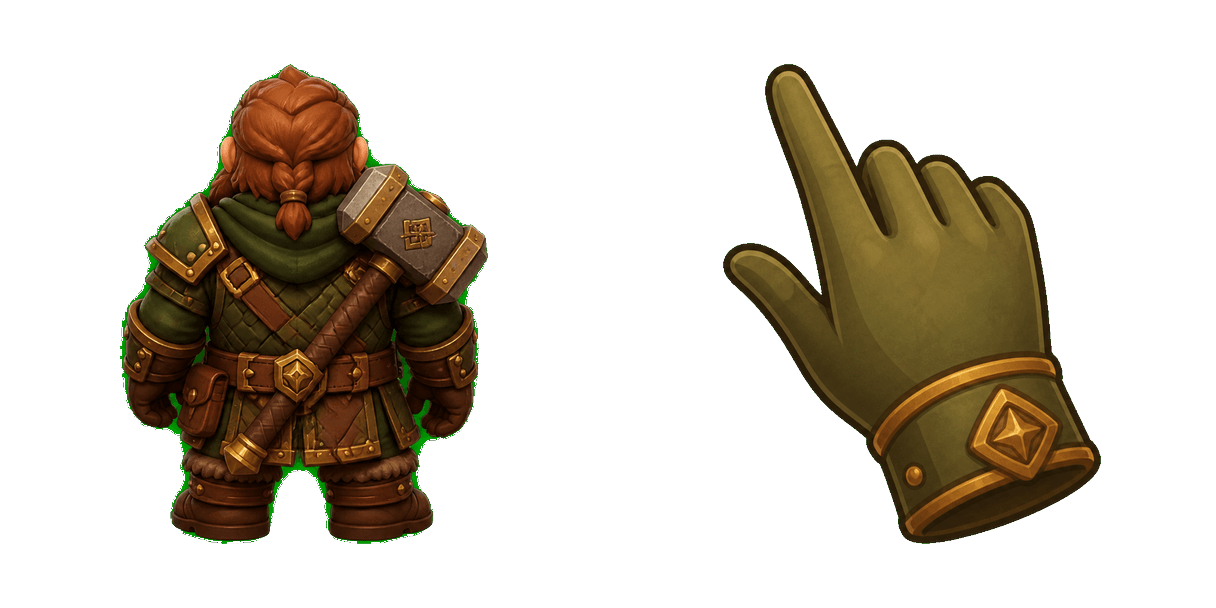
Pack de curseurs personnalisés gratuit Baldur's Gate Dwarf
Baldur's Gate dwarf cute cursor brings the stout dwarf with hammer arrow and a matching olive brown pointing-hand pointer.
Grab the Lae'zel and Sword cute cursor - a free custom cursor pack for Baldur's Gate fans.
Try this cursor
Move across the preview to feel both cursor styles.

Frame your pointer with Lae'zel and Sword: a bold cute cursor packed with fantasy RPG charm. Install this free custom cursor in Chrome or Edge, or set it on Windows 10/11 with the Custom Cursor app for desktop-wide clicks.
Bright accents let Lae'zel and Sword stay crisp on light and dark pages. Fan-made only - not affiliated with or endorsed by Wizards of the Coast / Larian Studios.
Round out your set with the Astarion and Knife Cursor Pack, the undefined, and the undefined.
Install Lae'zel and Sword and give your mouse a playful Baldur's Gate upgrade today.
Explore other cursor packs from our collection
Baldur's Gate dwarf cute cursor brings the stout dwarf with hammer arrow and a matching olive brown pointing-hand pointer.

Baldur's Gate tankard cute cursor packs the gold tavern tankard arrow and a matching soft gold pointing-hand pointer.

Baldur's Gate 3 Astarion cursor with a character pointer - free dark outline custom cursor.

Baldur's Gate 3 Astarion Vampire cursor with a character pointer - free dark outline custom cursor.

Baldur's Gate 3 Astarion Rogue cursor with a character pointer - free dark outline custom cursor.

Baldur's Gate 3 Astarion Moonlight cursor with a character pointer - free dark outline custom cursor.

Baldur’s Gate 3 Astarion cursor with Vampire Fang pointer - free dark outline custom cursor.

Baldur’s Gate 3 Shadowheart cursor with Astral Prism pointer - free dark outline custom cursor.

Grab the Lae'zel and Sword cute cursor - a free custom cursor pack for Baldur's Gate fans.
Hit the 'Add to Browser' button to get the 'Baldur’s Gate 3 Lae’zel & Sword' pack.
On the Chrome Web Store, smash that ‘Add to Chrome’ button and confirm.
Pro-tip: Pin the 'Cute Cursors' extension to your toolbar for quick access.
Open the extension, find the 'Baldur’s Gate 3 Lae’zel & Sword' pack, and click to activate. Easy peasy!
Our universe of cursors is huge. Dive into hundreds of unique collections and find the one that truly represents you.
Explore All Collections
Installez-le gratuitement dès maintenant depuis le Chrome Web Store officiel
Idle
{
  "status": "idle"
}