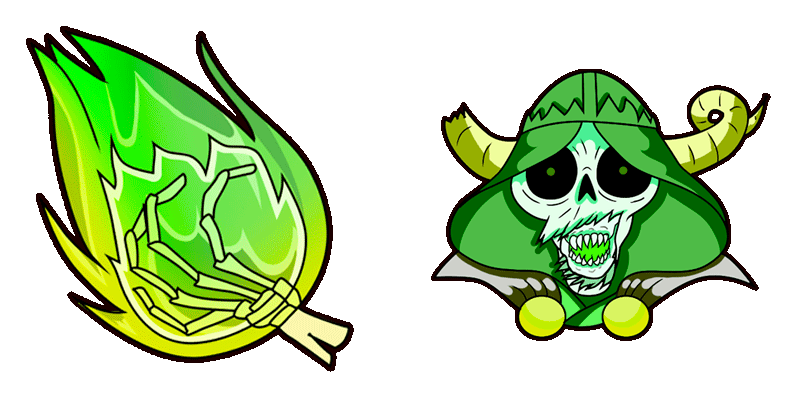
Google Chrome

Adventure Time Cinnamon Bun custom cursor

"Experience Adventure Time's beloved Cinnamon Bun as your stylish cursor - perfect for browsers & Windows 10/11!"

✨ Move your mouse to test both cursors
Arrow Cursor

Default navigation pointer

Pointer Cursor

Used for clickable elements

Hover over each side to preview both cursor styles in real-time.

1,000+

Discover Your Own Adventure: The "Adventure Time" Cinnamon Bun Cursor

Welcome to a world of imagination where even your mouse pointer can embark on an adventure. Introducing our newest creation, the delightful and adorable cursor pack for all Adventure Time fans! Your digital exploration just got more fun with "Adventure Time Cinnamon Bun," a playful yet professional customization option that adds whimsy to your workspace.

This stylish and unique cursor is the perfect blend of cuteness, featuring our lovable character: a cinnamon bun. Imagine this: One day, a young pastry chef decides to experiment with his recipe for sweet creativity. A dash of code, a sprinkle of magic, and voila! You have the most charming digital mascot at your fingertips.

Curl up with Cursor Shalnark, team up with BMW for a dash of retro style, or let Cherif Dracon GTA lead the way as your personal digital guide.

Transforming your cursor has never been so enchanting!

Here's how to install: 1. Download and open the Custom Cursor for Windows 11 application on your computer. 2. Click 'Install New Cursor'. 3. Choose "Adventure Time Cinnamon Bun" from our cursor pack collection. 4. Select the cursors you want to use, then click 'Download' and follow the instructions.

  • Browsers: Windows 10/11
  • Extensions for Chrome and Edge browser
  • Desktops - "Custom Cursor for Windows 11" desktop application

How to Install Adventure Time Cinnamon Bun cursors

How to Install cursor Adventure Time Cinnamon Bun for Chrome

Adventure Time Cinnamon Bun preview

Adventure Time Cinnamon Bun

"Experience Adventure Time's beloved Cinnamon Bun as your stylish cursor - perfect for browsers & Windows 10/11!"

  1. 1
    Go to Chrome Web Store

    Hit the 'Add to Browser' button to get the 'Adventure Time Cinnamon Bun' pack.

  2. 2
    Add the Extension

    On the Chrome Web Store, smash that ‘Add to Chrome’ button and confirm.

  3. 3
    Pin for Easy Access

    Pro-tip: Pin the 'Cute Cursors' extension to your toolbar for quick access.

  4. 4
    Activate Your Cursor

    Open the extension, find the 'Adventure Time Cinnamon Bun' pack, and click to activate. Easy peasy!

Piece of cake, right? Go on and have fun!

You may also like

Explore other cursor packs from our collection

Pack de curseurs personnalisés Jungle Princess

Pack de curseurs personnalisés gratuit Jungle Princess

Enhance your digital realm with the "Jungle Princess" custom mouse cursor pack-stylish, cute, and compatible with browsers and Windows 10/11 for a personalized browsing experience!

Pack de curseurs personnalisés Adventure Time: Marceline

Pack de curseurs personnalisés gratuit Adventure Time: Marceline

Enhance your web browsing experience with the Adventure Time: Marceline custom cursor pack - stylish, playful, and perfect for Windows 10/11 users who love unique browser cursors!

Pack de curseurs personnalisés Adventure Time Ice King & Gunter

Pack de curseurs personnalisés gratuit Adventure Time Ice King & Gunter

Discover the adventure with our custom cursor pack featuring adorable Ice King & Gunter for browser and Windows 10/11, adding cuteness to your screen as you surf the web.

Pack de curseurs personnalisés Adventure Time Night Sword Pixel

Pack de curseurs personnalisés gratuit Adventure Time Night Sword Pixel

Experience the pixel perfection of Adventure Time with the Night Sword cursor – ignite your adventurous spirit and add style to Windows 10/11 with these captivating browser cursors!

Pack de curseurs personnalisés Ice King

Pack de curseurs personnalisés gratuit Ice King

Discover the ultra-cool "Ice King" cursor for browser and Windows 10/11 use - a stylish addition to your collection that combines whimsy with ease of installation!

Pack de curseurs personnalisés Adventure Time Marshall Lee

Pack de curseurs personnalisés gratuit Adventure Time Marshall Lee

Discover our Adventure Time Marshall Lee custom cursor pack for browsers and Windows 10/11 - a stylish, cute collection that adds an edgy spark to your digital adventures!

Pack de curseurs personnalisés Adventure Time Lumpy Space Princess & Phone

Pack de curseurs personnalisés gratuit Adventure Time Lumpy Space Princess & Phone

Dive into a realm of fantasy with our Adventure Time Lumpy Space Princess & Phone custom cursor pack - stylish and cute for browsers and Windows 10/11.

Pack de curseurs personnalisés Adventure Time Slime Princess

Pack de curseurs personnalisés gratuit Adventure Time Slime Princess

Introduce the cute Slime Princess cursor pack from Adventure Time for browsers and Windows 10/11 - an engaging aesthetic experience with stylish animations!

Didn't Find Your Vibe?

Our universe of cursors is huge. Dive into hundreds of unique collections and find the one that truly represents you.

Explore All Collections