


Pack de cursores Kawaii: Toaster
Cursor pack Kawaii: Toaster con estilo cute cursor para el día a día.
Kawaii Bunny cursor - bright buddy with a themed Carrot pointer.
Try this cursor
Move across the preview to feel both cursor styles.

Hop into clicks with this bright Kawaii Bunny cursor and a Carrot pointing hand. The Kawaii Bunny cute cursor is a free custom cursor for Chrome and Edge, and it also works on Windows 10/11 through the Custom Cursor app.
Original bright cute fan art - no logos. Soft darkened rim, no white sticker border. It is fan-made cursor art with no official affiliation.
Grab the free pack for Chrome, Edge, or the Windows Custom Cursor app.
Explore other cursor packs from our collection
Cursor pack Kawaii: Toaster con estilo cute cursor para el día a día.

Pack Kawaii: Moon con cute cursor y cursor personalizado listo para usar.

Kawaii: Seashell: cute cursor pack y cursor personalizado gratis para el escritorio.

Kawaii: Mouse cursor pack: un cute cursor fresco para cada clic.

Pack Kawaii: Cactus con cute cursor y cursor personalizado listo para usar.

Añade Kawaii: Letter a tu ratón - cute cursor y custom cursor gratis.

Kawaii: Sheep: cursores cute y custom cursor sin complicaciones.
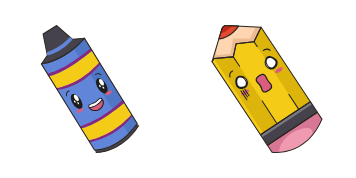
Kawaii: Pen and Pencil - custom cursor cute para fans que quieren un pointer nuevo.

Kawaii Bunny cursor - bright buddy with a themed Carrot pointer.
Hit the 'Add to Browser' button to get the 'Kawaii Bunny' pack.
On the Chrome Web Store, smash that ‘Add to Chrome’ button and confirm.
Pro-tip: Pin the 'Cute Cursors' extension to your toolbar for quick access.
Open the extension, find the 'Kawaii Bunny' pack, and click to activate. Easy peasy!
Our universe of cursors is huge. Dive into hundreds of unique collections and find the one that truly represents you.
Explore All Collections
Instálalo ahora desde la Chrome Web Store oficial
Idle
{
  "status": "idle"
}