

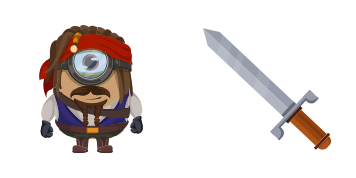
Minion: Captain Jack Sparrow Character cursor
Pirate swagger: Minion Jack Sparrow cute cursor - free custom cursor download.
Minion Minions cute cursor pack - free custom cursor with classic goggle charm.
Try this cursor
Move across the preview to feel both cursor styles.

Classic goggle charm on your tip: this Minion Minions cute cursor is built for cheerful browsing. This free custom cursor works in Chrome and Edge, and on Windows 10/11 with Custom Cursor when you want the same look on the full desktop.
Soft shading keeps the pointer light and friendly. Fan-made artwork - not an official studio or brand release.
Keep the yellow trail with the Minions Cursor Pack, the Cool Minions Cursor Pack, and the Kevin the Minion Cursor Pack.
Get this Minion Minions pack and tuck crew energy into every click.
Explore other cursor packs from our collection
Pirate swagger: Minion Jack Sparrow cute cursor - free custom cursor download.

Teapot chaos: Minion Mad Hatter cute cursor - free custom cursor whimsy pack.

Web-ready Minion Spider-Man cute cursor - free custom cursor for city clicks.

Cool Minions cute cursor set - free custom cursor for chill yellow browsing.

Another Despicable Me cute cursor set - free custom cursor for soft heist vibes.

Purple mischief: Evil Minion cute cursor - free custom cursor for cheeky clicks.
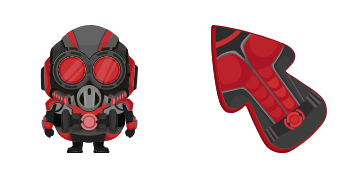
Tiny hero twist: Minion Ant-Man cute cursor - free custom cursor cosplay set.

Dark side yellow: Minion Darth Vader cute cursor - free custom cursor pack.

Minion Minions cute cursor pack - free custom cursor with classic goggle charm.
Hit the 'Add to Browser' button to get the 'Minion: Minions' pack.
On the Chrome Web Store, smash that ‘Add to Chrome’ button and confirm.
Pro-tip: Pin the 'Cute Cursors' extension to your toolbar for quick access.
Open the extension, find the 'Minion: Minions' pack, and click to activate. Easy peasy!
Our universe of cursors is huge. Dive into hundreds of unique collections and find the one that truly represents you.
Explore All Collections
Install it now for free from the official Chrome Web Store
Idle
{
  "status": "idle"
}