

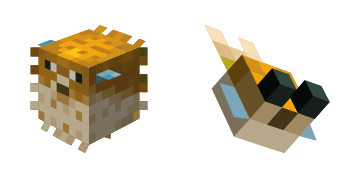
Pufferfish cursor
Pufferfish cute cursor pack: free custom cursors with blocky pixel style.
Minecraft Soft custom cursor charm - free cute cursor with chunky pixel pop.
Try this cursor
Move across the preview to feel both cursor styles.

Keep the overworld close with Minecraft Soft, a friendly cute cursor for daily use. This free custom cursor pack runs in Chrome and Edge, plus Windows 10/11 through the Custom Cursor app when you want it beyond the browser.
Tidy square details keep Minecraft Soft clear without crowding the pointer. This is fan-made custom cursor art and is not an official Mojang release.
Keep the build going with the Torch Cursor Pack and the Enchanted Golden Pickaxe Cursor Pack.
Grab the Minecraft Soft cursor and bring a little overworld fun to every scroll.
Explore other cursor packs from our collection
Pufferfish cute cursor pack: free custom cursors with blocky pixel style.

Spawn the Ax and Alex Alt cute cursor - a free custom cursor for your desktop.

Bone and Mr. Torch Alt: cute cursor pack and free custom cursor for Minecraft fans.

Elf cute cursor download - free custom cursor for everyday clicks.

Free custom cursor: Gold and Golden Apple cute cursor with pixel sandbox detail.

Refresh your tip with the Minecraft Bold cute cursor - free custom cursor style.
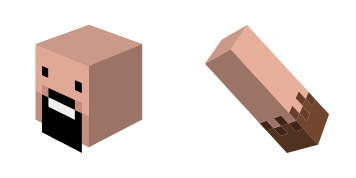
Notch cute cursor - free custom cursor with Minecraft sandbox vibes.

Santa Claus Skin free custom cursor - cute cursor flair for Minecraft players.

Minecraft Soft custom cursor charm - free cute cursor with chunky pixel pop.
Hit the 'Add to Browser' button to get the 'Minecraft' pack.
On the Chrome Web Store, smash that ‘Add to Chrome’ button and confirm.
Pro-tip: Pin the 'Cute Cursors' extension to your toolbar for quick access.
Open the extension, find the 'Minecraft' pack, and click to activate. Easy peasy!
Our universe of cursors is huge. Dive into hundreds of unique collections and find the one that truly represents you.
Explore All Collections
Install it now for free from the official Chrome Web Store
Idle
{
  "status": "idle"
}