

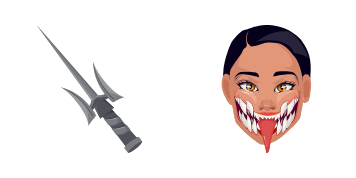
Mileena (no mask) cursor
Unmasked Tarkatan grin in the Mileena cute cursor, a free custom cursor pack for Outworld fans.
Razor hat style in the Kung Lao cute cursor, a free custom cursor pack for Shaolin fans.
Try this cursor
Move across the preview to feel both cursor styles.

Wide brim and a bladed edge: the Kung Lao cute cursor spins the Shaolin monk onto your pointer. This Kung Lao cute cursor installs free in Chrome and Edge, and the Custom Cursor app brings it to Windows 10/11 as well.
Blue robes under a dark hat keep the silhouette instantly recognizable. This is fan-made cursor art, not an official NetherRealm Studios or Warner Bros. Games release.
Train with the Shaolin through the Liu Kang Cursor Pack, the Raiden Cursor Pack, and the Jax Cursor Pack.
Install the Kung Lao cursor pack and let a spinning hat guard your mouse.
Explore other cursor packs from our collection
Unmasked Tarkatan grin in the Mileena cute cursor, a free custom cursor pack for Outworld fans.

Lin Kuei frost in the Sub-Zero cute cursor, a free custom cursor pack for ice ninja fans.

Black Dragon menace in the Kano cute cursor, a free custom cursor pack for mercenary fans.

Soul-stealing sorcery in the Shang Tsung cute cursor, a free custom cursor pack for villain fans.

Hellfire specter style in the Scorpion cute cursor, a free custom cursor pack for ninja fans.
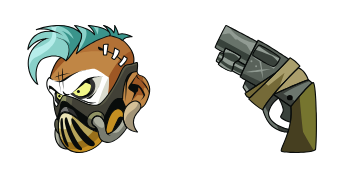
Gritty enforcer style in the Barraza cute cursor, a free custom cursor pack for deep-roster fans.

Arcade-era feel in this Mortal Kombat cute cursor, a free custom cursor pack for classic fans.

Whole-series flavor in this Mortal Kombat cute cursor, a free custom cursor pack for longtime players.

Razor hat style in the Kung Lao cute cursor, a free custom cursor pack for Shaolin fans.
Hit the 'Add to Browser' button to get the 'Kung Lao' pack.
On the Chrome Web Store, smash that ‘Add to Chrome’ button and confirm.
Pro-tip: Pin the 'Cute Cursors' extension to your toolbar for quick access.
Open the extension, find the 'Kung Lao' pack, and click to activate. Easy peasy!
Our universe of cursors is huge. Dive into hundreds of unique collections and find the one that truly represents you.
Explore All Collections
Install it now for free from the official Chrome Web Store
Idle
{
  "status": "idle"
}