


Minion: Joker Character cursor
Purple chaos grin: Minion Joker cute cursor - free custom cursor mischief set.
One-eyed cool: Stuart the Minion cute cursor - free custom cursor pack.
Try this cursor
Move across the preview to feel both cursor styles.

Slim smile and single-goggle cool: Stuart the Minion turns your mouse into a chill cute cursor. This free custom cursor works in Chrome or Edge, and on Windows 10/11 via Custom Cursor when you want the same laid-back tip beyond the browser.
Clean lines keep Stuart sharp at pointer size without clutter. Fan-made only - not an official studio or brand release.
More crew energy waits in the Minions Stuart and Guitar Cursor Pack, the Bob the Minion Cursor Pack, and the Kevin the Minion Cursor Pack.
Download Stuart the Minion and let a cool one-eyed grin lead every click.
Explore other cursor packs from our collection
Purple chaos grin: Minion Joker cute cursor - free custom cursor mischief set.

Shield up with Minion Captain America - cute cursor and free custom cursor set.

Tall and curious: Kevin the Minion cute cursor - free custom cursor download.
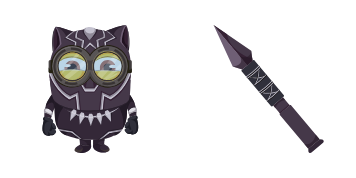
Vibranium vibes: Minion Black Panther cute cursor - free custom cursor pack.

Pirate swagger: Minion Jack Sparrow cute cursor - free custom cursor download.

Teapot chaos: Minion Mad Hatter cute cursor - free custom cursor whimsy pack.

Web-ready Minion Spider-Man cute cursor - free custom cursor for city clicks.

Cool Minions cute cursor set - free custom cursor for chill yellow browsing.

One-eyed cool: Stuart the Minion cute cursor - free custom cursor pack.
Hit the 'Add to Browser' button to get the 'Minion: Stuart' pack.
On the Chrome Web Store, smash that ‘Add to Chrome’ button and confirm.
Pro-tip: Pin the 'Cute Cursors' extension to your toolbar for quick access.
Open the extension, find the 'Minion: Stuart' pack, and click to activate. Easy peasy!
Our universe of cursors is huge. Dive into hundreds of unique collections and find the one that truly represents you.
Explore All Collections
Install it now for free from the official Chrome Web Store
Idle
{
  "status": "idle"
}