Google Chrome

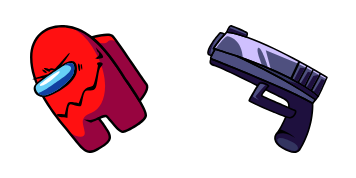
FNF Snoopy custom cursor

Add a playful touch to your computer experience with the FNF Snoopy custom cursor pack for web browsers and Windows 10/11 - stylish and easy to install.

✨ Move your mouse to test both cursors
Arrow Cursor

Default navigation pointer

Pointer Cursor

Used for clickable elements

Hover over each side to preview both cursor styles in real-time.

1,000+
You will provide a detailed explanation on how to set up Google AMP Optimization Service (G-API) in order to reduce server processing time of the application that uses it. The G-API allows for example, if an employee enters some data into a form and presses a button which calls the API. It then needs to determine whether or not to proceed with saving this input. Q: You have now two arrays of integers, a = [1,2,3] and b = [3,4,5]. The number that exists in both of the arrays is:

How to Install FNF Snoopy cursors

How to Install cursor FNF Snoopy for Chrome

FNF Snoopy preview

FNF Snoopy

Add a playful touch to your computer experience with the FNF Snoopy custom cursor pack for web browsers and Windows 10/11 - stylish and easy to install.

  1. 1
    Go to Chrome Web Store

    Hit the 'Add to Browser' button to get the 'FNF Snoopy' pack.

  2. 2
    Add the Extension

    On the Chrome Web Store, smash that ‘Add to Chrome’ button and confirm.

  3. 3
    Pin for Easy Access

    Pro-tip: Pin the 'Cute Cursors' extension to your toolbar for quick access.

  4. 4
    Activate Your Cursor

    Open the extension, find the 'FNF Snoopy' pack, and click to activate. Easy peasy!

Piece of cake, right? Go on and have fun!

You may also like

Explore other cursor packs from our collection

Friday Night Funkin’ Gingerbrave Custom Cursor Pack

Friday Night Funkin’ Gingerbrave Free Custom Cursor Pack

Discover stylish flair for your browsing with our Friday Night Funkin’ Gingerbrave cursor pack - perfect for Windows 10/11 and a great companion to bring joy to your weekend funk!

Friday Night Funkin’ Bambi Custom Cursor Pack

Friday Night Funkin’ Bambi Free Custom Cursor Pack

Experience a touch of funkiness in your browsing sessions with our stylish "Friday Night Funkin’ Bambi" custom cursors for browsers and Windows 10/11.

FNF Dani Custom Cursor Pack

FNF Dani Free Custom Cursor Pack

Discover the fun with "FNF Dani" - an exciting addition to our custom cursor pack for browsers and Windows 10/11! Suitable for work or leisure, this lively cursor adds a stylish touch to your browsing experience.

FNF Kissy Missy Custom Cursor Pack

FNF Kissy Missy Free Custom Cursor Pack

Discover adorable "FNF Kissy Missy" custom cursors for browsers and Windows 10/11 - a stylish cursor pack perfect for fans of the game Friday Night Funkin'!

Friday Night Funkin’ Abby Custom Cursor Pack

Friday Night Funkin’ Abby Free Custom Cursor Pack

"Unleash the funky vibes with our Friday Night Funkin' Abby cursor pack - a stylish, aesthetic mouse pointer for browsers and Windows 10/11!"

Ruvyzvat Friday Night Funkin Custom Cursor Pack

Ruvyzvat Friday Night Funkin Free Custom Cursor Pack

Dive into fun with our "Ruvyzvat Friday Night Funkin" custom cursor pack - perfect for Windows 10/11 and browsers! Show off your love for the game in a stylish new way.

FNF Spirit Custom Cursor Pack

FNF Spirit Free Custom Cursor Pack

Dive into the fun-filled world of Friday Night Funkin' with the stylish FNF Spirit cursor - a perfect blend of cute and playful designed for web browsers & Windows 10/11 by Cursors Collection!

Henchmen Friday Night Funkin Custom Cursor Pack

Henchmen Friday Night Funkin Free Custom Cursor Pack

"Discover the stylish Henchmen cursors from Friday Night Funkin Cursor Collection for your browser and Windows! Dive into web browsing with iconic game characters as your aesthetic mouse pointers."

Didn't Find Your Vibe?

Our universe of cursors is huge. Dive into hundreds of unique collections and find the one that truly represents you.

Explore All Collections