


Jessica Cursor-Paket
Wähle Jessica - cute Cursor und Custom Cursor ohne Ballast.
Pickle Rick Moving cute cursor - free custom cursor with portal-hop flair.
Try this cursor
Move across the preview to feel both cursor styles.

A little visual lift for long scroll days: the Pickle Rick Moving cute cursor keeps your pointer sharp and readable. This free custom cursor pack runs in Chrome and Edge, plus Windows 10/11 through Custom Cursor when you want consistent clicks outside the browser.
The silhouette of Pickle Rick Moving stays clear on busy pages. It is fan-made cursor art, not affiliated with any official brand. Portal-hopping pointer fans will feel right at home.
Nearby favorites include the Plumbus Animated Cursor Pack and the Portal Gun and Portal Cursor Pack.
Install Pickle Rick Moving and give your mouse a sharper everyday companion.
Customize your embed code and preview it in real time below.
Live preview
<style type="text/css">
body {
  cursor: url(https://cdn.cutecursors.com/cdn-sweezy/packs/rick-and-morty-pickle-rick-moving-animated-cursor/arrow.png) 4 4, auto;
}
a, button, .clickable {
  cursor: url(https://cdn.cutecursors.com/cdn-sweezy/packs/rick-and-morty-pickle-rick-moving-animated-cursor/hand.png) 4 4, pointer;
}
</style>
<a href="https://cutecursors.com//category/rick-and-morty/rick-and-morty-pickle-rick-moving-animated-cursor" title="Get free Rick and Morty Pickle Rick Moving cursors for your website.">
  Rick and Morty Pickle Rick Moving Cursors
</a>/* components/CuteCursor.jsx */
"use client";
import { useEffect } from "react";
const CURSOR = "https://cdn.cutecursors.com/cdn-sweezy/packs/rick-and-morty-pickle-rick-moving-animated-cursor/arrow.png";
const POINTER = "https://cdn.cutecursors.com/cdn-sweezy/packs/rick-and-morty-pickle-rick-moving-animated-cursor/hand.png";
export default function CuteCursor() {
useEffect(() => {
const style = document.createElement("style");
style.innerHTML = `
body { cursor: url(${CURSOR}) 4 4, auto; }
a, button, .clickable { cursor: url(${POINTER}) 4 4, pointer; }
`;
document.head.appendChild(style);
return () => style.remove();
}, []);
return null;
}
/* Usage: render <CuteCursor /> once, e.g. in your root layout or App:
<CuteCursor />
Rick and Morty Pickle Rick Moving cursors by https://cutecursors.com//category/rick-and-morty/rick-and-morty-pickle-rick-moving-animated-cursor */-- Rick and Morty Pickle Rick Moving custom cursor for Roblox
-- LocalScript (place it in StarterPlayer > StarterPlayerScripts)
--
-- 1) Download the cursor images (buttons above) or grab them here:
-- Cursor: https://cdn.cutecursors.com/cdn-sweezy/packs/rick-and-morty-pickle-rick-moving-animated-cursor/arrow.png
-- Pointer: https://cdn.cutecursors.com/cdn-sweezy/packs/rick-and-morty-pickle-rick-moving-animated-cursor/hand.png
-- 2) Upload them in Roblox Creator Hub as Decals (Create > Decals).
-- 3) Replace the IDs below with your uploaded Image asset IDs.
local UserInputService = game:GetService("UserInputService")
local Players = game:GetService("Players")
local CURSOR_ICON = "rbxassetid://CURSOR_ASSET_ID"
local POINTER_ICON = "rbxassetid://POINTER_ASSET_ID"
-- Set the default cursor
UserInputService.MouseIcon = CURSOR_ICON
-- Optional: switch to the pointer icon while hovering GUI buttons
local function hookButton(button)
button.MouseEnter:Connect(function()
UserInputService.MouseIcon = POINTER_ICON
end)
button.MouseLeave:Connect(function()
UserInputService.MouseIcon = CURSOR_ICON
end)
end
local playerGui = Players.LocalPlayer:WaitForChild("PlayerGui")
for _, gui in ipairs(playerGui:GetDescendants()) do
if gui:IsA("GuiButton") then
hookButton(gui)
end
end
playerGui.DescendantAdded:Connect(function(gui)
if gui:IsA("GuiButton") then
hookButton(gui)
end
end)
-- Rick and Morty Pickle Rick Moving cursors: https://cutecursors.com//category/rick-and-morty/rick-and-morty-pickle-rick-moving-animated-cursor
Pickle Rick Moving cute cursor - free custom cursor with portal-hop flair.
Hit the 'Add to Browser' button to get the 'Rick and Morty Pickle Rick Moving' pack.
On the Chrome Web Store, smash that ‘Add to Chrome’ button and confirm.
Pro-tip: Pin the 'Cute Cursors' extension to your toolbar for quick access.
Open the extension, find the 'Rick and Morty Pickle Rick Moving' pack, and click to activate. Easy peasy!
Explore other cursor packs from our collection
Wähle Jessica - cute Cursor und Custom Cursor ohne Ballast.

von Dr. Xenon Bloom Custom Cursor Pack mit süßem Cursor für Fans des Themas.
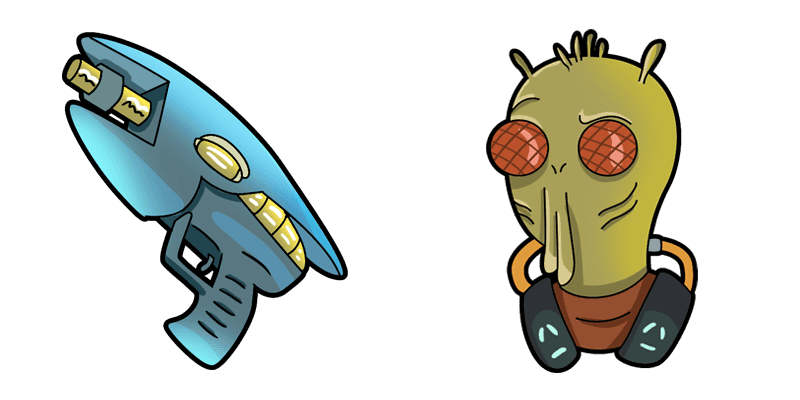
Probier Rick and Morty: Krombopulos Michael: süßes Cursor Pack und fertige Custom Cursors.

Süßer Cursor Rick and Morty: Pickle Rick frischt Klicks auf - free Custom Cursor für den PC.

Probier Rick and Morty: Beth Smith: süßes Cursor Pack und fertige Custom Cursors.

Süßer Cursor Rick and Morty: Mr. Meeseeks (Kirkland) frischt Klicks auf - free Custom Cursor für den PC.

Among Us: Rick Sanchez Character: süßer Cursor und Custom Cursor Pack für Browser und Windows.

Schreckliche Terry: süßer Cursor und Custom Cursor Pack für Browser und Windows.
Our universe of cursors is huge. Dive into hundreds of unique collections and find the one that truly represents you.
Explore All Collections
Jetzt im offiziellen Chrome Web Store installieren
Idle
{
  "status": "idle"
}