

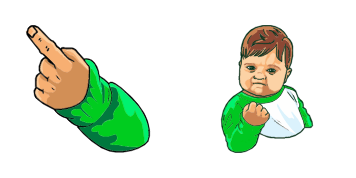
Success Kid Cursor-Paket
Süßer Cursor Success Kid frischt Klicks auf - free Custom Cursor für den PC.
Noice Meme cute cursor - a free custom cursor with satisfied approval.
Try this cursor
Move across the preview to feel both cursor styles.

Give everyday browsing a punchier reaction with the Noice Meme cute cursor. Its design features a thumbs-up beat and cheerful noice delivery, turning a familiar internet meme into a polished pointer with instant comic timing. This free custom cursor works in Chrome and Edge, and on Windows 10/11 with Custom Cursor for the same meme look beyond the browser.
Clear silhouettes and readable click points keep the joke easy to follow on busy pages. This is fan-made cursor artwork created for meme fans and is not an official or endorsed release.
Keep the reaction energy going with the Press F to Pay Respects Meme Cursor Pack, the Success Kid Soft Cursor Pack, and the Trumpet Skeleton Meme Cursor Pack.
Download the Noice Meme pack and let its unmistakable reaction follow every scroll, hover, and click.
Customize your embed code and preview it in real time below.
Live preview
<style type="text/css">
body {
  cursor: url(https://cdn.cutecursors.com/cdn-sweezy/packs/noice-meme-animated-cursor/arrow.png) 4 4, auto;
}
a, button, .clickable {
  cursor: url(https://cdn.cutecursors.com/cdn-sweezy/packs/noice-meme-animated-cursor/hand.png) 4 4, pointer;
}
</style>
<a href="https://cutecursors.com//category/reaction-memes/noice-meme-animated-cursor" title="Get free Noice Meme cursors for your website.">
  Noice Meme Cursors
</a>/* components/CuteCursor.jsx */
"use client";
import { useEffect } from "react";
const CURSOR = "https://cdn.cutecursors.com/cdn-sweezy/packs/noice-meme-animated-cursor/arrow.png";
const POINTER = "https://cdn.cutecursors.com/cdn-sweezy/packs/noice-meme-animated-cursor/hand.png";
export default function CuteCursor() {
useEffect(() => {
const style = document.createElement("style");
style.innerHTML = `
body { cursor: url(${CURSOR}) 4 4, auto; }
a, button, .clickable { cursor: url(${POINTER}) 4 4, pointer; }
`;
document.head.appendChild(style);
return () => style.remove();
}, []);
return null;
}
/* Usage: render <CuteCursor /> once, e.g. in your root layout or App:
<CuteCursor />
Noice Meme cursors by https://cutecursors.com//category/reaction-memes/noice-meme-animated-cursor */-- Noice Meme custom cursor for Roblox
-- LocalScript (place it in StarterPlayer > StarterPlayerScripts)
--
-- 1) Download the cursor images (buttons above) or grab them here:
-- Cursor: https://cdn.cutecursors.com/cdn-sweezy/packs/noice-meme-animated-cursor/arrow.png
-- Pointer: https://cdn.cutecursors.com/cdn-sweezy/packs/noice-meme-animated-cursor/hand.png
-- 2) Upload them in Roblox Creator Hub as Decals (Create > Decals).
-- 3) Replace the IDs below with your uploaded Image asset IDs.
local UserInputService = game:GetService("UserInputService")
local Players = game:GetService("Players")
local CURSOR_ICON = "rbxassetid://CURSOR_ASSET_ID"
local POINTER_ICON = "rbxassetid://POINTER_ASSET_ID"
-- Set the default cursor
UserInputService.MouseIcon = CURSOR_ICON
-- Optional: switch to the pointer icon while hovering GUI buttons
local function hookButton(button)
button.MouseEnter:Connect(function()
UserInputService.MouseIcon = POINTER_ICON
end)
button.MouseLeave:Connect(function()
UserInputService.MouseIcon = CURSOR_ICON
end)
end
local playerGui = Players.LocalPlayer:WaitForChild("PlayerGui")
for _, gui in ipairs(playerGui:GetDescendants()) do
if gui:IsA("GuiButton") then
hookButton(gui)
end
end
playerGui.DescendantAdded:Connect(function(gui)
if gui:IsA("GuiButton") then
hookButton(gui)
end
end)
-- Noice Meme cursors: https://cutecursors.com//category/reaction-memes/noice-meme-animated-cursor
Noice Meme cute cursor - a free custom cursor with satisfied approval.
Hit the 'Add to Browser' button to get the 'Noice Meme' pack.
On the Chrome Web Store, smash that ‘Add to Chrome’ button and confirm.
Pro-tip: Pin the 'Cute Cursors' extension to your toolbar for quick access.
Open the extension, find the 'Noice Meme' pack, and click to activate. Easy peasy!
Explore other cursor packs from our collection
Süßer Cursor Success Kid frischt Klicks auf - free Custom Cursor für den PC.
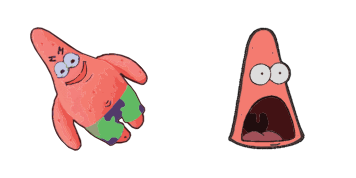
Überraschender Patrick - Custom Cursor und cute Cursor für den Browser.
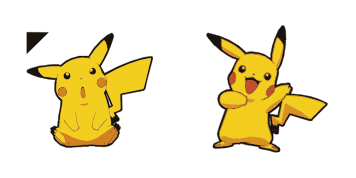
Probier Surprised pikachu: süßes Cursor Pack und fertige Custom Cursors.
 A
Are You Going To Sleep? Meme custom cursor - a cute cursor pack with late-night interrogation.
 A
Download the Peanut Butter Jelly Time Meme cute cursor - custom cursor style with banana-dance joy.
 A
Bunchie The Green Llama Meme custom cursor - a cute cursor pack with soft green fluff.
 A
Download the Awkward Look Monkey Puppet Meme cute cursor - custom cursor style with side-eye comedy.
 A
Download the Skibidi Toilet Speakerman cute cursor - custom cursor style with speaker-head action.
Our universe of cursors is huge. Dive into hundreds of unique collections and find the one that truly represents you.
Explore All Collections
Idle
{
  "status": "idle"
}