


Momo Yaoyorozu Cursor-Paket
Creation quirk class with the Momo Yaoyorozu cute cursor - a free custom cursor pack.
My Hero Academia: Shino Sosaki Cursor Pack mit cute Cursor Stil für Chrome, Edge und Windows.
Try this cursor
Move across the preview to feel both cursor styles.

Customize your embed code and preview it in real time below.
Live preview
<style type="text/css">
body {
  cursor: url(https://cdn.cutecursors.com/images/cursors/5e49662e14b31.png) 4 4, auto;
}
a, button, .clickable {
  cursor: url(https://cdn.cutecursors.com/images/pointers/5e49662e14b3b.png) 4 4, pointer;
}
</style>
<a href="https://cutecursors.com//category/my-hero-academia/my-heroacademiashinososaki-cute-cursors" title="Get free My Hero Academia: Shino Sosaki cursors for your website.">
  My Hero Academia: Shino Sosaki Cursors
</a>/* components/CuteCursor.jsx */
"use client";
import { useEffect } from "react";
const CURSOR = "https://cdn.cutecursors.com/images/cursors/5e49662e14b31.png";
const POINTER = "https://cdn.cutecursors.com/images/pointers/5e49662e14b3b.png";
export default function CuteCursor() {
useEffect(() => {
const style = document.createElement("style");
style.innerHTML = `
body { cursor: url(${CURSOR}) 4 4, auto; }
a, button, .clickable { cursor: url(${POINTER}) 4 4, pointer; }
`;
document.head.appendChild(style);
return () => style.remove();
}, []);
return null;
}
/* Usage: render <CuteCursor /> once, e.g. in your root layout or App:
<CuteCursor />
My Hero Academia: Shino Sosaki cursors by https://cutecursors.com//category/my-hero-academia/my-heroacademiashinososaki-cute-cursors */-- My Hero Academia: Shino Sosaki custom cursor for Roblox
-- LocalScript (place it in StarterPlayer > StarterPlayerScripts)
--
-- 1) Download the cursor images (buttons above) or grab them here:
-- Cursor: https://cdn.cutecursors.com/images/cursors/5e49662e14b31.png
-- Pointer: https://cdn.cutecursors.com/images/pointers/5e49662e14b3b.png
-- 2) Upload them in Roblox Creator Hub as Decals (Create > Decals).
-- 3) Replace the IDs below with your uploaded Image asset IDs.
local UserInputService = game:GetService("UserInputService")
local Players = game:GetService("Players")
local CURSOR_ICON = "rbxassetid://CURSOR_ASSET_ID"
local POINTER_ICON = "rbxassetid://POINTER_ASSET_ID"
-- Set the default cursor
UserInputService.MouseIcon = CURSOR_ICON
-- Optional: switch to the pointer icon while hovering GUI buttons
local function hookButton(button)
button.MouseEnter:Connect(function()
UserInputService.MouseIcon = POINTER_ICON
end)
button.MouseLeave:Connect(function()
UserInputService.MouseIcon = CURSOR_ICON
end)
end
local playerGui = Players.LocalPlayer:WaitForChild("PlayerGui")
for _, gui in ipairs(playerGui:GetDescendants()) do
if gui:IsA("GuiButton") then
hookButton(gui)
end
end
playerGui.DescendantAdded:Connect(function(gui)
if gui:IsA("GuiButton") then
hookButton(gui)
end
end)
-- My Hero Academia: Shino Sosaki cursors: https://cutecursors.com//category/my-hero-academia/my-heroacademiashinososaki-cute-cursors
My Hero Academia: Shino Sosaki Cursor Pack mit cute Cursor Stil für Chrome, Edge und Windows.
Hit the 'Add to Browser' button to get the 'My Hero Academia: Shino Sosaki' pack.
On the Chrome Web Store, smash that ‘Add to Chrome’ button and confirm.
Pro-tip: Pin the 'Cute Cursors' extension to your toolbar for quick access.
Open the extension, find the 'My Hero Academia: Shino Sosaki' pack, and click to activate. Easy peasy!
Explore other cursor packs from our collection
Creation quirk class with the Momo Yaoyorozu cute cursor - a free custom cursor pack.

Mirai Sasaki cute cursors edition - a free custom cursor pack with a softer hero look.
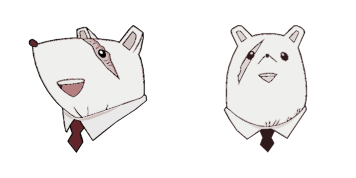
My Hero Academia: Nezu: süßer Cursor und Custom Cursor Pack für Browser und Windows.

Shino Sosaki cute cursors edition - a free custom cursor pack with a softer hero look.

Genius principal Nezu cute cursor - a free custom cursor pack with UA charm.

Uravity float with the Ochako Uraraka cute cursor - a free custom cursor pack for fans.

Festive Ochako Uraraka Holidays cute cursor - a free custom cursor pack with seasonal cheer.

Kamui Woods style with the Shinji Nishiya cute cursor - a free custom cursor pack for fans.
Our universe of cursors is huge. Dive into hundreds of unique collections and find the one that truly represents you.
Explore All Collections
Jetzt im offiziellen Chrome Web Store installieren
Idle
{
  "status": "idle"
}