

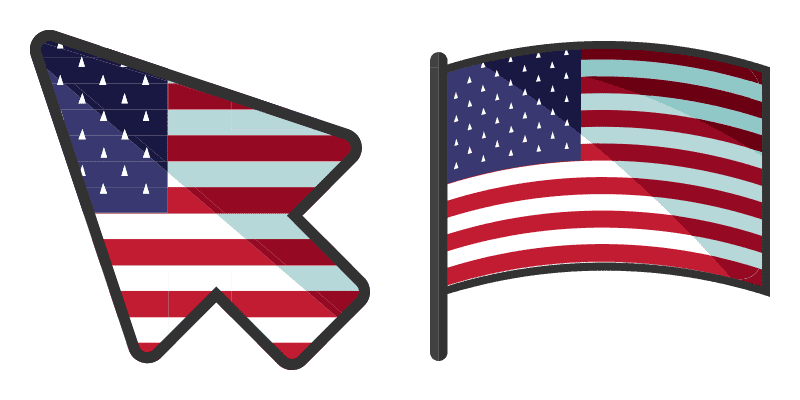
Amerika Cursor-Paket
Amerika: soft cute Cursor im fertigen Custom Cursor Pack.
Free custom cursor: Lone Star Split cute cursor with a neon Americas look.
Try this cursor
Move across the preview to feel both cursor styles.

Keep the banner mood going with Lone Star Split, a bold cute cursor that turns browsing into a mini parade. Grab this free custom cursor for Chrome and Edge, and on Windows 10/11 with Custom Cursor when you want the same look across apps.
Rounded, tidy details keep Lone Star Split clear without crowding the pointer. It is fan-made cursor art only and is not tied to any official government flags product line.
Keep the map colorful with the Brazil Diamond Cursor Pack, the Canada Classic Cursor Pack, and the Teal Star Flag Cursor Pack.
Grab the Lone Star Split cursor and bring banner fun to every scroll.
Customize your embed code and preview it in real time below.
Live preview
<style type="text/css">
body {
  cursor: url(https://cdn.cutecursors.com/cdn-sweezy/packs/americas-flag-13-cursor/arrow.png) 4 4, auto;
}
a, button, .clickable {
  cursor: url(https://cdn.cutecursors.com/cdn-sweezy/packs/americas-flag-13-cursor/hand.png) 4 4, pointer;
}
</style>
<a href="https://cutecursors.com//category/flags-americas/americas-flag-13-cursor" title="Get free Lone Star Split cursors for your website.">
  Lone Star Split Cursors
</a>/* components/CuteCursor.jsx */
"use client";
import { useEffect } from "react";
const CURSOR = "https://cdn.cutecursors.com/cdn-sweezy/packs/americas-flag-13-cursor/arrow.png";
const POINTER = "https://cdn.cutecursors.com/cdn-sweezy/packs/americas-flag-13-cursor/hand.png";
export default function CuteCursor() {
useEffect(() => {
const style = document.createElement("style");
style.innerHTML = `
body { cursor: url(${CURSOR}) 4 4, auto; }
a, button, .clickable { cursor: url(${POINTER}) 4 4, pointer; }
`;
document.head.appendChild(style);
return () => style.remove();
}, []);
return null;
}
/* Usage: render <CuteCursor /> once, e.g. in your root layout or App:
<CuteCursor />
Lone Star Split cursors by https://cutecursors.com//category/flags-americas/americas-flag-13-cursor */-- Lone Star Split custom cursor for Roblox
-- LocalScript (place it in StarterPlayer > StarterPlayerScripts)
--
-- 1) Download the cursor images (buttons above) or grab them here:
-- Cursor: https://cdn.cutecursors.com/cdn-sweezy/packs/americas-flag-13-cursor/arrow.png
-- Pointer: https://cdn.cutecursors.com/cdn-sweezy/packs/americas-flag-13-cursor/hand.png
-- 2) Upload them in Roblox Creator Hub as Decals (Create > Decals).
-- 3) Replace the IDs below with your uploaded Image asset IDs.
local UserInputService = game:GetService("UserInputService")
local Players = game:GetService("Players")
local CURSOR_ICON = "rbxassetid://CURSOR_ASSET_ID"
local POINTER_ICON = "rbxassetid://POINTER_ASSET_ID"
-- Set the default cursor
UserInputService.MouseIcon = CURSOR_ICON
-- Optional: switch to the pointer icon while hovering GUI buttons
local function hookButton(button)
button.MouseEnter:Connect(function()
UserInputService.MouseIcon = POINTER_ICON
end)
button.MouseLeave:Connect(function()
UserInputService.MouseIcon = CURSOR_ICON
end)
end
local playerGui = Players.LocalPlayer:WaitForChild("PlayerGui")
for _, gui in ipairs(playerGui:GetDescendants()) do
if gui:IsA("GuiButton") then
hookButton(gui)
end
end
playerGui.DescendantAdded:Connect(function(gui)
if gui:IsA("GuiButton") then
hookButton(gui)
end
end)
-- Lone Star Split cursors: https://cutecursors.com//category/flags-americas/americas-flag-13-cursor
Free custom cursor: Lone Star Split cute cursor with a neon Americas look.
Hit the 'Add to Browser' button to get the 'Lone Star Split' pack.
On the Chrome Web Store, smash that ‘Add to Chrome’ button and confirm.
Pro-tip: Pin the 'Cute Cursors' extension to your toolbar for quick access.
Open the extension, find the 'Lone Star Split' pack, and click to activate. Easy peasy!
Explore other cursor packs from our collection
Amerika: soft cute Cursor im fertigen Custom Cursor Pack.

Wähle Kanada - cute Cursor und Custom Cursor ohne Ballast.

Süßer Cursor Brasilien - kostenloses Custom Cursor Set für den Desktop.
Lade Kolumbien - cute Cursor und Custom Cursor für den Alltag.
Mexiko Cursor Pack mit cute Cursor Stil für Chrome, Edge und Windows.
Süßer Cursor Uruguay - kostenloses Custom Cursor Set für den Desktop.
Wähle Chile - cute Cursor und Custom Cursor ohne Ballast.

Argentinien - Custom Cursor und cute Cursor für den Browser.
Our universe of cursors is huge. Dive into hundreds of unique collections and find the one that truly represents you.
Explore All Collections
Jetzt im offiziellen Chrome Web Store installieren
Idle
{
  "status": "idle"
}