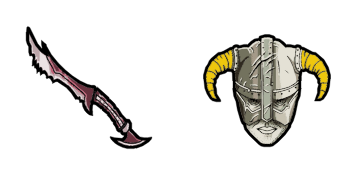
Paarthurnax cursor

Paarthurnax: soft cute Cursor im fertigen Custom Cursor Pack.

Try this cursor

Move across the preview to feel both cursor styles.

Paarthurnax cute cursor pack preview
Hover these
Auto · default + hover
356
Der Paarthurnax Cursor von The Elder Scrolls Cursor Collection verfügt über den ikonischen Drachencharakter, der für seine Weisheit und Anleitung zum Dragonborn im Spiel bekannt ist. Der feurige Cursor fügt Ihrem Surferlebnis einen Hauch von Aufregung und Abenteuer hinzu. Sein detailliertes Design erfasst die majestätische Statur und mächtige Präsenz von Paarthurnax, was ihn zu einer großartigen Ergänzung zu jeder Sammlung von Gaming-Fans macht. Der Cursor ist einfach zu installieren und kompatibel mit großen Browsern, also warum nicht ein bisschen Skyrim in Ihre tägliche Routine bringen?Die Kollektion The Elder Scrolls bietet verschiedene Cursor-Pakete, sodass jeder etwas für sich finden kann.

You may also like

Explore other cursor packs from our collection

Ulfric Petrel Cursor-Paket

Ulfric Petrel Cursor-Paket

Süßer Cursor Ulfric Petrel frischt Klicks auf - free Custom Cursor für den PC.

Ansehen
Aela die Jägerin Cursor-Paket

Aela die Jägerin Cursor-Paket

Süßer Cursor Aela die Jägerin - kostenloses Custom Cursor Set für den Desktop.
Ansehen
Cicero Cursor-Paket

Cicero Cursor-Paket

Probier Cicero: süßes Cursor Pack und fertige Custom Cursors.

Ansehen
Zweifel Cursor-Paket

Zweifel Cursor-Paket

Süßer Cursor Zweifel - kostenloses Custom Cursor Set für den Desktop.

Ansehen
Mirak Cursor-Paket

Mirak Cursor-Paket

Mirak: süßer Cursor und Custom Cursor Pack für Browser und Windows.

Ansehen
Paarthurnax Cursor-Paket

Paarthurnax Cursor-Paket

Süßer Cursor Paarthurnax frischt Klicks auf - free Custom Cursor für den PC.
Ansehen
Skyrim Games Cursor-Paket

Skyrim Games Cursor-Paket

Download the Skyrim cute cursor - a custom cursor with a playful Nord vibe.

Ansehen
Skyrim Logo & Iron Helmet Cursor-Paket

Skyrim Logo & Iron Helmet Cursor-Paket

Grab the Skyrim Logo and Iron Helmet cute cursor - a free custom cursor with a sharp Dovahkiin silhouette.

Ansehen

How to Install Paarthurnax

How to Install cursor Paarthurnax for Chrome

Paarthurnax preview

Paarthurnax

Paarthurnax: soft cute Cursor im fertigen Custom Cursor Pack.

  1. 1
    Go to Chrome Web Store

    Hit the 'Add to Browser' button to get the 'Paarthurnax' pack.

  2. 2
    Add the Extension

    On the Chrome Web Store, smash that ‘Add to Chrome’ button and confirm.

  3. 3
    Pin for Easy Access

    Pro-tip: Pin the 'Cute Cursors' extension to your toolbar for quick access.

  4. 4
    Activate Your Cursor

    Open the extension, find the 'Paarthurnax' pack, and click to activate. Easy peasy!

Piece of cake, right? Go on and have fun!

Didn't Find Your Vibe?

Our universe of cursors is huge. Dive into hundreds of unique collections and find the one that truly represents you.

Explore All Collections