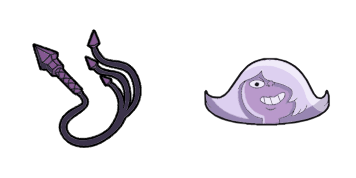
Ruby cursor

Ruby - Custom Cursor und cute Cursor für den Browser.

Try this cursor

Move across the preview to feel both cursor styles.

Ruby cute cursor pack preview
Hover these
Auto · default + hover
387
Der Ruby Cursor aus der Steven Universe Cursor Collection verfügt über die brennenden und leidenschaftlichen Ruby Gems aus der Show. Mit ihrer hellen roten Farbe und ihrem unverwechselbaren Haarschnitt fügt dieser Cursor sicherlich Ihrem Surferlebnis einen Hauch von Aufregung hinzu. Während Sie durch Websites navigieren und auf Links klicken, lassen Sie sich von Rubys Energie inspirieren, mutige Aktionen zu ergreifen und Ihre Träume zu verfolgen. Bringen Sie mit diesem auffälligen Cursor ein Stück des Steven Universe nach Hause.Dieses Cursor-Paket ist nur ein Teil der Kollektion Steven Universe, die noch viele weitere Optionen bietet.

You may also like

Explore other cursor packs from our collection

Spinel & Gemstone Cursor-PaketA

Spinel & Gemstone Cursor-Paket

Spinel and Gemstone cute cursor - a free animated custom cursor pack with stretchy Gem energy.

Ansehen
Peridot & Plasma Cannon Cursor-Paket

Peridot & Plasma Cannon Cursor-Paket

Peridot and Plasma Cannon cute cursor - a free custom cursor pack with Homeworld tech power.

Ansehen
Bismuth Cursor-Paket

Bismuth Cursor-Paket

Bismuth: soft cute Cursor im fertigen Custom Cursor Pack.
Ansehen
Sugilite & Flail Cursor-Paket

Sugilite & Flail Cursor-Paket

Sugilite and Flail cute cursor - a free custom cursor pack with wild Gem fusion strength.

Ansehen
Amethyst Cursor-Paket

Amethyst Cursor-Paket

Amethyst Custom Cursor Pack mit süßem Cursor für Fans des Themas.

Ansehen
Amethyst Cursor-Paket

Amethyst Cursor-Paket

Wähle Amethyst - cute Cursor und Custom Cursor ohne Ballast.
Ansehen
Pearl & Spear Cursor-Paket

Pearl & Spear Cursor-Paket

Pearl and Spear cute cursor - a free custom cursor pack with precise Crystal Gem grace.

Ansehen
Lars Barriga Cursor-Paket

Lars Barriga Cursor-Paket

Steven Universe Lars Barriga cute cursor - a free custom cursor pack with space-captain flair.

Ansehen

How to Install Ruby

How to Install cursor Ruby for Chrome

Ruby preview

Ruby

Ruby - Custom Cursor und cute Cursor für den Browser.

  1. 1
    Go to Chrome Web Store

    Hit the 'Add to Browser' button to get the 'Ruby' pack.

  2. 2
    Add the Extension

    On the Chrome Web Store, smash that ‘Add to Chrome’ button and confirm.

  3. 3
    Pin for Easy Access

    Pro-tip: Pin the 'Cute Cursors' extension to your toolbar for quick access.

  4. 4
    Activate Your Cursor

    Open the extension, find the 'Ruby' pack, and click to activate. Easy peasy!

Piece of cake, right? Go on and have fun!

Didn't Find Your Vibe?

Our universe of cursors is huge. Dive into hundreds of unique collections and find the one that truly represents you.

Explore All Collections
Ruby cursor - cutecursors.com