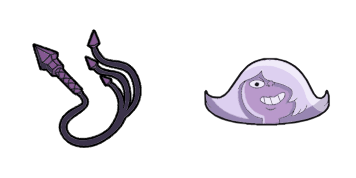
Peridot cursor

Peridot: soft cute Cursor im fertigen Custom Cursor Pack.

Try this cursor

Move across the preview to feel both cursor styles.

Peridot cute cursor pack preview
Hover these
Auto · default + hover
305
Der Peridot-Cursor aus der Steven Universe Cursor Collection ist eine wunderbare Ergänzung zum Browser eines jeden Fans. Dieser Cursor verfügt über den ikonischen grünen Edelstein mit seinem Signatur-Visor, der Ihrem Browser-Erlebnis einen Hauch von Persönlichkeit und Flair verleiht. Die glatte Animation und das qualitativ hochwertige Design machen es zu einer Freude, und sein benutzerfreundlicher Installationsprozess sorgt dafür, dass jeder es genießen kann. Egal, ob Sie ein starker Steven Universe-Fan sind oder nur nach einem lustigen Cursor suchen, der Peridot-Cursor ist sicher, beeindrucken zu können. Probieren Sie es heute aus und entdecken Sie eine neue Dimension des Browsings!Dieses Cursor-Paket ist Teil der umfangreichen Kollektion Steven Universe, die viele weitere einzigartige Stile umfasst.

You may also like

Explore other cursor packs from our collection

Amethyst Cursor-Paket

Amethyst Cursor-Paket

Amethyst Custom Cursor Pack mit süßem Cursor für Fans des Themas.

Ansehen
- Lapis Lazuli Cursor-Paket

- Lapis Lazuli Cursor-Paket

- Lapis Lazuli: soft cute Cursor im fertigen Custom Cursor Pack.

Ansehen
Lars Barriga Cursor-Paket

Lars Barriga Cursor-Paket

Wähle Lars Barriga - cute Cursor und Custom Cursor ohne Ballast.

Ansehen
Der Pearl Spear Cursor-Paket

Der Pearl Spear Cursor-Paket

Der Pearl Spear Cursor Pack mit cute Cursor Stil für Chrome, Edge und Windows.

Ansehen
Perioden Cursor-Paket

Perioden Cursor-Paket

Süßer Cursor Perioden frischt Klicks auf - free Custom Cursor für den PC.

Ansehen
Regenbogenquartz Cursor-Paket

Regenbogenquartz Cursor-Paket

Regenbogenquartz: süßer Cursor und Custom Cursor Pack für Browser und Windows.

Ansehen
Rote Rubine Cursor-Paket

Rote Rubine Cursor-Paket

Wähle Rote Rubine - cute Cursor und Custom Cursor ohne Ballast.

Ansehen
Spinell Cursor-Paket

Spinell Cursor-Paket

Wähle Spinell - cute Cursor und Custom Cursor ohne Ballast.

Ansehen

How to Install Peridot

How to Install cursor Peridot for Chrome

Peridot preview

Peridot

Peridot: soft cute Cursor im fertigen Custom Cursor Pack.

  1. 1
    Go to Chrome Web Store

    Hit the 'Add to Browser' button to get the 'Peridot' pack.

  2. 2
    Add the Extension

    On the Chrome Web Store, smash that ‘Add to Chrome’ button and confirm.

  3. 3
    Pin for Easy Access

    Pro-tip: Pin the 'Cute Cursors' extension to your toolbar for quick access.

  4. 4
    Activate Your Cursor

    Open the extension, find the 'Peridot' pack, and click to activate. Easy peasy!

Piece of cake, right? Go on and have fun!

Didn't Find Your Vibe?

Our universe of cursors is huge. Dive into hundreds of unique collections and find the one that truly represents you.

Explore All Collections