


Bokkun Cursor-Paket
Bokkun Custom Cursor Pack mit süßem Cursor für Fans des Themas.
Sonic the Werehog brings a cute cursor look - free custom cursor with night werehog power.
Try this cursor
Move across the preview to feel both cursor styles.

Sonic the Werehog brings night-form power and soft fur grit. Grab this free custom cursor for Chrome and Edge, and on Windows 10/11 with Custom Cursor when you want the same look on desktop apps.
Compact silhouettes keep Sonic the Werehog easy to track at tip size. Fan-made only - not affiliated with any official SEGA game or merchandise line.
More speed awaits in the Sonic Silver the Hedgehog Cursor Pack, the Sonic.exe Cursor Pack, and the Sonic the Hedgehog Cursor Pack.
Try Sonic the Werehog and tuck a tiny ring-ready grin into everyday browsing.
Explore other cursor packs from our collection
Bokkun Custom Cursor Pack mit süßem Cursor für Fans des Themas.

Charme Bee Cursor Pack mit cute Cursor Stil für Chrome, Edge und Windows.

Einfach Super Sonic Custom Cursor Pack mit süßem Cursor für Fans des Themas.

Cosmo - Custom Cursor und cute Cursor für den Browser.

Creme für den Kaninchen Cursor Pack mit cute Cursor Stil für Chrome, Edge und Windows.

Probier Darkspine Sonic: süßes Cursor Pack und fertige Custom Cursors.

Wähle Doktor Eggman - cute Cursor und Custom Cursor ohne Ballast.
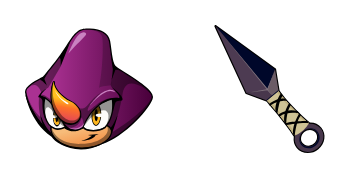
Spion der Kameleon Custom Cursor Pack mit süßem Cursor für Fans des Themas.

Sonic the Werehog brings a cute cursor look - free custom cursor with night werehog power.
Hit the 'Add to Browser' button to get the 'Sonic the Werehog' pack.
On the Chrome Web Store, smash that ‘Add to Chrome’ button and confirm.
Pro-tip: Pin the 'Cute Cursors' extension to your toolbar for quick access.
Open the extension, find the 'Sonic the Werehog' pack, and click to activate. Easy peasy!
Our universe of cursors is huge. Dive into hundreds of unique collections and find the one that truly represents you.
Explore All Collections
Jetzt im offiziellen Chrome Web Store installieren
Idle
{
  "status": "idle"
}