
Gemeinsam cursor

Probier Gemeinsam: süßes Cursor Pack und fertige Custom Cursors.

Try this cursor

Move across the preview to feel both cursor styles.

Gemeinsam cute cursor pack preview
Hover these
Auto · default + hover
56
Cursors Collection ist ein Repository von verschiedenen Cursor-Designs für Browser. Einer der häufigsten Cursors ist der Pfeil-Cursor, der verwendet wird, um die Fähigkeit des Benutzers anzuzeigen, auf einen Link oder eine Schaltfläche zu klicken. Der Hand-Cursor wird auch häufig verwendet, um klickbare Elemente anzuzeigen. Der Text-Cursor, der als vertikale Linie erscheint, wird verwendet, um anzuzeigen, wo Text eingegeben werden kann. Andere Cursors in der Sammlung umfassen das Hourglass für das Laden, das Kreuzhaar für die Präzisionsauswahl und den Grab-Cursor für Drag-and-Drop-Aktionen.Dieses Cursor-Paket ist nur ein Teil der Kollektion Rappers, die noch viele weitere Optionen bietet.

You may also like

Explore other cursor packs from our collection

50 Cent Cursor-Paket

50 Cent Cursor-Paket

50 Cent Custom Cursor Pack mit süßem Cursor für Fans des Themas.

Ansehen
Andere 3000 Cursor-Paket

Andere 3000 Cursor-Paket

Andere 3000: süßer Cursor und Custom Cursor Pack für Browser und Windows.
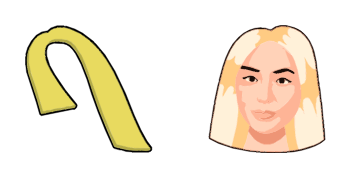
Ansehen
Eröffnung Max Cursor-Paket

Eröffnung Max Cursor-Paket

Eröffnung Max Cursor Pack mit cute Cursor Stil für Chrome, Edge und Windows.

Ansehen
von Billie Eilish Cursor-Paket

von Billie Eilish Cursor-Paket

von Billie Eilish - Custom Cursor und cute Cursor für den Browser.

Ansehen
Cardi B Cursor-Paket

Cardi B Cursor-Paket

Cardi B: soft cute Cursor im fertigen Custom Cursor Pack.

Ansehen
Cardi B Cursor-Paket

Cardi B Cursor-Paket

Wähle Cardi B - cute Cursor und Custom Cursor ohne Ballast.

Ansehen
von Denzel Curry Cursor-Paket

von Denzel Curry Cursor-Paket

Süßer Cursor von Denzel Curry - kostenloses Custom Cursor Set für den Desktop.

Ansehen
Drake Cursor-Paket

Drake Cursor-Paket

Süßer Cursor Drake frischt Klicks auf - free Custom Cursor für den PC.

Ansehen

How to Install Gemeinsam

How to Install cursor Gemeinsam for Chrome

Gemeinsam preview

Gemeinsam

Probier Gemeinsam: süßes Cursor Pack und fertige Custom Cursors.

  1. 1
    Go to Chrome Web Store

    Hit the 'Add to Browser' button to get the 'Gemeinsam' pack.

  2. 2
    Add the Extension

    On the Chrome Web Store, smash that ‘Add to Chrome’ button and confirm.

  3. 3
    Pin for Easy Access

    Pro-tip: Pin the 'Cute Cursors' extension to your toolbar for quick access.

  4. 4
    Activate Your Cursor

    Open the extension, find the 'Gemeinsam' pack, and click to activate. Easy peasy!

Piece of cake, right? Go on and have fun!

Didn't Find Your Vibe?

Our universe of cursors is huge. Dive into hundreds of unique collections and find the one that truly represents you.

Explore All Collections

Explore Related Topics