
Caterpillar cursor

Lade Caterpillar - cute Cursor und Custom Cursor für den Alltag.

Try this cursor

Move across the preview to feel both cursor styles.

Caterpillar cute cursor pack preview
Hover these
Auto · default + hover
74
Der Caterpie Cursor von Cursors Collection bringt einen der bekanntesten und beliebtesten Pokémon direkt in Ihren Browser. Dieser süße und liebenswerte Cursor bietet das ikonische grüne und gelbe Bug-ähnliche Geschöpf mit seiner signaturroten Antenne. Mit seiner hochwertigen Grafik und glatter Animation bietet der Caterpie Cursor eine lustige und nostalgische Berührung zu Ihrem Web-Browsing-Erlebnis. Ob Sie ein langjähriger Pokémon-Fan sind oder einfach nur süße und seltsame Cursor-Designs schätzen, der Caterpie Cursor ist ein Muss für jede Sammlung.Die Kollektion Pokemon wurde für diejenigen erstellt, die Stil und Personalisierung schätzen und enthält diesen und weitere Cursor.

You may also like

Explore other cursor packs from our collection

Luxray Cursor-Paket

Luxray Cursor-Paket

Luxray Custom Cursor Pack mit süßem Cursor für Fans des Themas.
Ansehen
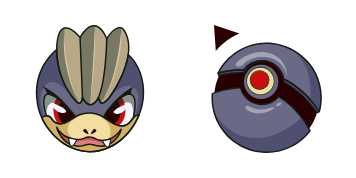
Machamp Cursor-Paket

Machamp Cursor-Paket

Machamp: süßer Cursor und Custom Cursor Pack für Browser und Windows.

Ansehen
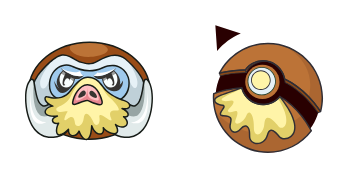
Magmortar Cursor-Paket

Magmortar Cursor-Paket

Magmortar: soft cute Cursor im fertigen Custom Cursor Pack.
Ansehen
Mamaschinen Cursor-Paket

Mamaschinen Cursor-Paket

Mamaschinen - Custom Cursor und cute Cursor für den Browser.
Ansehen
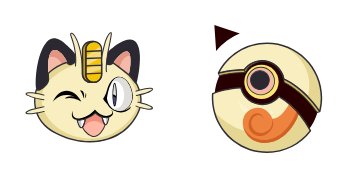
Pokemon: Meowth Cursor-Paket

Pokemon: Meowth Cursor-Paket

Pokemon: Meowth: soft cute Cursor im fertigen Custom Cursor Pack.

Ansehen
Pokemon: Metapod Cursor-Paket

Pokemon: Metapod Cursor-Paket

Lade Pokemon: Metapod - cute Cursor und Custom Cursor für den Alltag.
Ansehen
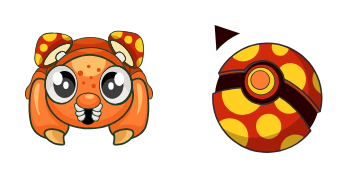
Pokemon: Paras Cursor-Paket

Pokemon: Paras Cursor-Paket

Süßer Cursor Pokemon: Paras - kostenloses Custom Cursor Set für den Desktop.
Ansehen
Pokemon: Psyduck Cursor-Paket

Pokemon: Psyduck Cursor-Paket

Süßer Cursor Pokemon: Psyduck - kostenloses Custom Cursor Set für den Desktop.

Ansehen

How to Install Caterpillar

How to Install cursor Caterpillar for Chrome

Caterpillar preview

Caterpillar

Lade Caterpillar - cute Cursor und Custom Cursor für den Alltag.

  1. 1
    Go to Chrome Web Store

    Hit the 'Add to Browser' button to get the 'Caterpillar' pack.

  2. 2
    Add the Extension

    On the Chrome Web Store, smash that ‘Add to Chrome’ button and confirm.

  3. 3
    Pin for Easy Access

    Pro-tip: Pin the 'Cute Cursors' extension to your toolbar for quick access.

  4. 4
    Activate Your Cursor

    Open the extension, find the 'Caterpillar' pack, and click to activate. Easy peasy!

Piece of cake, right? Go on and have fun!

Didn't Find Your Vibe?

Our universe of cursors is huge. Dive into hundreds of unique collections and find the one that truly represents you.

Explore All Collections