


Zabuza Momochi Cursor-Paket
Zabuza Momochi Cursor Pack mit cute Cursor Stil für Chrome, Edge und Windows.
Weapon-master Tenten cute cursor - a free custom cursor pack with Team Guy flair.
Try this cursor
Move across the preview to feel both cursor styles.

Twin buns and a scroll of blades: the Tenten cute cursor brings Konoha's weapon specialist to your pointer. The Tenten cute cursor is a free custom cursor for Chrome and Edge, and it also runs on Windows 10/11 with the Custom Cursor app.
Warm reds keep the kunoichi lively and clear on screen. It is fan-made cursor art and is not an official Naruto or Studio Pierrot product.
Team up with Team Guy via the Rock Lee Cursor Pack, the Neji Naruto Cursor Pack, and the Naruto Neji Hyuga Cursor Pack.
Download the Tenten cursor pack and let a sharp-shooting kunoichi ride your mouse.
Explore other cursor packs from our collection
Zabuza Momochi Cursor Pack mit cute Cursor Stil für Chrome, Edge und Windows.

Wähle Borussia - cute Cursor und Custom Cursor ohne Ballast.

Süßer Cursor Haku frischt Klicks auf - free Custom Cursor für den PC.

Süßer Cursor Orochimaru - kostenloses Custom Cursor Set für den Desktop.
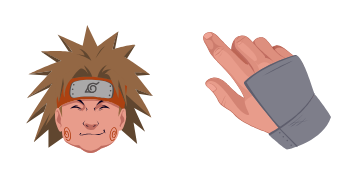
Süßer Cursor Choji Akimichi frischt Klicks auf - free Custom Cursor für den PC.

Süßer Cursor Among Us: Kakashi Hatake Character - kostenloses Custom Cursor Set für den Desktop.

Orochimaru cute cursors edition - a free custom cursor pack with a playful Sannin twist.

Bold Sakura Ogami cute cursor - a free custom cursor pack with fierce fighter energy.

Weapon-master Tenten cute cursor - a free custom cursor pack with Team Guy flair.
Hit the 'Add to Browser' button to get the 'Tenten' pack.
On the Chrome Web Store, smash that ‘Add to Chrome’ button and confirm.
Pro-tip: Pin the 'Cute Cursors' extension to your toolbar for quick access.
Open the extension, find the 'Tenten' pack, and click to activate. Easy peasy!
Our universe of cursors is huge. Dive into hundreds of unique collections and find the one that truly represents you.
Explore All Collections
Jetzt im offiziellen Chrome Web Store installieren
Idle
{
  "status": "idle"
}