


Minecraft: Schwein Mobb Cursor-Paket
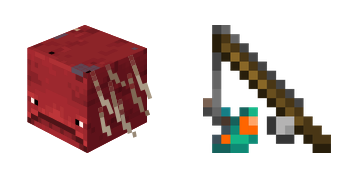
Minecraft: Schwein Mobb - Custom Cursor und cute Cursor für den Browser.
Matte Vex and Evoker cute cursor - free custom cursor for Minecraft fans.
Try this cursor
Move across the preview to feel both cursor styles.

Leap into browsing with Vex and Evoker, a bold cute cursor that turns every scroll into a mini adventure. Add this free custom cursor to Chrome or Edge, then carry it to Windows 10/11 with the Custom Cursor app for system-wide clicking.
High-contrast accents keep Vex and Evoker sharp so the tip never disappears. Drawn by fans as fan-made cursor art, so Mojang does not make or endorse this pack.
Round out your loadout with the Piglin Cursor Pack, the Wither Skeleton Cursor Pack, and the Blue Fire Sword Skin Cursor Pack.
Try the Vex and Evoker pack and tuck Minecraft charm into everyday clicks.
Explore other cursor packs from our collection
Minecraft: Schwein Mobb - Custom Cursor und cute Cursor für den Browser.
Kämpfer: süßer Cursor und Custom Cursor Pack für Browser und Windows.

Squid Cursor Pack mit cute Cursor Stil für Chrome, Edge und Windows.

Süßer Cursor Axolotl - kostenloses Custom Cursor Set für den Desktop.

Probier Hexe: süßes Cursor Pack und fertige Custom Cursors.

Allay und Kuchen - Custom Cursor und cute Cursor für den Browser.

Süßer Cursor Die Spinnenhöhle - kostenloses Custom Cursor Set für den Desktop.

Probier Schnee Golem: süßes Cursor Pack und fertige Custom Cursors.

Matte Vex and Evoker cute cursor - free custom cursor for Minecraft fans.
Hit the 'Add to Browser' button to get the 'Minecraft Vex & Evoker' pack.
On the Chrome Web Store, smash that ‘Add to Chrome’ button and confirm.
Pro-tip: Pin the 'Cute Cursors' extension to your toolbar for quick access.
Open the extension, find the 'Minecraft Vex & Evoker' pack, and click to activate. Easy peasy!
Our universe of cursors is huge. Dive into hundreds of unique collections and find the one that truly represents you.
Explore All Collections
Jetzt im offiziellen Chrome Web Store installieren
Idle
{
  "status": "idle"
}