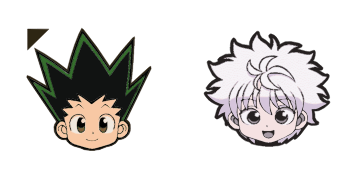
von Killua Zoldyck cursor

von Killua Zoldyck: süßer Cursor und Custom Cursor Pack für Browser und Windows.

Try this cursor

Move across the preview to feel both cursor styles.

von Killua Zoldyck cute cursor pack preview
Hover these
Auto · default + hover
32
Der Killua Zoldyck Cursor von Cursors Collection ist eine großartige Möglichkeit, etwas Flair zu Ihrem Browser-Erlebnis hinzuzufügen. Dieser Cursor verfügt über den beliebten Anime-Charakter Killua Zoldyck, mit seinem ikonischen blauen und weißen Outfit und spicy silbernen Haaren. Ob Sie ein Fan von Hunter x Hunter sind oder nur auf der Suche nach einem lustigen Cursor, um Ihre Browser-Erfahrung zu beleben, dieser Killua Zoldyck Cursor ist eine großartige Wahl.Die Kollektion Cursor Collection enthält dieses Cursor-Paket und viele weitere einzigartige Optionen zur Personalisierung Ihres Desktops oder Browsers.

You may also like

Explore other cursor packs from our collection

Hunter Hunter Cursor-Paket

Hunter Hunter Cursor-Paket

Hunter Hunter: soft cute Cursor im fertigen Custom Cursor Pack.
Ansehen
von Isaac Netero Cursor-Paket

von Isaac Netero Cursor-Paket

Süßer Cursor von Isaac Netero frischt Klicks auf - free Custom Cursor für den PC.
Ansehen
Kalluto Zoldyck Cursor-Paket

Kalluto Zoldyck Cursor-Paket

Lade Kalluto Zoldyck - cute Cursor und Custom Cursor für den Alltag.
Ansehen
Kurapika Cursor-Paket

Kurapika Cursor-Paket

Lade Kurapika - cute Cursor und Custom Cursor für den Alltag.
Ansehen
Leori Paradin Nacht Cursor-Paket

Leori Paradin Nacht Cursor-Paket

Süßer Cursor Leori Paradin Nacht frischt Klicks auf - free Custom Cursor für den PC.
Ansehen
Machi Komacine Cursor-Paket

Machi Komacine Cursor-Paket

Lade Machi Komacine - cute Cursor und Custom Cursor für den Alltag.
Ansehen
Menthuthuyoupi Cursor-Paket

Menthuthuyoupi Cursor-Paket

Süßer Cursor Menthuthuyoupi - kostenloses Custom Cursor Set für den Desktop.
Ansehen
Meruem Cursor-Paket

Meruem Cursor-Paket

Süßer Cursor Meruem frischt Klicks auf - free Custom Cursor für den PC.

Ansehen

How to Install von Killua Zoldyck

How to Install cursor von Killua Zoldyck for Chrome

von Killua Zoldyck preview

von Killua Zoldyck

von Killua Zoldyck: süßer Cursor und Custom Cursor Pack für Browser und Windows.

  1. 1
    Go to Chrome Web Store

    Hit the 'Add to Browser' button to get the 'von Killua Zoldyck' pack.

  2. 2
    Add the Extension

    On the Chrome Web Store, smash that ‘Add to Chrome’ button and confirm.

  3. 3
    Pin for Easy Access

    Pro-tip: Pin the 'Cute Cursors' extension to your toolbar for quick access.

  4. 4
    Activate Your Cursor

    Open the extension, find the 'von Killua Zoldyck' pack, and click to activate. Easy peasy!

Piece of cake, right? Go on and have fun!

Didn't Find Your Vibe?

Our universe of cursors is huge. Dive into hundreds of unique collections and find the one that truly represents you.

Explore All Collections