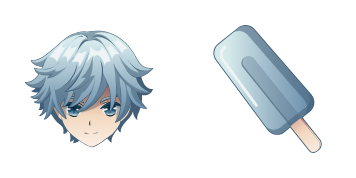
Sehnsucht Sara cursor

Sehnsucht Sara: süßer Cursor und Custom Cursor Pack für Browser und Windows.

Try this cursor

Move across the preview to feel both cursor styles.

Sehnsucht Sara cute cursor pack preview
Hover these
Auto · default + hover
82
Der Kujou Sara Cursor ist eine fantastische Ergänzung zu Ihrem Browser-Erlebnis. Diese Cursor-Kollektion verfügt über ein kompliziertes und faszinierendes Design, das das Surfen viel mehr Spaß macht. Die lebendigen blauen und goldenen Farbtönen des Cursors machen es auf jeder Website, die Sie besuchen, hervorzuheben. Nicht nur sieht es großartig aus, sondern es ist auch unglaublich einfach zu bedienen, was ihn zum perfekten Cursor für alle macht, die viel Zeit online verbringen. Ob Sie arbeiten, spielen oder einfach nur im Web surfen, der Kujou Sara Cursor fügt Ihrem Online-Erlebnis eine Taste von Eleganz und Raffinesse hinzu.Wenn Sie nach weiteren benutzerdefinierten Cursor suchen, hat die Kollektion Genshin Impact viele Optionen für Ihre Auswahl.

You may also like

Explore other cursor packs from our collection

Genshin Impact: Chongyun Cursor-Paket

Genshin Impact: Chongyun Cursor-Paket

Genshin Impact: Chongyun Cursor Pack mit cute Cursor Stil für Chrome, Edge und Windows.
Ansehen
Lisa Lügen Cursor-Paket

Lisa Lügen Cursor-Paket

Süßer Cursor Lisa Lügen frischt Klicks auf - free Custom Cursor für den PC.
Ansehen
Aloe Cursor-Paket

Aloe Cursor-Paket

Wähle Aloe - cute Cursor und Custom Cursor ohne Ballast.
Ansehen
Ningguang Cursor-Paket

Ningguang Cursor-Paket

Ningguang Cursor Pack mit cute Cursor Stil für Chrome, Edge und Windows.

Ansehen
Qiqi Cursor-Paket

Qiqi Cursor-Paket

Qiqi: süßer Cursor und Custom Cursor Pack für Browser und Windows.
Ansehen
Barbara Cursor-Paket

Barbara Cursor-Paket

Süßer Cursor Barbara - kostenloses Custom Cursor Set für den Desktop.
Ansehen
Äther Cursor-Paket

Äther Cursor-Paket

Äther - Custom Cursor und cute Cursor für den Browser.
Ansehen
Licht Cursor-Paket

Licht Cursor-Paket

Licht - Custom Cursor und cute Cursor für den Browser.

Ansehen

How to Install Sehnsucht Sara

How to Install cursor Sehnsucht Sara for Chrome

Sehnsucht Sara preview

Sehnsucht Sara

Sehnsucht Sara: süßer Cursor und Custom Cursor Pack für Browser und Windows.

  1. 1
    Go to Chrome Web Store

    Hit the 'Add to Browser' button to get the 'Sehnsucht Sara' pack.

  2. 2
    Add the Extension

    On the Chrome Web Store, smash that ‘Add to Chrome’ button and confirm.

  3. 3
    Pin for Easy Access

    Pro-tip: Pin the 'Cute Cursors' extension to your toolbar for quick access.

  4. 4
    Activate Your Cursor

    Open the extension, find the 'Sehnsucht Sara' pack, and click to activate. Easy peasy!

Piece of cake, right? Go on and have fun!

Didn't Find Your Vibe?

Our universe of cursors is huge. Dive into hundreds of unique collections and find the one that truly represents you.

Explore All Collections