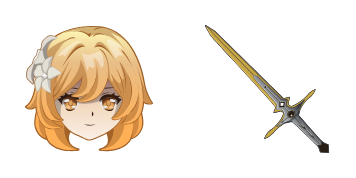
Fischl cursor

Süßer Cursor Fischl - kostenloses Custom Cursor Set für den Desktop.

Try this cursor

Move across the preview to feel both cursor styles.

Fischl cute cursor pack preview
Hover these
Auto · default + hover
73
Die Cursors Collection bietet einen Fischl-Cursor für Browser. Dieser einzigartige Pointer bietet den Charakter Fischl aus dem beliebten Spiel Genshin Impact. Der Cursor ist so konzipiert, dass er schlank und visuell ansprechend ist, mit einem animierten Fischl, der über den Bildschirm läuft. Es ist eine großartige Möglichkeit für Fans des Spiels, einem Touch von Persönlichkeit zu ihrer Surf-Erfahrung hinzuzufügen. Der Cursor kann leicht heruntergeladen und installiert werden, was ihn zu einer einfachen und lustigen Ergänzung zu jedem Computer oder Laptop macht.Dieses Cursor-Paket ist Teil der umfangreichen Kollektion Genshin Impact, die viele weitere einzigartige Stile umfasst.

You may also like

Explore other cursor packs from our collection

Genshin Impact Venti & Lyre Cursor-PaketA

Genshin Impact Venti & Lyre Cursor-Paket

Venti Lyre animated cute cursor - free custom cursor with bard-song motion.

Ansehen
Sayu Cursor-Paket

Sayu Cursor-Paket

Probier Sayu: süßes Cursor Pack und fertige Custom Cursors.

Ansehen
Genshin Impact: Chongyun Cursor-Paket

Genshin Impact: Chongyun Cursor-Paket

Genshin Impact: Chongyun Cursor Pack mit cute Cursor Stil für Chrome, Edge und Windows.

Ansehen
Keqing Cursor-Paket

Keqing Cursor-Paket

Lade Keqing - cute Cursor und Custom Cursor für den Alltag.

Ansehen
Noelle Cursor-Paket

Noelle Cursor-Paket

Noelle Custom Cursor Pack mit süßem Cursor für Fans des Themas.

Ansehen
Qiqi Cursor-Paket

Qiqi Cursor-Paket

Qiqi: süßer Cursor und Custom Cursor Pack für Browser und Windows.

Ansehen
Sehnsucht Sara Cursor-Paket

Sehnsucht Sara Cursor-Paket

Sehnsucht Sara: süßer Cursor und Custom Cursor Pack für Browser und Windows.

Ansehen
Kokom Cursor-Paket

Kokom Cursor-Paket

Kokom Cursor Pack mit cute Cursor Stil für Chrome, Edge und Windows.

Ansehen

How to Install Fischl

How to Install cursor Fischl for Chrome

Fischl preview

Fischl

Süßer Cursor Fischl - kostenloses Custom Cursor Set für den Desktop.

  1. 1
    Go to Chrome Web Store

    Hit the 'Add to Browser' button to get the 'Fischl' pack.

  2. 2
    Add the Extension

    On the Chrome Web Store, smash that ‘Add to Chrome’ button and confirm.

  3. 3
    Pin for Easy Access

    Pro-tip: Pin the 'Cute Cursors' extension to your toolbar for quick access.

  4. 4
    Activate Your Cursor

    Open the extension, find the 'Fischl' pack, and click to activate. Easy peasy!

Piece of cake, right? Go on and have fun!

Didn't Find Your Vibe?

Our universe of cursors is huge. Dive into hundreds of unique collections and find the one that truly represents you.

Explore All Collections
Fischl cursor - cutecursors.com