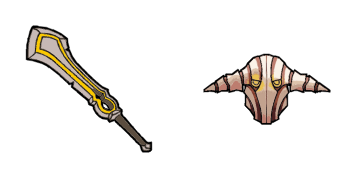
Die Crystal Maiden cursor

Die Crystal Maiden - Custom Cursor und cute Cursor für den Browser.

Try this cursor

Move across the preview to feel both cursor styles.

Die Crystal Maiden cute cursor pack preview
Hover these
Auto · default + hover
57
Die Cursors Collection bietet einen erstaunlichen Crystal Maiden Cursor für Ihren Browser. Dieser Cursor verfügt über eine schöne Illustration des beliebten Dota 2 Charakters Crystal Maiden, auch bekannt als Rylai. Mit ihrem Signaturblauen Outfit und magischem Personal fügt sie Ihrem Browser-Erlebnis einen Hauch von Fantasie hinzu. Der Cursor ist einfach zu installieren und funktioniert nahtlos mit Ihrem Browser, sodass Sie Ihre Lieblingsseiten mit einem Hauch von magischem Flair navigieren können. Laden Sie den Crystal Maiden Cursor jetzt herunter und bringen Sie ein bisschen Dota 2 in Ihren Tag!Die Kollektion Games hilft Ihnen, noch mehr benutzerdefinierte Lösungen für Ihre Benutzeroberfläche zu finden.

You may also like

Explore other cursor packs from our collection

Anrufer Cursor-Paket

Anrufer Cursor-Paket

Süßer Cursor Anrufer - kostenloses Custom Cursor Set für den Desktop.

Ansehen
Der Bär Cursor-Paket

Der Bär Cursor-Paket

Der Bär Cursor Pack mit cute Cursor Stil für Chrome, Edge und Windows.

Ansehen
Queen of Pain Cursor-Paket

Queen of Pain Cursor-Paket

Queen of Pain Cursor Pack mit cute Cursor Stil für Chrome, Edge und Windows.

Ansehen
Der Gyrocopter Cursor-Paket

Der Gyrocopter Cursor-Paket

Probier Der Gyrocopter: süßes Cursor Pack und fertige Custom Cursors.

Ansehen
Der Phantom Assassin Cursor-Paket

Der Phantom Assassin Cursor-Paket

Wähle Der Phantom Assassin - cute Cursor und Custom Cursor ohne Ballast.

Ansehen
Blutsuche Cursor-Paket

Blutsuche Cursor-Paket

Wähle Blutsuche - cute Cursor und Custom Cursor ohne Ballast.

Ansehen
Blutsuche Cursor-Paket

Blutsuche Cursor-Paket

Blutsuche Custom Cursor Pack mit süßem Cursor für Fans des Themas.

Ansehen
Dota 2 Cursor-Paket

Dota 2 Cursor-Paket

Lade Dota 2 - cute Cursor und Custom Cursor für den Alltag.

Ansehen

How to Install Die Crystal Maiden

How to Install cursor Die Crystal Maiden for Chrome

Die Crystal Maiden preview

Die Crystal Maiden

Die Crystal Maiden - Custom Cursor und cute Cursor für den Browser.

  1. 1
    Go to Chrome Web Store

    Hit the 'Add to Browser' button to get the 'Die Crystal Maiden' pack.

  2. 2
    Add the Extension

    On the Chrome Web Store, smash that ‘Add to Chrome’ button and confirm.

  3. 3
    Pin for Easy Access

    Pro-tip: Pin the 'Cute Cursors' extension to your toolbar for quick access.

  4. 4
    Activate Your Cursor

    Open the extension, find the 'Die Crystal Maiden' pack, and click to activate. Easy peasy!

Piece of cake, right? Go on and have fun!

Didn't Find Your Vibe?

Our universe of cursors is huge. Dive into hundreds of unique collections and find the one that truly represents you.

Explore All Collections
Die Crystal Maiden cursor - cutecursors.com