Raven cursor

Raven - Custom Cursor und cute Cursor für den Browser.

Try this cursor

Move across the preview to feel both cursor styles.

Raven cute cursor pack preview
Hover these
Auto · default + hover
1,064
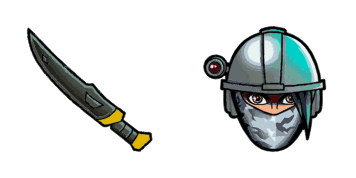
Der Raven Cursor ist Teil der Fortnite Cursor Collection und ist perfekt für jeden Fan des Spiels. Es verfügt über einen komplizierten, detaillierten Raven-Kopf mit durchdringenden Augen und einem scharfen Bogen, der Ihrem Browser-Erlebnis einen Hauch von dunkler Eleganz verleiht. Der Cursor ist einfach zu installieren und mit den meisten Browsern kompatibel. Mit einem einfachen Klick wird sich Ihr Cursor in diesen ikonischen Fortnite-Charakter verwandeln, wodurch Ihre Browsersitzungen angenehmer und ansprechender werden. Also, wenn Sie Ihr Cursor-Spiel aktualisieren möchten, ist der Raven Cursor die perfekte Wahl!Die Kollektion Fortnite hilft Ihnen, noch mehr benutzerdefinierte Lösungen für Ihre Benutzeroberfläche zu finden.

You may also like

Explore other cursor packs from our collection

Kane Cursor-Paket

Kane Cursor-Paket

Kane - Custom Cursor und cute Cursor für den Browser.

Ansehen
Der Skull Trooper Cursor-Paket

Der Skull Trooper Cursor-Paket

Lade Der Skull Trooper - cute Cursor und Custom Cursor für den Alltag.

Ansehen
Cuddle Team Leader Pink Bear Fortnite Cursor-Paket

Cuddle Team Leader Pink Bear Fortnite Cursor-Paket

Drop the Cuddle Team Leader Pink Bear cute cursor - a free custom cursor for your desktop.

Ansehen
von Lil Whip Cursor-Paket

von Lil Whip Cursor-Paket

von Lil Whip: soft cute Cursor im fertigen Custom Cursor Pack.

Ansehen
Fortnite 2: Raven Cursor-Paket

Fortnite 2: Raven Cursor-Paket

Wähle Fortnite 2: Raven - cute Cursor und Custom Cursor ohne Ballast.

Ansehen
Fortnite 2: Rabbit Raider Cursor-Paket

Fortnite 2: Rabbit Raider Cursor-Paket

Wähle Fortnite 2: Rabbit Raider - cute Cursor und Custom Cursor ohne Ballast.

Ansehen
Focus Skin Fortnite Cursor-Paket

Focus Skin Fortnite Cursor-Paket

clean Focus Skin cute cursor - free custom cursor with island style.

Ansehen
Guff Cursor-Paket

Guff Cursor-Paket

Guff Custom Cursor Pack mit süßem Cursor für Fans des Themas.

Ansehen

How to Install Raven

How to Install cursor Raven for Chrome

Raven preview

Raven

Raven - Custom Cursor und cute Cursor für den Browser.

  1. 1
    Go to Chrome Web Store

    Hit the 'Add to Browser' button to get the 'Raven' pack.

  2. 2
    Add the Extension

    On the Chrome Web Store, smash that ‘Add to Chrome’ button and confirm.

  3. 3
    Pin for Easy Access

    Pro-tip: Pin the 'Cute Cursors' extension to your toolbar for quick access.

  4. 4
    Activate Your Cursor

    Open the extension, find the 'Raven' pack, and click to activate. Easy peasy!

Piece of cake, right? Go on and have fun!

Didn't Find Your Vibe?

Our universe of cursors is huge. Dive into hundreds of unique collections and find the one that truly represents you.

Explore All Collections