Fortnight cursor

Probier Fortnight: süßes Cursor Pack und fertige Custom Cursors.

Try this cursor

Move across the preview to feel both cursor styles.

Fortnight cute cursor pack preview
Hover these
Auto · default + hover
2,953
Ein neuer Fortnite-thematischer Cursor ist jetzt für Spieler verfügbar, um ihn beim Spielen des beliebten Videospiels zu verwenden. Entwickelt von Custom Cursor, verfügt der Cursor über den ikonischen llama-Charakter und ändert sich zu einem pickaxe, wenn er über klickbare Elemente schwimmt. Es ist kostenlos auf ihrer Website heruntergeladen und ist sowohl mit PC als auch Mac kompatibel. Die Veröffentlichung dieses Cursors wurde von Fortnite-Enthusiasten gut empfangen, die begeistert sind, ihrem Gaming-Erlebnis eine zusätzliche Personalisierung hinzuzufügen.Entdecken Sie neue Cursor-Optionen in der Kollektion Games, die dieses und viele weitere Pakete bietet.

You may also like

Explore other cursor packs from our collection

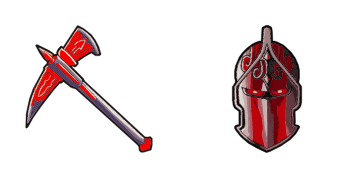
Fortnite 2: Red Knight Cursor-Paket

Fortnite 2: Red Knight Cursor-Paket

Fortnite 2: Red Knight Cursor Pack mit cute Cursor Stil für Chrome, Edge und Windows.
Ansehen
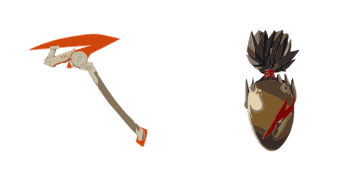
Fortnite 2: Red Strike Cursor-Paket

Fortnite 2: Red Strike Cursor-Paket

Fortnite 2: Red Strike Custom Cursor Pack mit süßem Cursor für Fans des Themas.
Ansehen
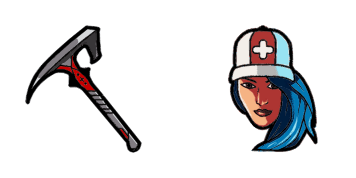
Fortnite 2: Remedy Cursor-Paket

Fortnite 2: Remedy Cursor-Paket

Probier Fortnite 2: Remedy: süßes Cursor Pack und fertige Custom Cursors.
Ansehen
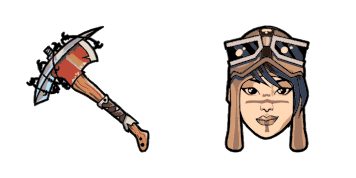
Fortnite 2: Renegade Raider Cursor-Paket

Fortnite 2: Renegade Raider Cursor-Paket

Lade Fortnite 2: Renegade Raider - cute Cursor und Custom Cursor für den Alltag.

Ansehen
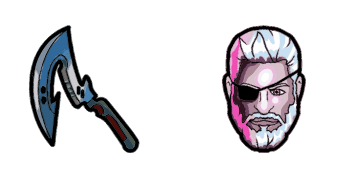
Rippleien Cursor-Paket

Rippleien Cursor-Paket

Rippleien: süßer Cursor und Custom Cursor Pack für Browser und Windows.
Ansehen
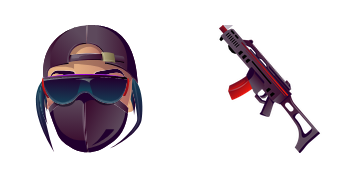
Ripte Cursor-Paket

Ripte Cursor-Paket

Lade Ripte - cute Cursor und Custom Cursor für den Alltag.
Ansehen
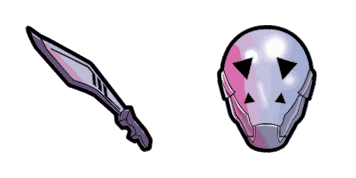
Scarlet Kommandant Cursor-Paket

Scarlet Kommandant Cursor-Paket

Scarlet Kommandant Custom Cursor Pack mit süßem Cursor für Fans des Themas.
Ansehen
Scratch Cursor-Paket

Scratch Cursor-Paket

Probier Scratch: süßes Cursor Pack und fertige Custom Cursors.

Ansehen

How to Install Fortnight

How to Install cursor Fortnight for Chrome

Fortnight preview

Fortnight

Probier Fortnight: süßes Cursor Pack und fertige Custom Cursors.

  1. 1
    Go to Chrome Web Store

    Hit the 'Add to Browser' button to get the 'Fortnight' pack.

  2. 2
    Add the Extension

    On the Chrome Web Store, smash that ‘Add to Chrome’ button and confirm.

  3. 3
    Pin for Easy Access

    Pro-tip: Pin the 'Cute Cursors' extension to your toolbar for quick access.

  4. 4
    Activate Your Cursor

    Open the extension, find the 'Fortnight' pack, and click to activate. Easy peasy!

Piece of cake, right? Go on and have fun!

Didn't Find Your Vibe?

Our universe of cursors is huge. Dive into hundreds of unique collections and find the one that truly represents you.

Explore All Collections