Google Chrome

Dunkler Bomber custom cursor

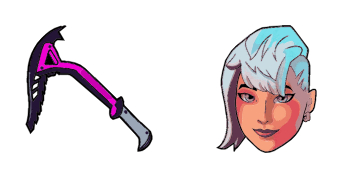
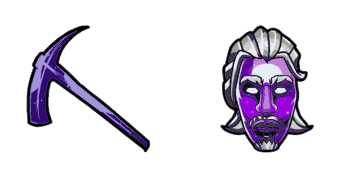
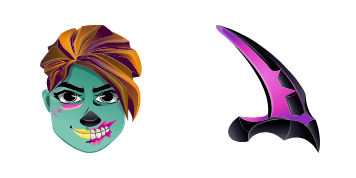
Dunkler Bomber: soft cute Cursor im fertigen Custom Cursor Pack.

✨ Move your mouse to test both cursors
Arrow Cursor

Default navigation pointer

Pointer Cursor

Used for clickable elements

Hover over each side to preview both cursor styles in real-time.

1,000+
Dieser Cursor verkörpert perfekt die dunkle und geheimnisvolle Ästhetik der Dark Bomber-Haut in Fortnite und fügt sicherlich etwas Vorteil zu deiner Browser-Erfahrung hinzu. Ob du ein Fan der Dark Bomber-Haut bist oder einfach nur alles liebst Fortnite, dieser Cursor ist ein Muss. Warum also einen langweiligen Standard-Cursor wählen, wenn du mit dem Dark Bomber-Cursor aus der Fortnite Cursor Collection etwas Aufregung und Persönlichkeit hinzufügen kannst?In der Kollektion Fortnite finden Sie viele verschiedene Cursor, einschließlich dieses, um Ihre Benutzeroberfläche zu diversifizieren.

You may also like

Explore other cursor packs from our collection

Fusion Cursor-Paket

Fusion Cursor-Paket

Fusion: süßer Cursor und Custom Cursor Pack für Browser und Windows.

Lynx Cursor-Paket

Lynx Cursor-Paket

Lynx - Custom Cursor und cute Cursor für den Browser.

Fortnite Llama Pinata Cursor-Paket

Fortnite Llama Pinata Cursor-Paket

Fortnite Llama Pinata cute cursor for fans - free custom cursor with sharp island style.

Agent des Chaos Cursor-Paket

Agent des Chaos Cursor-Paket

Agent des Chaos Custom Cursor Pack mit süßem Cursor für Fans des Themas.

Vulture Cursor-Paket

Vulture Cursor-Paket

Vulture: süßer Cursor und Custom Cursor Pack für Browser und Windows.
Drift Maske Cursor-Paket

Drift Maske Cursor-Paket

Drift Maske: süßer Cursor und Custom Cursor Pack für Browser und Windows.

Agent des Chaos Cursor-Paket

Agent des Chaos Cursor-Paket

Süßer Cursor Agent des Chaos frischt Klicks auf - free Custom Cursor für den PC.

Fortnite Travis Scott Skin & Diamond Jack Pickaxe Cursor-Paket

Fortnite Travis Scott Skin & Diamond Jack Pickaxe Cursor-Paket

pixel Fortnite Travis Scott Skin & Diamond Jack Pickaxe cute cursor - free custom cursor with island style.

How to Install Dunkler Bomber cursors

How to Install cursor Dunkler Bomber for Chrome

Dunkler Bomber preview

Dunkler Bomber

Dunkler Bomber: soft cute Cursor im fertigen Custom Cursor Pack.

  1. 1
    Go to Chrome Web Store

    Hit the 'Add to Browser' button to get the 'Dunkler Bomber' pack.

  2. 2
    Add the Extension

    On the Chrome Web Store, smash that ‘Add to Chrome’ button and confirm.

  3. 3
    Pin for Easy Access

    Pro-tip: Pin the 'Cute Cursors' extension to your toolbar for quick access.

  4. 4
    Activate Your Cursor

    Open the extension, find the 'Dunkler Bomber' pack, and click to activate. Easy peasy!

Piece of cake, right? Go on and have fun!

Didn't Find Your Vibe?

Our universe of cursors is huge. Dive into hundreds of unique collections and find the one that truly represents you.

Explore All Collections
Dunkler Bomber Cursor Pack - CuteCursors.com