
Grimey cursor

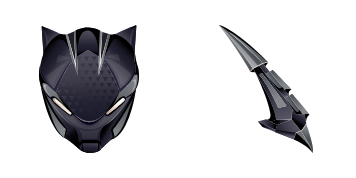
Grimey: süßer Cursor und Custom Cursor Pack für Browser und Windows.

Try this cursor

Move across the preview to feel both cursor styles.

Grimey cute cursor pack preview
Hover these
Auto · default + hover
50
Fügen Sie Ihrem Browser-Erlebnis mit dem Grimey-Cursor aus der Cursors Collection etwas Einstellung hinzu. Dieser Cursor verfügt über ein grungy-Design, das Ihrem Cursor das Aussehen eines gut getragenen Rockstars verleiht. Die kühnen Linien und die grobe Textur machen es auf jeder Webseite hervorzuheben, während die animierten Versionen noch mehr Persönlichkeit hinzufügen. Ob Sie für Arbeit oder Spiel surfen, der Grimey-Cursor ist sicher, eine Aussage zu machen. Also warum sich für einen langweiligen Cursor entscheiden, wenn Sie einen haben können, der voller Persönlichkeit ist? Schauen Sie sich heute die Cursors Collection an und fügen Sie Ihrem Browser-Erlebnis etwas Vorteil hinzu.Die Kollektion Fortnite Chapter 2 bietet verschiedene Cursor-Pakete, sodass jeder etwas für sich finden kann.

You may also like

Explore other cursor packs from our collection

8 Ball Cursor-Paket

8 Ball Cursor-Paket

Süßer Cursor 8 Ball frischt Klicks auf - free Custom Cursor für den PC.

Ansehen
Türkisch Cursor-Paket

Türkisch Cursor-Paket

Wähle Türkisch - cute Cursor und Custom Cursor ohne Ballast.

Ansehen
Remedy Cursor-Paket

Remedy Cursor-Paket

Remedy: soft cute Cursor im fertigen Custom Cursor Pack.
Ansehen
Scratch Cursor-Paket

Scratch Cursor-Paket

Scratch Custom Cursor Pack mit süßem Cursor für Fans des Themas.

Ansehen
Wooly Mammoth Cursor-Paket

Wooly Mammoth Cursor-Paket

Wooly Mammoth Custom Cursor Pack mit süßem Cursor für Fans des Themas.

Ansehen
Agent des Chaos Cursor-Paket

Agent des Chaos Cursor-Paket

Süßer Cursor Agent des Chaos frischt Klicks auf - free Custom Cursor für den PC.

Ansehen
Jellie Cursor-Paket

Jellie Cursor-Paket

Süßer Cursor Jellie - kostenloses Custom Cursor Set für den Desktop.

Ansehen
Riptide Cursor-Paket

Riptide Cursor-Paket

Süßer Cursor Riptide - kostenloses Custom Cursor Set für den Desktop.

Ansehen

How to Install Grimey

How to Install cursor Grimey for Chrome

Grimey preview

Grimey

Grimey: süßer Cursor und Custom Cursor Pack für Browser und Windows.

  1. 1
    Go to Chrome Web Store

    Hit the 'Add to Browser' button to get the 'Grimey' pack.

  2. 2
    Add the Extension

    On the Chrome Web Store, smash that ‘Add to Chrome’ button and confirm.

  3. 3
    Pin for Easy Access

    Pro-tip: Pin the 'Cute Cursors' extension to your toolbar for quick access.

  4. 4
    Activate Your Cursor

    Open the extension, find the 'Grimey' pack, and click to activate. Easy peasy!

Piece of cake, right? Go on and have fun!

Didn't Find Your Vibe?

Our universe of cursors is huge. Dive into hundreds of unique collections and find the one that truly represents you.

Explore All Collections